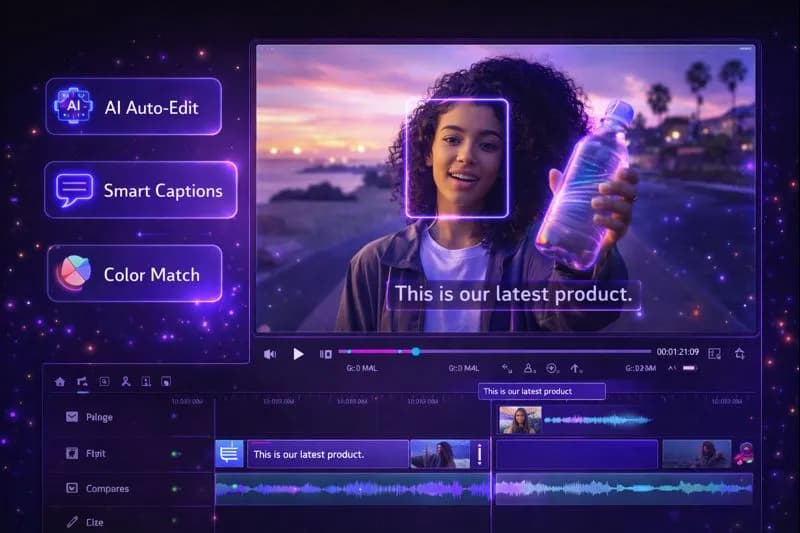
Quick Answer
The best AI video editing software in 2026 depends on the job, not the brand: Descript for talking-head and podcast edits (edit video like a document), Adobe Premiere Pro for professional long-form pipelines, DaVinci Resolve for color and effects without a subscription, CapCut for free short-form editing, and Opus Clip for turning long videos into Shorts. Expect anything from free to roughly $15–40/month for creator tiers, or a one-time license for Resolve Studio and Topaz — AI plans and prices move fast, so check current pricing before you commit. For short-form specifically, see the best Shorts editing apps.
Key Takeaways
- Match the tool to the format: talking head → Descript, cinematic long-form → Premiere Pro or Resolve, Shorts → CapCut, repurposing → Opus Clip.
- AI wins the boring 80%: captions, silence and filler removal, reframing, audio cleanup — not creative decisions.
- Free is genuinely viable: CapCut, DaVinci Resolve Free, and Clipchamp cover most beginner needs; paid tiers buy speed and workflow, not permission to edit.
- Treat published prices as estimates: every vendor here changes tiers and credit systems often, so confirm on the vendor's site before buying.
- Judgment still sets retention: AI trims the dead air; you decide what is worth watching.
AI video editing stopped being a novelty — it is now the default way talking-head, tutorial, and short-form content gets cut. The honest summary of this whole market: AI is excellent at removing work (silences, captions, reframes, noise) and still average at making decisions (pacing, jokes, which take stays). Every tool below is judged on which kind of work it removes.
---
What AI Video Editing Software Actually Does
AI video editing software uses machine learning to automate the tasks that used to eat editing sessions: transcription, cutting, cleanup, and reformatting. The capabilities worth caring about in 2026:
| Capability | What It Does | Where It Lives |
|---|---|---|
| Auto-captioning | Transcribes speech into styled subtitles | Nearly every tool on this list |
| Silence & filler removal | Cuts dead air and "um/uh" in one pass | Descript, Premiere, CapCut, Resolve |
| Smart reframe | Converts16:9 to 9:16 around the speaker | CapCut, Premiere, Opus Clip |
| Audio enhancement | Removes noise and evens out dialogue | Adobe Podcast, Descript, Resolve |
| Text-based editing | Delete words in a transcript; video follows | Descript, Premiere speech-to-text |
| Object/mask isolation | Rotoscope people or objects without a green screen | Resolve Magic Mask, Runway, Premiere |
| Generative video | Create brand-new footage from a text prompt | Runway, InVideo AI, Pictory |
| Auto-clip selection | Find the most engaging moments in long video | Opus Clip, Pictory |
A practical rule of thumb: automating those steps typically saves an hour or more per long-form video, most of it on captions and silence cleanup. The creative calls — which take stays, in what order, for how long — remain yours.
---
The 15 Best AI Video Editing Software in 2026
Tier 1: Professional NLEs
#### 1. Adobe Premiere Pro
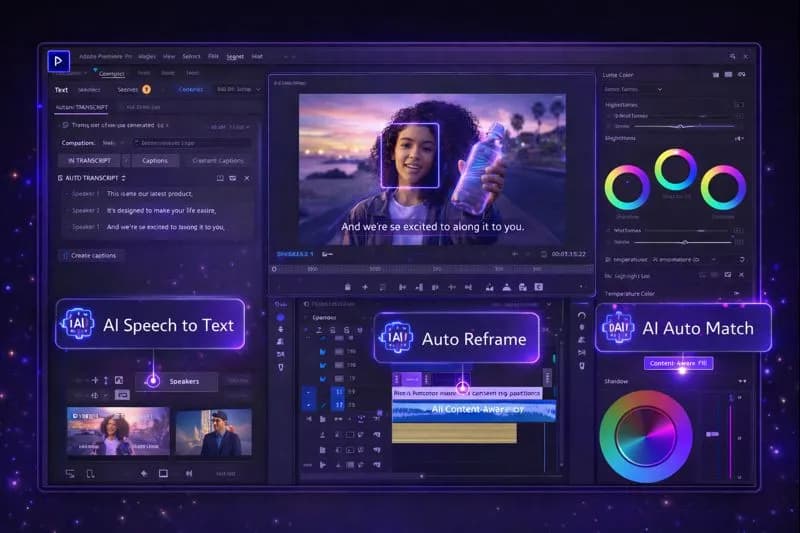
Adobe Premiere Pro AI editing interface
Best for: professional editors, agencies, and long-form channels running a real production pipeline
Premiere remains the industry-standard timeline, and its AI features are now part of the everyday workflow rather than a demo reel:
- Speech to text — transcript-based editing with searchable, styleable captions
- Auto reframe — converts16:9 to vertical or square while following the speaker
- Scene edit detection — cuts an already-rendered video back into editable clips
- Audio tools — one-click voice isolation, noise removal, and auto-ducking
- Morph cut — smooths jump cuts in talking-head footage
- Object removal — paints out unwanted elements frame by frame
Pricing: single-app subscriptions generally sit in the roughly $20–35/month range (annual billing costs less per month), with all-apps bundles higher and team/education plans different. Check current pricing on Adobe's site before committing.
Pros: unmatched plugin ecosystem; tight integration with After Effects and Photoshop; the safest format when a client or employer asks for a project file.
Cons: a subscription that adds up over years; steep initial learning curve; AI features want a reasonably modern machine.
Verdict: *still the professional default. If editing is your job or your channel runs a multi-person pipeline, Premiere's AI features pay for the subscription in time alone.*
---
#### 2. DaVinci Resolve
Best for: colorists, filmmakers, and anyone who refuses a monthly subscription
Blackmagic's Resolve combines editing, color, Fusion VFX, and audio in one application — and it ships with a genuinely free version rather than a trial.
Key AI features (Neural Engine):
- Magic Mask — isolate a person or object without rotoscoping
- Voice isolation — pull clean dialogue out of a noisy room
- Speed Warp — AI-retimed slow motion that does not stutter
- Face refinement and clip organization — tag and sort footage by person
- Smart reframe — automatic reframing for social aspect ratios
Pricing: the free version covers serious editing work; the Studio edition is a one-time purchase (historically in the neighborhood of $300) that unlocks every AI feature with no subscription. Check current pricing.
Pros: best color grading in the industry; one-time purchase; Fusion VFX built in; the free version is not a demo.
Cons: steeper learning curve than subscription NLEs; several Neural Engine features require the Studio license; heavy on older hardware.
Verdict: *the best value in professional editing. Our DaVinci Resolve beginner tutorial walks through a first project end to end.*
---
#### 3. Descript
Best for: podcasters, educators, and talking-head YouTube channels
Descript's premise — edit video by editing the transcript — is still the single biggest time-saver for spoken content.
Key AI features:
- Filler word removal — deletes "um," "ah," and false starts in one pass
- Studio Sound — one-take audio cleanup that makes a cheap mic sound treated
- Text-based editing — cut a sentence from the transcript and the video cuts with it
- Eye contact correction — keeps you looking at the lens
- Screen recording and captions — built in for tutorials
- Overdub — regenerate a line in your own cloned voice (disclose it when a viewer could be misled)
Pricing: a free tier with limited transcription hours; paid creator tiers typically run from the low-to-mid teens per month up to roughly $25–30/month for unlimited transcription and team features. Check current pricing and hour allowances.
Pros: fastest path from raw recording to publishable cut for talking content; excellent caption accuracy; built-in recording.
Cons: not built for cinematic or effect-heavy edits; transitions and effects library are thin; overdub quality varies by voice.
Verdict: *if your videos are people talking, Descript cuts edit time dramatically. Deep dive: Descript for YouTube editing.*
---
Tier 2: AI-First Creative Tools
#### 4. Runway
Best for: creative professionals, VFX experiments, and AI-first workflows
Runway is where generative video research lands first, and its editing tools cover the shots you could never film yourself.
Key AI features:
- Text and image to video — generate b-roll clips from a prompt
- Inpainting — remove or replace objects in existing footage
- Background removal — cut subjects without a green screen
- Motion tracking — attach graphics to moving elements automatically
- Frame interpolation — smooth slow motion from standard footage
Pricing: a limited free tier with monthly credits; paid plans are credit-based and typically start around $12–15/month, rising sharply for higher generation volumes or unlimited-style tiers. Credits burn fast on generation, so check current pricing and per-credit costs before you plan a project around it.
Pros: the most capable generative video tools in one place; browser-based with no install; saves hours when you need b-roll you cannot shoot.
Cons: credit costs compound quickly; generated footage still needs curation for consistency; it is a companion to an editor, not a replacement for one.
Verdict: *essential as a b-roll factory feeding your main edit — not as the place where the edit itself happens.*
---
#### 5. Pictory
Best for: repurposing long-form content, marketers, and blog-to-video
Pictory turns text and long recordings into short, captioned videos without timeline work.
Key AI features:
- Script to video — paste a script, get a sequenced draft with visuals
- Blog to video — converts articles into narrated videos
- Auto-summarization — finds highlight segments inside long recordings
- AI voiceover and auto-captions — narration and subtitles in one pass
- Stock media suggestions — matches b-roll to your script lines
Pricing: plans are tiered by minutes of video processed per month — individual tiers generally run in the roughly $20–40/month range, with team plans higher. Check current pricing.
Pros: genuinely beginner-friendly; fast turnaround; strong at turning one long asset into a month of clips.
Cons: template-driven output can look generic; limited fine control over pacing; not for complex edits.
Verdict: *the practical choice for turning one webinar, podcast, or interview into a stack of shareable clips.*
---
#### 6. InVideo AI
Best for: rapid, prompt-to-video creation for social-first channels
Describe the video you want; InVideo AI writes the script, picks stock, and assembles the edit.
Key AI features:
- Text to video — one prompt produces a complete first cut
- AI script generation — drafts narration from your idea
- AI voiceover — narration without recording
- Automated assembly — clips, music, and text timed together
- Multi-platform export — aspect ratios tuned for Shorts, Reels, and TikTok
Pricing: a watermarked free tier; paid plans generally run roughly $20–60/month depending on export volume and generation allowances. Check current pricing.
Pros: fastest idea-to-video on this list; no editing skill required; multi-language output.
Cons: limited creative control; output can feel formulaic; quality depends heavily on how you write the prompt.
Verdict: *a volume tool. Great for faceless or high-frequency channels — but keep a human review pass on every export.*
---
Tier 3: Free & Accessible Editors
#### 7. CapCut
Best for: Shorts, Reels, TikTok, and beginners who want AI features without paying
CapCut (from ByteDance) packs an alarming amount of paid-tool AI into a free desktop and mobile app.
Key AI features:
- Auto-captions — accurate transcription with styled, animated options
- Background removal — one-click cutout, no green screen
- Smart reframe — auto-crops to any aspect ratio around the subject
- Voice effects and cleanup — voice change, noise reduction, leveling
- Speed ramps and keyframes — smooth velocity edits without manual easing
Pricing: the core editor and most AI features are free on desktop and mobile; an optional Pro tier unlocks premium assets, some advanced AI generations, and larger cloud storage. Check current pricing — feature gating between free and Pro shifts regularly, and account/privacy terms deserve a read before you use it for client work.
Pros: genuinely free for the core workflow; short-form feature set rivals paid editors; fast to learn.
Cons: ceiling is lower for long-form, complex edits; some features have moved behind Pro; data-privacy questions for business use.
Verdict: *the default first editor for any creator making Shorts. Full feature walkthrough: CapCut AI features for YouTube.*
---
#### 8. Clipchamp (Microsoft)
Best for: Windows users and Microsoft 365 subscribers
Clipchamp ships with Windows, which makes it the editor most beginners already have installed.
Key AI features:
- Auto-compose — assembles clips into a coherent rough cut
- Text-to-speech — multiple AI voice options for narration
- Auto-captions — built-in transcription for accessibility
- Background removal — AI green-screen replacement
- Silence trimming — cuts dead air automatically
Pricing: free with Windows for core editing at up to1080p; premium stock, brand kits, and some exports sit behind paid Microsoft tiers (roughly $10–20/month or included with Microsoft 365). Check current pricing.
Pros: already installed; gentle learning curve; cloud autosave; familiar Microsoft interface.
Cons: limited ceiling for advanced edits; slower than dedicated desktop NLEs; premium content needs a subscription.
Verdict: *the "already installed" option — ideal for first-timers and quick social cuts.*
---
#### 9. Canva Video Editor
Best for: marketers, design-led teams, and brand consistency
Canva's video editor brings the same template-first ease to video that made its design platform ubiquitous.
Key AI features:
- Magic Design — template-based video layouts from your assets
- Background remover — one-click cutouts
- Beat sync — clips cut to music automatically
- Text tools — captions and script assistance inside the editor
- Brand kit — fonts, colors, and logos applied consistently
Pricing: a free tier with watermarked premium assets; Pro typically runs roughly $10–15/month per person, with team tiers slightly higher. Check current pricing.
Pros: easiest branded video if your team already lives in Canva; huge template library; real-time collaboration.
Cons: limited for complex edits; timeline controls are basic compared with a full NLE.
Verdict: *best when the video must match a brand kit more than it must win an editing award.*
---
Tier 4: Specialized AI Editing Tools
#### 10. Opus Clip
Best for: repurposing long videos into Shorts
Opus Clip finds the moments in a long video most likely to work as standalone clips, then reframes and captions them for you.
Key AI features:
- Highlight selection — ranks segments by how likely they are to hold attention
- Auto-reframe — converts horizontal footage to vertical around the speaker
- Animated captions — styled subtitles tuned for muted scrolling
- Keyword heatmaps — shows which words carry each segment
- Cross-platform export — outputs for Shorts, Reels, and TikTok
Pricing: a limited free allowance (a set number of processing minutes), then monthly tiers that generally run from the high-teens to around $50/month depending on minutes processed. Check current pricing.
Verdict: *the fastest long-to-short pipeline available — essential for podcasters and interview channels. Walkthrough: Opus Clip tutorial.*
---
#### 11. Synthesia
Best for: training, documentation, and corporate presenter video
Synthesia turns a script into a presenter-style video using AI avatars — no camera, no crew, no studio.
Key AI features:
- AI avatars — a large library of presenters that speak your script
- Text to video — script in, structured video out
- Many languages — localize a single script across markets
- Custom avatar — create a presenter from your own likeness
- Screen recording — combine avatar narration with product demos
Pricing: a limited free demo tier; paid plans generally start in the roughly $20–30/month range for personal use and climb into the $50–80/month range for business features like custom avatars. Check current pricing.
Verdict: *built for organizations producing repeatable presenter video — not for YouTube entertainment content.*
---
#### 12. HeyGen
Best for: localization and reaching global audiences
HeyGen covers the same avatar territory as Synthesia but leads with translation and lip-sync dubbing.
Key AI features:
- Video translate — dub an existing video into other languages with matching lip movement
- Voice cloning — keep your voice across languages
- AI avatars — presenter-style generation
- Template library — marketing and explainer layouts
Pricing: a free tier with limits; paid plans generally start in the low-to-mid $20s per month and scale with minutes and features. Check current pricing.
Verdict: *the strongest option for taking an existing channel into other languages.*
---
#### 13. Veed.io
Best for: browser-based quick edits and subtitle work
Veed runs entirely in the browser, which makes it the fastest turnaround when you just need clean captions.
Key AI features:
- Auto subtitles — accurate transcription with styling
- Eye contact correction — nudges your gaze back to the lens
- Background removal — quick cutout without a green screen
- Noise cleanup — one-pass audio tidy-up
Pricing: a free tier with export limits; paid tiers generally run roughly $15–30/month. Check current pricing.
Verdict: *the handy browser option when you need subtitles fast and do not want to open a full NLE.*
---
#### 14. Adobe Podcast (AI audio)
Best for: voice-first creators fixing bad recordings
Adobe's audio tools focus on one job: making any recording sound like it came from a treated room.
Key AI features:
- Enhance Speech — studio-style cleanup from a noisy recording
- Mic Check — validates your setup before you record
- Transcription — accurate speech-to-text for captions
Pricing: a free tier covers core enhancement; Adobe has been folding standalone audio tools into broader plans over time, so check current access.
Verdict: *the cheapest quality upgrade in this entire list — it costs nothing and can rescue a recording you thought was unusable.*
---
#### 15. Topaz Video AI
Best for: upscaling, restoration, and slow-motion conversion
Topaz uses AI to fix footage you already shot: low resolution, noise, shake, and choppy frame rates.
Key AI features:
- Upscaling — raises low-resolution footage toward HD or 4K
- Frame interpolation — converts standard frame rates to smoother ones
- Stabilization — smooths handheld shake
- Denoising and deinterlacing — cleans grain and legacy formats
Pricing: a one-time license rather than a subscription, historically in the neighborhood of $300. Check current pricing.
Verdict: *a fix-it tool for archive and rescue footage — buy it when you have old clips to save, not before.*
---
Comparison Chart: Best AI Video Editors 2026
| Tool | Best For | Price Tier | Signature AI Feature |
|---|---|---|---|
| Adobe Premiere Pro | Professional long-form | Subscription, roughly $20–35/mo single app | Transcript editing, auto reframe, object removal |
| DaVinci Resolve | Color and value | Free / one-time Studio license (~$300) | Magic Mask and voice isolation |
| Descript | Talking-head and podcasts | Free tier / roughly $12–30/mo | Edit video by editing text |
| Runway | Generative b-roll and VFX | Free credits / roughly $12/mo+ | Text-to-video and inpainting |
| CapCut | Shorts and beginners | Free (optional Pro tier) | Auto-captions and smart reframe |
| InVideo AI | Prompt-to-video volume | Free (watermarked) / roughly $20–60/mo | Full first cut from one prompt |
| Opus Clip | Long-to-short repurposing | Free minutes / roughly $15–50/mo | Highlight selection with attention scoring |
| Pictory | Blog and webinar repurposing | Roughly $20–40/mo | Script and article to video |
| Canva Video | Brand-consistent social | Free / roughly $10–15/mo Pro | Template-driven design video |
| Synthesia | Corporate presenters | Free demo / roughly $20–80/mo | AI avatar presenters |
Every figure above is an approximate tier, not a quote — AI pricing changes faster than this page does, so confirm on each vendor's pricing page before you buy.
---
How to Choose the Right AI Video Editor
Use this as a60-second decision framework: start from what you shoot most, not from what is trending.
For YouTube Creators:
- Long-form content: Premiere Pro or DaVinci Resolve for the timeline, Descript for the first pass on dialogue
- Talking-head videos: Descript (edit as text), then finish anywhere
- Shorts and clips: CapCut to edit free, Opus Clip to repurpose
- Bad room audio: Adobe Podcast's Enhance Speech before any other fix
For Social Media Marketers:
- Volume content: InVideo AI or Pictory
- Brand consistency: Canva Video with a shared brand kit
- Repurposing: Pictory + Opus Clip as a fixed pipeline
For Beginners:
- Free and capable: CapCut
- Windows users: Clipchamp
- No editing at all: InVideo AI
- Worth learning properly: DaVinci Resolve for beginners
For Professionals:
- Industry standard: Adobe Premiere Pro
- Best lifetime value: DaVinci Resolve Studio (one-time license)
- Creative experiments: Runway
More roundups: best free video editors for YouTube · best video editing laptops 2026 · best mobile editing apps
---
5 Mistakes When Choosing an AI Video Editor
- Buying for the demo, not your footage. Generative tools look magical on curated clips. Test any tool with your own worst recording — that is the footage that actually decides your workflow.
- Paying for AI you will use twice a month. Captioning and silence removal earn a subscription because they happen on every video. Niche capabilities — avatar presenters, one-off upscaling — are better handled by a free tier or a one-time purchase.
- Confusing automation with quality. A tool that assembles a full video from one prompt does not know your audience, your pacing, or your jokes. Auto-assembly is a rough cut, never a final one.
- Skipping the terms and export rules. Free tools differ on watermarks, commercial use, and what happens to footage you upload. Read the terms before a client project lands in someone else's cloud.
- Ignoring audio entirely. Viewers tolerate soft video and abandon bad audio. Whatever editor you choose, run dialogue through an enhancer (Adobe Podcast or Descript's Studio Sound) and compare it against your raw take.
---
Where AI Video Editing Stands in October 2026
The shift over the past year is not that AI got creative — it is that AI got boring and reliable:
- Cleanup is now table stakes. Silence removal, filler-word deletion, accurate captions, and voice isolation are expected in every editor, including the free ones. If your current tool charges extra for any of them, switch.
- Text-based editing became the default for spoken content. Editing from a transcript is faster than a timeline for anything with dialogue, and accuracy is good enough to trust with a light review pass.
- Repurposing pipelines matured. Find, reframe, caption, publish — the long-video-to-Shorts path is effectively automated. The remaining human job is picking the clip that represents you best.
- Generative footage improved but still needs curation. Text-to-video works for b-roll you could not shoot; it is not yet for hero shots your audience will scrutinize.
- Pricing is the moving part. Credit systems and tier limits change more often than features do. Re-check pricing whenever you renew, and only switch to annual billing for tools you have already used monthly for several months.
The creators who gain the most are not the ones with the most tools — they are the ones who know which three steps of their own edit to automate and leave the rest alone.
---
Ready to optimize your YouTube content? Try these free tools:
- YouTube Title Generator — AI-powered viral titles
- YouTube Description Generator — SEO-optimized descriptions
- YouTube Thumbnail Generator — eye-catching thumbnail text
- YouTube Tag Generator — tag sets that fit the limits
Related guides on this topic: Best AI Tools for YouTube Creators 2026 · Best Free Video Editors for YouTube · AI Tools for YouTube Creators · YouTube Tools Hub vs TubeBuddy · YouTube Tools Hub vs VidIQ.
Topics
❓Frequently Asked Questions
What is the best AI video editing software in 2026?
It depends on the job. For professionals, Adobe Premiere Pro offers the most complete AI-assisted pipeline. For talking-head and podcast content, Descript's text-based editing is the biggest time-saver. For budget-conscious creators, DaVinci Resolve delivers pro features with a free version and a one-time Studio license. For free short-form editing, CapCut, and for prompt-to-video volume, InVideo AI. Most channels end up combining two or three of these rather than picking one.
Is there any free AI video editing software?
Yes, and the free options are genuinely usable. CapCut includes auto-captions, background removal, and smart reframing at no cost. DaVinci Resolve has a full free editor with a subset of its AI features. Clipchamp ships free with Windows. Adobe Podcast's speech enhancement has a free tier. Free usually means limits on premium assets, export options, or advanced generations rather than a watermark on everything.
Can AI completely edit videos automatically?
AI can automate transcription, captioning, silence and filler removal, reframing, and even assemble a rough cut — tools like InVideo AI and Pictory build complete first drafts from text. What it cannot do well is decide what is worth watching: pacing, jokes, story order, and which take represents you best still need a human. The effective pattern is AI for the mechanical pass, human for the creative pass.
What AI video editor is best for YouTube?
For YouTube, the strongest combinations are Descript for the first cut on podcast-style and educational content, Premiere Pro or DaVinci Resolve for finishing long-form work, CapCut for Shorts and quick edits, and Opus Clip for repurposing long videos into vertical clips. Match the tool to your format instead of forcing one editor to do everything.
How much does AI video editing software cost?
Budget from free to roughly $15–40 per month for creator tiers: CapCut, Clipchamp, and DaVinci Resolve Free cost nothing; Descript, InVideo AI, Pictory, and Opus Clip sit in the low-to-mid tens per month; Adobe's single-app and all-apps subscriptions run higher still. Two exceptions to the subscription model — DaVinci Resolve Studio and Topaz Video AI are one-time purchases. Because AI plans and credit systems change often, check current pricing on each vendor's site before buying.
Is Premiere Pro better than DaVinci Resolve for AI editing?
Both are excellent and the choice is mostly about ecosystem and budget. Premiere Pro integrates with After Effects and Photoshop and suits agency pipelines, on a subscription. DaVinci Resolve combines editing, color, VFX, and audio, ships a real free version, and its Studio edition is a one-time purchase — better value for color-heavy work and anyone avoiding subscriptions. Try both free options (Resolve Free and Premiere's trial) on your own footage before deciding.
Can AI generate videos from text?
Yes. InVideo AI, Pictory, and Synthesia can assemble complete videos from a script or prompt, and Runway can generate original footage from a text description. The output quality depends heavily on how specific your prompt is, and generated b-roll still needs curation so clips stay visually consistent. Treat text-to-video as a first draft or b-roll source, not a finished product.
What AI tool is best for adding captions to videos?
Descript is the strongest for accuracy plus fast text-based corrections; CapCut is the best free option with styled, animated captions; Veed.io specializes in browser-based subtitles; and Premiere Pro's speech-to-text suits professional workflows that need caption files delivered to broadcast or client specs. For short-form specifically, animated caption styling matters as much as accuracy — see the [best Shorts editing apps](/blog/youtube-shorts-best-editing-apps-techniques).
Free tools for this topic
Apply what you just read with free creator tools — no signup required.