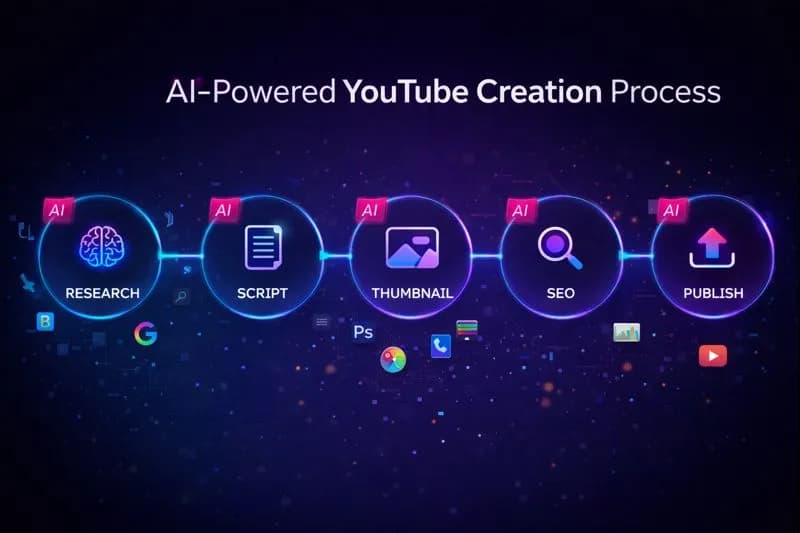
Let me tell you exactly when I knew AI had changed everything.
It was 3 AM. I was on my fourth cup of coffee, staring at Photoshop, trying to create a thumbnail for a video I'd spent 12 hours editing. My eyes were burning. My back was killing me. And I still had to write the description, generate tags, and optimize the title.
That was January 2025.
Fast forward to today:I create more content in 2 days than I used to create in 2 weeks.
The difference? AI tools. Not the overhyped, useless ones. The actual working tools that save real time.
This isn't a sponsored listicle. These are the exact 15 tools I use every single week to run my channel. Some are free. Some cost money. All of them are worth your attention.
Why 2026 is the Year AI Tools Became Essential
Here's a stat that should wake you up: according to Think with Google, creators who adopt AI tools are producing 3x more content with the same team size.
That's not a small edge. That's a competitive moat.
Warning
Creators who ignore AI tools in 2026 aren't just leaving efficiency on the table—they're handing views to competitors who work smarter, not harder.
The AI tools available today aren't the clunky, unreliable experiments from 2023. They're polished, practical, and genuinely useful. Let me show you how I use them.
Part 1: AI Tools for Research & Ideation
Before you film anything, you need to know *what* to film. These tools eliminate the guesswork.
Tool #1: ChatGPT / Claude for Script Research
Every video starts with research. I used to spend 2-3 hours reading articles, watching competitor videos, and taking notes.
Now I use Claude or ChatGPT to:
- Summarize complex topics in 5 minutes
- Generate outline structures
- Find angles I hadn't considered
- Check facts before I claim them on camera
Pro tip:Don't ask AI to "write a script." Ask it to "give me 10 unique angles on [topic] that most creators miss." That's where the gold is.
Tool #2: Video Ideas Generator
When you're stuck staring at a blank content calendar, AI can break the logjam.
OurStrategic Video Ideas Generatordoes something clever: it asks about your channel size and goals, then generates ideas that actually make sense for YOUR stage.
A 500-subscriber channel needs different content than a 500k-subscriber channel. Most idea generators ignore this. Ours doesn't.
Tool #3: YouTube Trend Helper
Timing is everything on YouTube. TheYouTube Trend Helper shows you what's trending in your region right now—not last week, not yesterday, *right now*.
I check this every Monday before planning my week's content. If something's trending that fits my niche, I can create timely content that rides the wave.
Pro Tip
Combine trend data with evergreen topics. A video like "ChatGPT Tips for [Trending Topic]" gets trend traffic AND long-term search traffic.
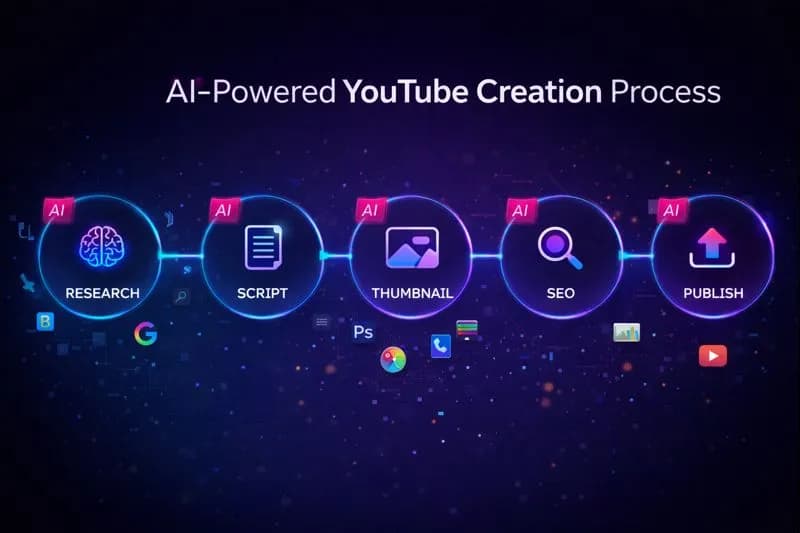
AI tools workflow for YouTube creators
Part 2: AI Tools for Thumbnails & Visuals
Thumbnails are 90% of your click-through rate. These tools make professional thumbnails accessible to everyone.
Tool #4: AI Thumbnail Image Generator
This one is a game-changer for creators without design skills.
Our AI Thumbnail Image Generatorlets you describe what you want, and it creates a unique, professional thumbnail in seconds. No Photoshop. No Canva templates. No stock photos.
I use this when I need something completely custom—a specific scene, a particular style, or an image that simply doesn't exist in stock libraries.
Tool #5: AI Thumbnail Prompt Generator
Here's the thing about AI image tools like Midjourney and DALL-E: the quality of your output depends entirely on your prompt.
Most people write prompts like "YouTube thumbnail for cooking video." That gets you garbage.
TheAI Thumbnail Prompt Generator transforms your simple idea into a detailed, technical prompt that includes lighting, composition, style, and color theory.
The difference is night and day.
Tool #6: Midjourney
Midjourney is the gold standard for AI-generated images. I use it for:
- Custom illustrations
- Stylized portraits
- Concept art for educational videos
- Unique visual elements that set my thumbnails apart
Best settings for thumbnails:Use `--ar 16:9` for the right aspect ratio and `--style raw` for more realistic outputs.
Tool #7: Canva AI (Magic Studio)
Canva's AI features are perfect for quick edits:
- Magic Resize adapts designs to any format
- Magic Write generates text suggestions
- Background Remover cuts out subjects instantly
- Magic Eraser removes unwanted elements
It's not as powerful as Midjourney, but it's faster for simple tasks.
Note
Curious about the psychology behind great thumbnails? Check out our deep dive onYouTube Thumbnail Design Psychology—it covers color theory, face placement, and the science of clicks.
Part 3: AI Tools for Titles & SEO
Great content with bad SEO is invisible content. These tools fix that.
Tool #8: YouTube Title Generator
Your title is half the battle. The YouTube Title Generatorcreates multiple SEO-optimized title options in seconds.
What I love: it gives you variations—clickbait style, professional style, question format, number format. You can pick what fits your video best.
Tool #9: YouTube Tag Generator
Tags matter less than they used to, but they still help YouTube categorize your content.
TheYouTube Tag Generatorcreates a complete tag set in 30 seconds. Primary keywords, long-tail variations, trending tags—all organized and ready to paste.
I used to spend 15 minutes on tags. Now I spend 30 seconds.
Tool #10: YouTube Description Generator
A good description helps with:
- SEO rankings
- Viewer engagement (timestamps!)
- Link placement for affiliate or product links
TheYouTube Description Generatorstructures everything properly: hook, key points, timestamps, calls-to-action, and hashtags.
Tool #11: YouTube Hashtag Generator
Hashtags appear above your title. They're clickable. And they help with discoverability.
TheYouTube Hashtag Generatorgives you the right mix of broad and niche hashtags. I typically use 3-5 per video.
Warning
Don't over-rely on AI for SEO. Always review and customize the output. AI gives you a starting point—your unique voice turns it into something special.
Part 4: AI Tools for Scripting & Voiceovers
For faceless channels or anyone who wants tighter scripts, these tools are essential.
Tool #12: Intro Script Generator
The first 30 seconds determine whether viewers stay or bounce.
OurIntro Script Generatorcreates hooks using proven frameworks: problem-agitation-solution, open loops, shocking facts.
I write my own scripts, but I always run my intro through this tool to make sure I'm not burying the hook.
Tool #13: ElevenLabs
ElevenLabs is the best AI voice tool on the market. Period.
Their voices sound genuinely human—emotional, natural, not robotic. For faceless channels, documentary-style content, or even just voiceover narration, it's worth every penny.
I know creators making $10k/month on faceless channels using ElevenLabs voices. The quality is that good.
Pro Tip
If you're interested in faceless content, ourFaceless YouTube Channel Blueprintcovers the complete strategy—from niche selection to monetization.
Tool #14: Descript
Descript is magic for editing. You can:
- Edit video by editing the transcript text
- Remove filler words automatically
- Generate subtitles instantly
- Clone your voice for corrections
The "Overdub" feature lets you fix mistakes without re-recording. I've saved hours using this for podcast-style content.
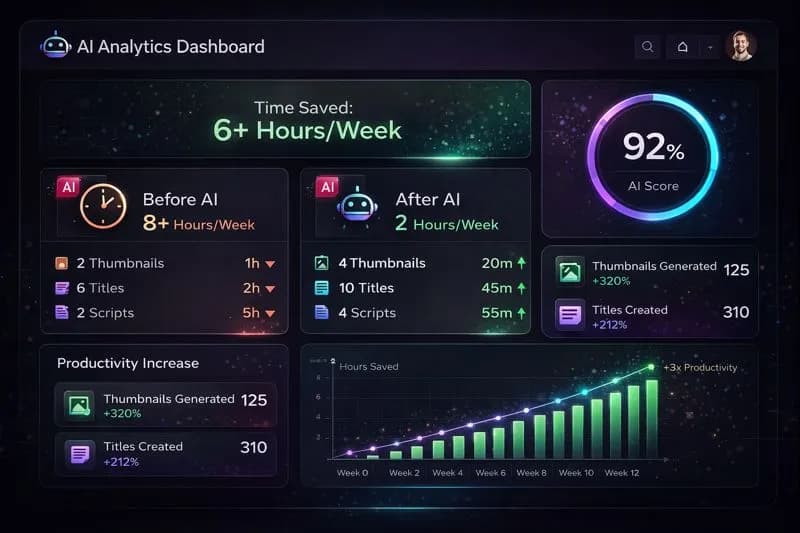
AI creator analytics dashboard
Part 5: AI Tools for Planning & Analytics
Consistency beats sporadic genius. These tools help you stay consistent.
Tool #15: Content Calendar Generator
TheContent Calendar Generatorcreates a complete posting schedule based on your niche and upload frequency.
No more "what should I post this week?" panic. You have a plan. You just execute.
Bonus: Engagement & Testing Tools
-Engagement Rate Calculator- Track how well your content resonates
-Title A/B Score Checker - Test which titles will get more clicks before you publish
These aren't AI-powered, but they're essential for optimizing your content strategy.
My Complete AI Workflow (Step by Step)
Here's exactly how I use these tools for every video:
Monday: Planning
- Check YouTube Trend Helperfor opportunities
- UseVideo Ideas Generatorto fill content gaps
- Update myContent Calendar with the week's topics
Tuesday-Wednesday: Research & Scripting
- Research topic using Claude/ChatGPT
- Draft script outline
- Run intro through Intro Script Generator
- Finalize script
Thursday: Production
- Film video
- Edit in Descript (remove filler words, generate transcript)
Friday: Optimization
- Generate thumbnail with AI Thumbnail Generator
- Create titles using YouTube Title Generator
- Generate tags with YouTube Tag Generator
- Write description with YouTube Description Generator
Saturday: Review & Schedule
- A/B test titles with Title Score Checker
- Final review
- Schedule upload
Time before AI: 20+ hours per video
Time after AI:6-8 hours per video
That's not a minor improvement. That's a 60% reduction in production time.
Common Mistakes with AI Tools (Avoid These)
Mistake #1: Using AI Output Without Editing
AI gives you a starting point, not a finish line. Always review, customize, and add your personality.
Mistake #2: Over-Relying on AI for Creative Decisions
AI is great for the 80% that's repetitive. But the 20% that makes your content unique? That's still you.
Mistake #3: Ignoring the Learning Curve
Every tool takes time to master. Don't give up after one mediocre result. Learn the tool properly.
Mistake #4: Skipping the Free Tiers
Most AI tools have generous free tiers. Use them before paying. You might find the free version is enough.
The Bottom Line
AI tools won't make you successful. Strategy, consistency, and audience understanding will.
But AI tools will make youfaster. And in a game where the most consistent creator usually wins, speed matters.
Important
The creator who publishes 4 videos per week with AI assistance will outgrow the creator who publishes 1 video per week without it. Volume compounds. Use AI to increase your volume without sacrificing quality.
Start with one tool. Master it. Then add another. Before you know it, you'll have a workflow that makes content creation feel almost... easy.
Not easy because it requires less thinking. Easy because it requires less *time* on the tasks that don't need your brain.
Now go build something great.
Related Resources
- YouTube Automation Guide 2026- Complete automation strategies
-Best YouTube Tools for Beginners- Essential starter toolkit
-Faceless YouTube Channel Blueprint- Build a channel without showing your face
-YouTube Thumbnail Design Psychology - The science behind clicking
Related guides on this topic: Free YouTube Tools Suite · vs TubeBuddy · vs VidIQ · YouTube SEO Tools · AI Title Generator.
Topics
❓Frequently Asked Questions
What are the best free AI tools for YouTube creators?
The best free AI tools for YouTube creators in 2026 include: ChatGPT (free tier for research and scripting), Canva (free tier with AI features for thumbnails), YouTube Tools Hub's free generators (Title, Tag, Description, Thumbnail generators), Descript (free tier for transcription), and CapCut (free AI-powered video editing). Most premium tools also offer free trials or limited free tiers that are sufficient for small channels.
Can AI tools help me get more views on YouTube?
Yes, AI tools can significantly boost YouTube views by: (1) Optimizing titles and thumbnails for higher CTR using AI generators, (2) Improving SEO with AI-generated tags and descriptions, (3) Identifying trending topics faster with trend analysis tools, (4) Creating more content in less time (creators using AI produce 3x more content on average), (5) A/B testing titles before publishing. However, AI is a multiplier—it amplifies good strategy, but can't replace understanding your audience.
Is it against YouTube's rules to use AI for content creation?
No, YouTube does not prohibit AI-assisted content creation. However, YouTube's policies target 'repetitive, auto-generated content' without value. Using AI for thumbnails, titles, research, and scripting is completely acceptable. Even AI voiceovers are allowed if the content is original and provides value. The key is using AI as a tool to enhance human creativity, not replace it entirely with low-effort automated content.
What AI tool is best for YouTube thumbnails?
For YouTube thumbnails, the best AI tools are: (1) Midjourney - highest quality custom images, perfect for unique artistic thumbnails, (2) AI Thumbnail Generators - quick, purpose-built for YouTube dimensions, (3) DALL-E 3 - excellent for photorealistic scenes, (4) Canva AI - best for quick edits and text overlays, (5) Adobe Firefly - great for professional results with commercial usage rights. Many creators combine multiple tools: Midjourney for the base image, Canva for text and final touches.
How much time can AI tools save YouTube creators?
AI tools can save YouTube creators 50-70% of their production time. Typical time savings include: Thumbnail creation (2 hours → 15 minutes), Title/tag/description writing (1 hour → 10 minutes), Research and outlining (3 hours → 45 minutes), Script editing and polishing (2 hours → 30 minutes), Caption generation (1 hour → 5 minutes). A video that took 20 hours to produce can be completed in 6-8 hours with proper AI tool integration.
Are AI-generated thumbnails as effective as custom designed ones?
AI-generated thumbnails can be equally effective or even superior to custom-designed thumbnails when used correctly. The key factors for CTR (contrast, emotional faces, readable text, curiosity) can all be achieved with AI. Many successful channels now use AI thumbnails exclusively. The advantage of AI: faster iteration, more A/B testing options, and consistent quality without advanced design skills. The key is writing detailed prompts and refining outputs rather than accepting first results.
What's the best AI tool for writing YouTube scripts?
The best AI tools for YouTube scripts are: (1) Claude - excellent for long-form, nuanced scripts with natural language, (2) ChatGPT - versatile for research, outlines, and draft scripts, (3) Jasper - purpose-built for content creators with YouTube templates, (4) Copy.ai - good for hooks and intros. However, AI should assist script writing, not replace it. Best practice: Use AI for research, outline generation, and hook suggestions, then write the actual script in your own voice.
Free tools for this topic
Apply what you just read with free creator tools — no signup required.