Quick Answer
YouTube automation means systematizing research, scripting, editing, and packaging so one person can run a channel without burning out — the ethical version is a human-directed pipeline, not mass-produced robot content. Start with a free stack: Video Ideas Generator for research, Title Generator for the click test, a capable free editor like CapCut or DaVinci Resolve for production, and Thumbnail Downloader for packaging study. Total startup cost: $0.
Key Takeaways
- Automation is a system, not a substitute for judgment. The channels that survive treat automation as leverage on human decisions — idea selection, hooks, and packaging stay human.
- Package before you produce. If you can't title and thumbnail it, don't script it. This single rule kills most failed automation channels.
- The human-AI sandwich works: write the hook and CTA yourself, let AI expand the middle research section, then rewrite the whole thing in your own voice.
- Retained watch time is the monetization gate. YouTube's reused-content rules target low-effort mass production; original commentary, structure, and editing are what keep a faceless channel eligible.
- AdSense is the last income source, not the first. Affiliate offers, sponsorships, and productized services monetize far smaller view counts than ads do.
This isn't a "get rich quick" guide. This is the anti-guru guide to realistic YouTube automation in 2026.
Running a YouTube channel is a full-time business. Without systems, you burn out — and burnout kills more channels than bad content does. The goal of automation is to delete repetitive work so your limited creative energy goes only where it changes outcomes: idea selection, hooks, and packaging.
---
The Big Lie About "Faceless" Channels
Most people think "faceless" means "low quality."
They upload robot-voice readings of public articles and wonder why nobody watches.
The algorithm isn't stupid. YouTube's systems are built to detect low-effort, repetitive, mass-produced content — and such channels struggle to monetize even when they get views. If you want to win, you need to build a media brand, not a content mill.
Here is the exact "hybrid system" used to run channels without burning out — and without showing a face.
---
Phase 1: The "Unfair Advantage" Research
If your video idea sucks, the best editing in the world won't save it.
Guessing what people want is the most expensive habit a creator can have. Replace it with data.
1. Spy on the Winners
Don't start from scratch. Find a video that's already performing disproportionately well for its channel size and ask: *how can I make this better — newer, clearer, deeper, or for a different audience?*
Tool: YouTube Video Ideas Generator — use it purely to brainstorm angles. If a competitor made "Top 10 Fast Cars," generate the twist: "Top 10 Fast Cars That Are Illegal Where You Live." The generator produces volume; you produce judgment.
2. The Click Test
Before you write a single word of script, lock the title and thumbnail concept. If you can't package it, you don't make it.
Tool: YouTube Title Generator — generate 10 variations looking for genuine curiosity.
- Weak: "How to Save Money"
- Strong: "I Stopped Buying Coffee for 30 Days (Here's What Happened)"
The second one survives because it promises an experiment with an outcome, not a lecture.
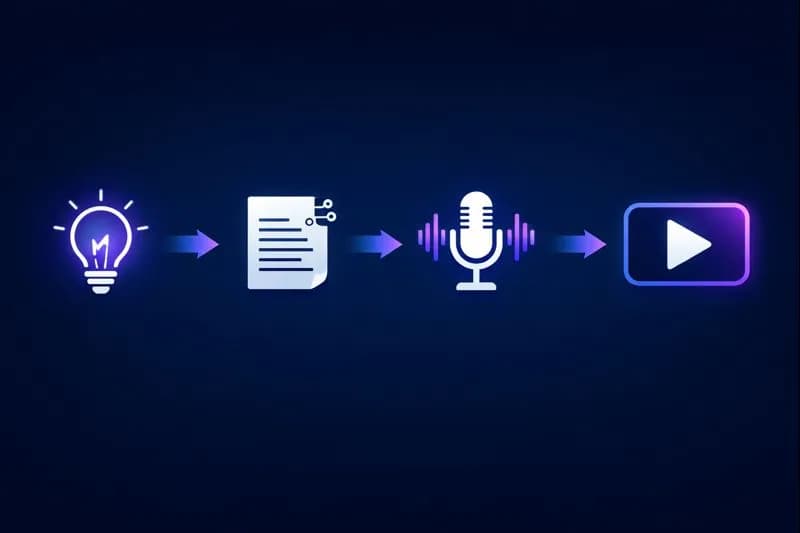
YouTube Automation Workflow
---
Phase 2: Scripting (The Human + AI Sandwich)
Here's where 99% of automation channels fail: they let a language model write the entire video. Generic AI output sounds like a textbook, and viewers can feel it.
The sandwich method:
- Top bun (human): write the first 60 seconds yourself. The hook must be punchy, emotional, and real — it's the only part of the script that decides whether anyone stays.
- Meat (AI): have Claude or ChatGPT expand the educational middle — the lists, the facts, the step-by-step mechanics. Give it your outline, not a blank prompt.
- Bottom bun (human): write the call-to-action yourself so it sounds like a person, not an ad read.
Then do one full pass in your own voice. Change sentence lengths, add one personal detail per section, delete every phrase you'd never say out loud.
Copy-Paste Drafting Prompt
Role: You are a research assistant for a YouTube script.
Topic: [topic]
Target viewer: [who they are, what they already know]
Length: [N] words for roughly [M] minutes of speech
Structure:
  1. 3 concrete points, ordered from most to least surprising
  2. For each point: one example, one common mistake
  3. No intro fluff, no conclusions, no "in today's video"
  4. Conversational: short sentences, second person, no corporate filler
Output: bullet research notes only. The human writes the hook and CTA.
That last instruction is the important one. You want research from the model, not finished prose.
---
Phase 3: The Voice (Robots vs. Real)
"Can I use AI voiceovers?"
Yes — but retention is the only metric that matters, and generic robotic voices lose viewers in seconds. If you use an AI voice, it needs to be high-fidelity and consistently characterized; most of the recognizable stock voices immediately mark a channel as content-mill output.
Pro tip: if you're broke, use your own voice. It builds more trust than any synthetic option. A faceless channel with a real human personality — opinionated, imperfect, consistent — is far more valuable than a generic voiceover channel, because personality is the only moat a faceless channel can have. Our faceless channel guide breaks down the formats that actually sustain an audience without a camera.
If you do go synthetic, treat voice as a production choice you revisit: test two videos with your own voice against two with the synthetic one and compare retention curves in YouTube Studio.
---
Phase 4: The Visuals (Stock Is Boring)
Stop using generic stock footage for everything.
If you're making a video about a specific company, person, or product and you only show anonymous footage of people typing on laptops, viewers disengage — the visuals contradict the specificity of the script.
What works instead:
- Motion graphics: simple text and numbers flying on screen keep retention high during dense explanations.
- B-roll of the actual subject: talking about a specific product, place, or person — show that product, place, or person.
- Screen recordings: for software, analytics, or "how it works" sections, your screen is the most relevant footage available.
- CapCut: free, with strong auto-captions — captions materially help silent autoplay viewing on mobile.
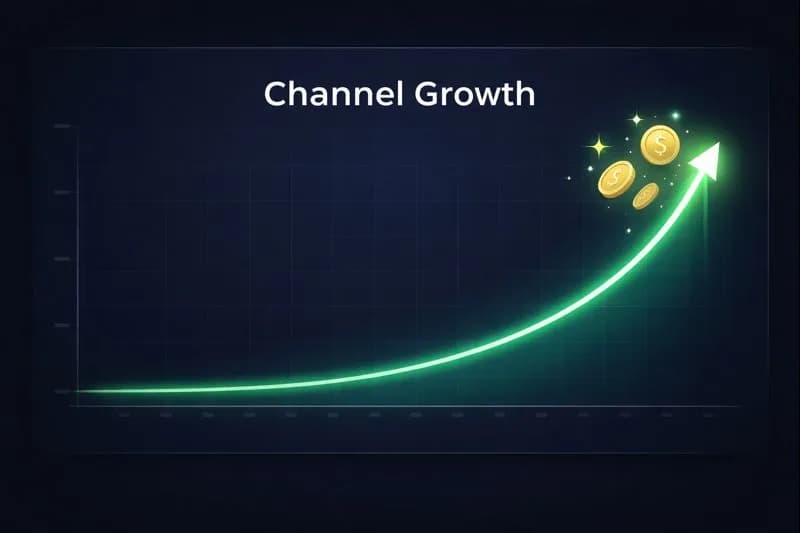
Channel Growth Graph
*Real growth isn't linear. It looks like this: flat... flat... flat... EXPLOSION.*
---
Phase 5: The Weekly Operating Rhythm
Automation fails when it lives in your head. Put it on a calendar:
| Day | Stage | Tooling | Output |
|---|---|---|---|
| Monday | Research + packaging | Video Ideas Generator, Title Generator | 3 validated topics with title + thumbnail concept |
| Tuesday | Scripting | AI research notes + human hook/CTA | 2 finished scripts |
| Wednesday | Recording + editing | Your editor of choice, auto-captions | 2 rough cuts |
| Thursday | Thumbnails + metadata | Thumbnail Downloader study, Tag Generator | 2 upload-ready packages |
| Friday | Publishing + analysis | YouTube Studio | 1–2 videos live, last week's data reviewed |
The point isn't the exact days — it's batching by stage. Context-switching between research, filming, and editing every few hours is where half a week disappears.
---
The "Lean" Tech Stack (Total Cost: $0–50/Month)
You don't need a $2,000 PC to start. Here's the working setup:
| Function | Recommended Tool | Cost |
|---|---|---|
| Research | Video Ideas Generator, YouTube auto-suggest | Free |
| Scripting | ChatGPT/Claude free tiers + your rewrite pass | Free |
| Voice | Your own voice (or a paid synthetic voice if validated) | Free / low monthly cost |
| Editing | CapCut Desktop or DaVinci Resolve | Free |
| Thumbnails | Thumbnail Downloader for study, Canva for design | Free |
| Metadata | Tag Generator, Description Generator | Free |
| Tag research | Tag Extractor to see how winners categorize | Free |
| Scheduling | Content Calendar Generator | Free |
Total: $0 to start. Add paid voice, music licensing, or stock only when a channel earns enough to pay for itself.
---
Quality Gates: What Gets Automation Channels Demonetized
YouTube monetization review focuses on whether content is original and adds value. Before every upload, pass it through these gates:
- [ ] Original commentary: does the video contain your analysis, opinion, or structure — not just rearranged source material?
- [ ] Editorial value: is there editing that serves comprehension — cuts, captions, graphics, examples?
- [ ] Audio identity: does the voice (yours or a characterized synthetic) sound consistent across the channel?
- [ ] Visual specificity: does the footage actually relate to what's being said?
- [ ] Metadata honesty: does the title/thumbnail promise match the video's content?
Channels that fail these gates don't just risk monetization — they train the audience to leave. Both outcomes are fatal.
---
The "Secret" to Monetization
AdSense is the *worst* first way to make money. You need substantial consistent views before ad revenue replaces a paycheck.
Automation channels with small but targeted audiences make money with affiliate marketing instead:
- Channel niche: "Best AI tools"
- Video: "Top 5 AI Video Editors Tested"
- Description: links to each tool, with affiliate disclosure
A few hundred targeted views a month on a genuinely useful buying-guide video can out-earn tens of thousands of general-interest views in ad revenue. The math favors relevance over raw volume — and it's why you should read how YouTube actually pays creators before you pick a niche.
Beyond affiliates: sponsorships once you have a consistent audience (size matters far less than trust in a narrow niche), and digital products or services once you've proven what your audience will pay for. Track the revenue math with the Earnings Calculator and compare ad scenarios against an affiliate scenario before you pick a niche.
---
What's Worth Paying for Later
The free stack carries you to your first monetized month. After that, exactly three paid categories tend to earn their cost — and nothing else does until you have real volume:
| Category | Pay When | Skip If |
|---|---|---|
| AI voice with a consistent character | You've already validated retention using your own voice | You're still guessing whether the niche works |
| Stock or music licensing | Your format needs footage you can't shoot or record yourself | Generic clips would be filler anyway |
| Scheduling & analytics suites | You publish more than twice a week and maintain a real back catalog | You have under 25 videos and no maintenance backlog |
The pattern: pay to remove a bottleneck you can name, not to feel more professional. Every subscription you add before that bottleneck exists is money spent on the feeling of being organized.
---
Final Reality Check
YouTube automation isn't "passive income." It's a business.
If you treat it like a slot machine, you'll lose. If you treat it like a media startup — focusing on quality, systems, and audience value — you can build something real from your bedroom.
The automation is what keeps you consistent. The judgment is what makes it work. Never confuse the two.
Now go make something.
Topics
❓Frequently Asked Questions
Is YouTube automation legal?
Yes, it is 100% legal. It is simply a business model where you outsource or automate parts of content creation — research, scripting assistance, editing efficiencies, scheduling. You still must adhere to YouTube's copyright rules, community guidelines, and original-content requirements for monetization.
Can I monetize a channel with AI voiceovers?
Yes, YouTube allows AI voiceovers as long as the content is original and provides genuine value. What gets flagged is repetitive, mass-produced, or minimally edited 'reused content' — which is a production-quality problem, not a voice-technology problem. Original commentary, structure, and editing keep a faceless channel eligible.
How much money can I make with YouTube automation?
It varies wildly, and anyone quoting precise figures is selling something. Some channels make nothing; established ones in high-CPM niches can make anywhere from a few hundred to five figures per month depending on views, niche, and audience geography. Treat it as a business with a ramp-up period, not a payout schedule.
Do I need to show my face?
No. Faceless channels are a well-established format on YouTube. You can use stock footage, animations, whiteboard explainers, screen recordings, gameplay, or b-roll of the actual subject matter. What you cannot skip is personality — a faceless channel still needs a recognizable voice, point of view, and visual style.
What is the best free tool for YouTube automation?
There is no single tool — the workflow needs one tool per stage. Research with the Video Ideas Generator, packaging with the Title Generator, editing with CapCut Desktop or DaVinci Resolve, thumbnails with the Thumbnail Downloader for study plus Canva for design, and metadata with the Tag and Description Generators. YouTube Studio closes the loop with performance data.
How long does it take to monetize a faceless channel?
Longer than most automation tutorials admit, because it depends on upload consistency, niche competitiveness, and how quickly your packaging improves. The practical levers are upload volume (at least weekly), retention-focused editing, and studying what already performs in your niche. Use the first 20–30 videos as a training period for your own judgment rather than a revenue deadline.
What niches work best for YouTube automation in 2026?
Niches where you can add genuine editorial value: explainers, comparisons, tutorials, finance-adjacent education, software and AI tool reviews, history and documentary-style storytelling. Avoid niches built entirely on repackaged third-party clips — they are the easiest for both the algorithm and viewers to identify as low-effort.
Free tools for this topic
Apply what you just read with free creator tools — no signup required.