Free YouTube Tools: Thumbnail Downloader, Tags & Earnings Calculator
52 free browser tools: download HD & 4K thumbnails, generate viral titles and tags, and estimate Tier-1 AdSense earnings across 52 countries.
Advertisement
How much does YouTube pay?
Estimated AdSense earnings ≈ (monthly views ÷ 1,000) × RPM. Example: 100,000 views at $5 RPM ≈ $500/month. Free calculator — no signup.
Top Tier-1 RPM Markets (2026)
Compare all →Highest-Paying Niches (US CPM)
Full heatmap →Advertisement
What is YouTube Tools Hub?
52 Free YouTube Tools
YouTube Tools Hub is a free online platform providing 52 creator tools for YouTube creators. No signup required. A free alternative to TubeBuddy and VidIQ.
Complete Creator Suite
Includes: Thumbnail Downloader, AI Thumbnail Generator, Title Generator, Description Generator, Tag Generator & Extractor, Hashtag Generator, Video Ideas Generator, Earnings Calculator, Channel Audit, and more.
Accessible Worldwide
Available worldwide with no browser extension or private YouTube login required. Use the tools directly in your browser at youtubetoolshub.com.
Popular free YouTube tools
Thumbnails, titles, tags, and Tier-1 earnings — the flagship tools creators use daily.

YouTube Thumbnail Downloader (HD & 4K)
Download thumbnails from any YouTube video

AI Thumbnail Image Generator
Generate thumbnail images with AI

YouTube Title Generator
AI-generated SEO titles

YouTube Tag Generator
Generate SEO tags for videos

YouTube Earnings Calculator
Estimate AdSense revenue by views & RPM

YouTube Channel Audit Checklist
Review your creator workflow checklist

YouTube Sponsorship Rate Calculator
Calculate how much to charge for YouTube brand deals and sponsorships

YouTube Channel Valuation Calculator
Estimate the market value and net worth of any YouTube channel

YouTube Transcript Downloader & Keyword Extractor
Download transcripts, subtitles & extract spoken keywords free

YouTube Thumbnail & Feed Safe-Zone Previewer
Preview thumbnails in realistic YouTube feeds and Shorts safe zones

YouTube LLC vs S-Corp Tax Savings Calculator
Calculate self-employment tax savings from electing S-Corp status

YouTube 4,000 Watch Hours & Monetization Planner
Calculate views and pace needed for 4,000 watch hours & YPP
Data Patterns
Reducing Guesswork.
Clearer Hooks
Draft title and thumbnail angles that make the viewer promise easier to understand.
Policy-Aware Workflows
Use public-data and browser-local tools that avoid private channel access or misleading metadata.
Documented Tool Notes
Each priority tool explains what it does, what it cannot verify, and how to use the result responsibly.
Practical Creator Workflows
Our tools focus on practical creator workflows: clearer metadata, stronger ideas, better planning, and accurate Tier-1 revenue estimation.
Advertisement
From Idea to Upload in 5 Minutes
Our tools utilize Smart Context Passing. Data flows automatically from one tool to the next, building your video package effortlessly.
Find an Idea
Use Video Ideas Generator to find a high-potential topic.
Get a Title
Generate viral title options for your idea.
Write Description
Create SEO-optimized description text.
Create Thumbnail
Get the perfect AI prompt for your thumbnail.
Why Creators Use YouTube Tools Hub
“Simple browser-based utilities for common creator tasks, available without a browser extension.”
AI-Assisted Workflow
Use prompts and structured generators to draft titles, descriptions, thumbnails, scripts, and planning notes faster.
Creative Leverage
Speed up repetitive metadata and planning tasks so you can spend more time on the actual video.
Revenue Planning
Estimate CPM and RPM ranges by country or niche, then validate your assumptions in YouTube Studio.
Zero Friction
Instant access to creator tools with no account requirements or credit cards.
Common YouTube questions
Straight answers on thumbnails, pay per view, and free tools.
Is YouTube Tools Hub free to use?
Yes. Core tools including the thumbnail downloader, title generator, tag generator, and earnings calculator are free in your browser. No account or credit card is required.
How do I download a YouTube thumbnail in HD?
Copy the video URL, paste it into the free YouTube Thumbnail Downloader, and choose the largest available size (usually 1280×720 or higher). Works for regular videos and Shorts.
How much does YouTube pay per 1,000 views?
YouTube pay is usually estimated as RPM × (views ÷ 1,000). Typical RPM ranges from under $1 in some countries to $4–$15+ in the US, UK, Canada, and Australia, depending on niche and season. Use the free earnings calculator for country-level ranges.
Do I need TubeBuddy or VidIQ?
No. These tools run in the browser without an extension. You can download thumbnails, draft titles and tags, and estimate earnings without installing TubeBuddy or VidIQ.
Can I use these tools for YouTube Shorts?
Yes. The thumbnail downloader works with Shorts URLs, and several generators include Shorts-specific title, tag, and script workflows.
Are the earnings numbers official YouTube payouts?
No. They are planning estimates based on public CPM/RPM ranges by country and niche. Always compare the result with your own YouTube Studio analytics.
Latest YouTube guides
Thumbnail sizes, CPM by country, Shorts pay, and SEO checklists.
 Tool Reviews
I Audited 8 YouTube Outlier & Growth Tools Charging Up to $828/Year — Here Is What Works Free
An honest founder breakdown of 8 YouTube growth and outlier video finder tools in 2026 — comparing 1of10 ($29–$69/mo), Viewstats Pro ($49.99/mo), Spotter Studio ($49/mo), NexLev ($59/mo), VidIQ, TubeBuddy, YouTube Studio's Research Tab, and free no-signup browser outlier scanners.
 AI Tools
10 Best AI Video Dubbing & Voice Translator Tools for YouTube (2026): Multi-Language Audio Compared
A feature-by-feature comparison of 10 AI video dubbing and voice translation tools for YouTube: voice cloning fidelity, lip-sync alignment, pricing traps, cost-per-minute math, and how Multi-Language Audio RPM lift actually depends on your niche — plus YouTube's strict altered content rules.
 Monetization
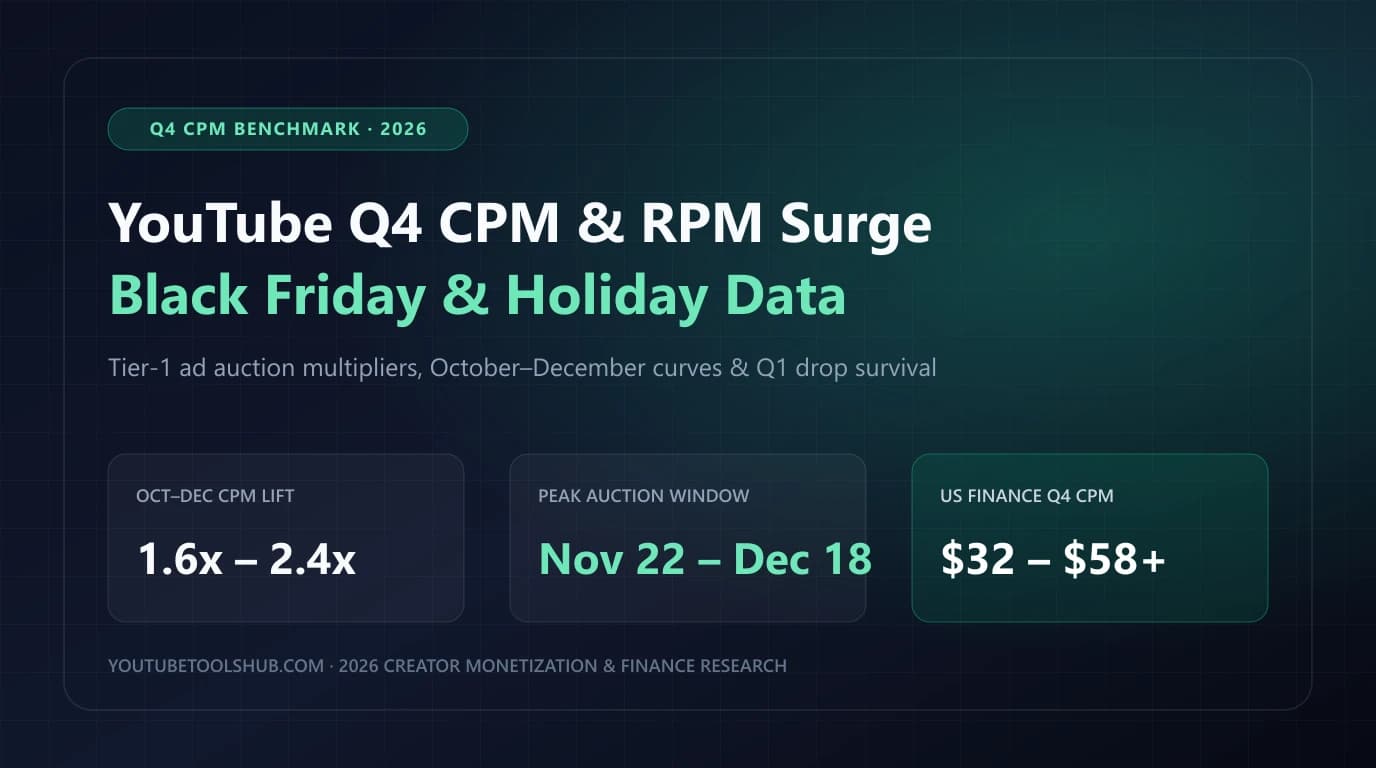
YouTube Q4 CPM & RPM Surge (2026): Black Friday Payout Patterns, Tier-1 Niche Ranges & Q1 Reset Survival
Every November, advertiser budgets typically push Tier-1 CPMs above summer baselines, and many channels see a sharp reset on January 1. These are planning ranges compiled from reported creator benchmarks, not guarantees. Here are the week-by-week patterns, niche differences, and scheduling rules.
Start with a free creator tool
Download a thumbnail, generate tags, or estimate what YouTube pays in your country — instant browser studio, no signup.
Get Started Free