AI has completely transformed YouTube content creation.
What used to take me 20 hours per video now takes 5. And the quality is actually BETTER than before.
But with hundreds of AI tools available, which ones are actually worth your time ? I've tested them all.
Here are the 25 best AI tools for YouTube creators in 2026, organized by production stage.
Research & Planning Tools
1. ChatGPT / Claude
Best for: Script research, brainstorming, outline creation
Cost: Free - $20 / month
Why it's essential: Ask for video angles, research topics, generate outlines, fact-check claims.
2. Video Ideas Generator
Best for: Finding content gaps in your niche
Cost: Free
Link: YouTube Video Ideas Generator
Generates ideas tailored to your channel size and growth goals.
3. YouTube Trend Helper
Best for: Catching trending topics early
Cost: Free
Link: YouTube Trend Helper
Shows real - time trending videos in your region by niche.
Thumbnail Creation Tools
4. AI Thumbnail Image Generator
Best for: Creating unique thumbnails from text descriptions
Cost: Free
Link: AI Thumbnail Generator
Describe your thumbnail idea, get a professional image in seconds.
5. AI Thumbnail Prompt Generator
Best for: Creating perfect prompts for Midjourney / DALL - E
Cost: Free
Link: AI Thumbnail Prompt Generator
Transforms simple ideas into detailed, optimized prompts.
6. Midjourney
Best for: Highest quality AI - generated images
Cost: $10 / month
Produces stunning, unique thumbnails.Combine with our prompt generator for best results.
7. Canva AI
Best for: Quick edits and text overlays
Cost: Free - $13 / month
AI features for background removal, text suggestions, and magic resize.
Title & SEO Optimization
8. YouTube Title Generator
Best for: Creating click - worthy, SEO - optimized titles
Cost: Free
Link: YouTube Title Generator
Generates multiple title variations based on your topic and tone preference.
9. YouTube Tag Generator
Best for: Finding ranking keywords
Cost: Free
Link: YouTube Tag Generator
Creates comprehensive tag sets with primary, secondary, and long - tail keywords.
10. YouTube Description Generator
Best for: SEO - optimized video descriptions
Cost: Free
Link: YouTube Description Generator
Generates structured descriptions with hooks, timestamps, and CTAs.
11. Title A / B Score Checker
Best for: Predicting which title will perform better
Cost: Free
Link: Title A / B Tester
Compares two titles and scores them for click potential.
Video Production
12. Descript
Best for: Edit videos by editing text transcripts
Cost: Free - $24 / month
Automatically removes filler words, generates captions, and allows voice cloning for corrections.
13. CapCut
Best for: Free AI - powered video editing
Cost: Free
Auto - captions, AI background removal, and trending effects.
14. Pictory
Best for: Converting scripts to videos
Cost: $19 / month
Paste your script, get a video with stock footage, voiceover, and captions.
15. invideo AI
Best for: Full video automation
Cost: $25 / month
Describe your video, get a finished product with footage, music, and voiceover.
Voiceover & Audio
16. ElevenLabs
Best for: Most realistic AI voiceovers
Cost: $5 - $22 / month
Voices that sound genuinely human.Perfect for faceless channels.
17. Murf AI
Best for: Professional narration voices
Cost: $19 / month
Wide variety of voices and languages.
18. Adobe Podcast
Best for: Audio cleanup and enhancement
Cost: Free
Removes background noise and improves voice quality with one click.
Scripting & Writing
19. Intro Script Generator
Best for: Perfecting your video hooks
Cost: Free
Link: Intro Script Generator
Creates compelling first - 30 - second scripts using proven frameworks.
20. Jasper AI
Best for: Long - form script writing
Cost: $39 / month
YouTube - specific templates for full scripts, descriptions, and social posts.
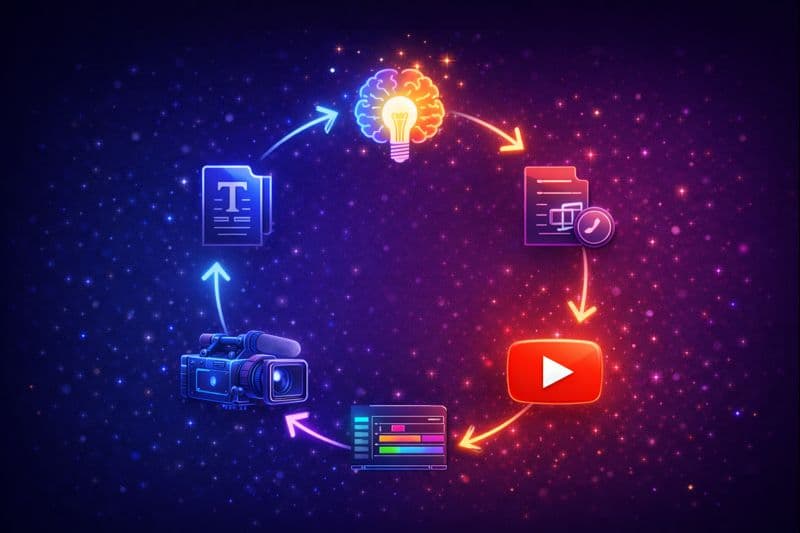
AI-powered YouTube content creation workflow showing end-to-end automation
Analytics & Optimization
21. Engagement Rate Calculator
Best for: Measuring video performance
Cost: Free
Link: Engagement Calculator
Calculates and benchmarks your engagement rate.
22. Earnings Calculator
Best for: Projecting revenue potential
Cost: Free
Link: YouTube Earnings Calculator
Estimates earnings based on views and niche.
Planning & Organization
23. Content Calendar Generator
Best for: Planning consistent uploads
Cost: Free
Link: Content Calendar Generator
Creates posting schedules with video ideas.
24. Hashtag Generator
Best for: Finding trending and relevant hashtags
Cost: Free
Link: Hashtag Generator
Generates the optimal hashtag mix for your videos.
25. Channel Name Generator
Best for: Finding the perfect channel name
Cost: Free
Link: Channel Name Generator
AI - powered name suggestions for new channels.
My Recommended AI Stack
For most creators, here's the essential toolkit:
| Stage | Tool | Cost |
|---|---|---|
| Ideas | Video Ideas Generator | Free |
| Titles | YouTube Title Generator | Free |
| Thumbnails | AI Thumbnail Generator + Canva | Free |
| Scripts | Claude / ChatGPT | Free - $20 |
| Editing | CapCut | Free |
| Voiceover | ElevenLabs(if faceless) | $5 - 22 |
| SEO | Tag Generator + Description Generator | Free |
Total cost for a professional setup: $0 - $42 / month
The Bottom Line
AI tools don't replace creativity—they amplify it. By automating repetitive tasks (editing, SEO, thumbnails), you can focus on what matters: creating great content.
Start with the free tools on this list.Add paid tools as your channel grows and revenue justifies it.
Related Resources
- 15 AI Tools Deep Dive – Extended tutorials
- Faceless YouTube Channels – AI - powered channels
- All YouTube Tools – Complete free toolkit
Topics
❓Frequently Asked Questions
What is the best free AI tool for YouTube creators?
The best free AI tools for YouTube creators are: ChatGPT (research and scripts), YouTube Tools Hub generators (titles, tags, thumbnails, descriptions), CapCut (video editing), and Adobe Podcast (audio enhancement). These cover every stage of production without spending anything.
Can AI tools help me get more views on YouTube?
Yes. AI tools can significantly boost views by: 1) Creating better thumbnails (higher CTR), 2) Optimizing titles and tags for SEO (better discoverability), 3) Producing more content faster (quantity compounds), 4) Improving retention through better scripts and editing. Creators using AI typically produce 2-3x more content with similar or better quality.
Is it against YouTube's rules to use AI-generated content?
No. YouTube allows AI-assisted content including AI voiceovers, AI-generated images, and AI-edited videos. However, content must still provide value. YouTube penalizes 'repetitive, low-quality, or auto-generated content without meaningful value.' Use AI to enhance quality, not mass-produce low-effort content.
How much time can AI tools save for YouTube creators?
AI tools can save 15-25 hours per week for active YouTube creators. Specific savings: Thumbnail creation (2 hours → 15 minutes), Title/SEO optimization (1 hour → 10 minutes), Script research (3 hours → 45 minutes), Video editing (8 hours → 3 hours), Caption generation (1 hour → 5 minutes). Total: A 20-hour video can be completed in 5-8 hours.
Free tools for this topic
Apply what you just read with free creator tools — no signup required.