Midjourney revolutionized AI image generation with its jaw-dropping photorealistic outputs and artistic versatility. But there's one major catch in 2026:it still requires a paid subscription starting at $10/month, and there's no free tier or trial available. For creators, designers, small business owners, and hobbyists who want professional-quality AI art without opening their wallets, this is a significant barrier.
The good news? The AI image generation landscape has exploded with powerful free alternatives that rival—and in some cases surpass—Midjourney's capabilities. Whether you need AI-generated YouTube thumbnails, social media graphics, concept art, or marketing visuals, these tools deliver stunning results at zero cost.
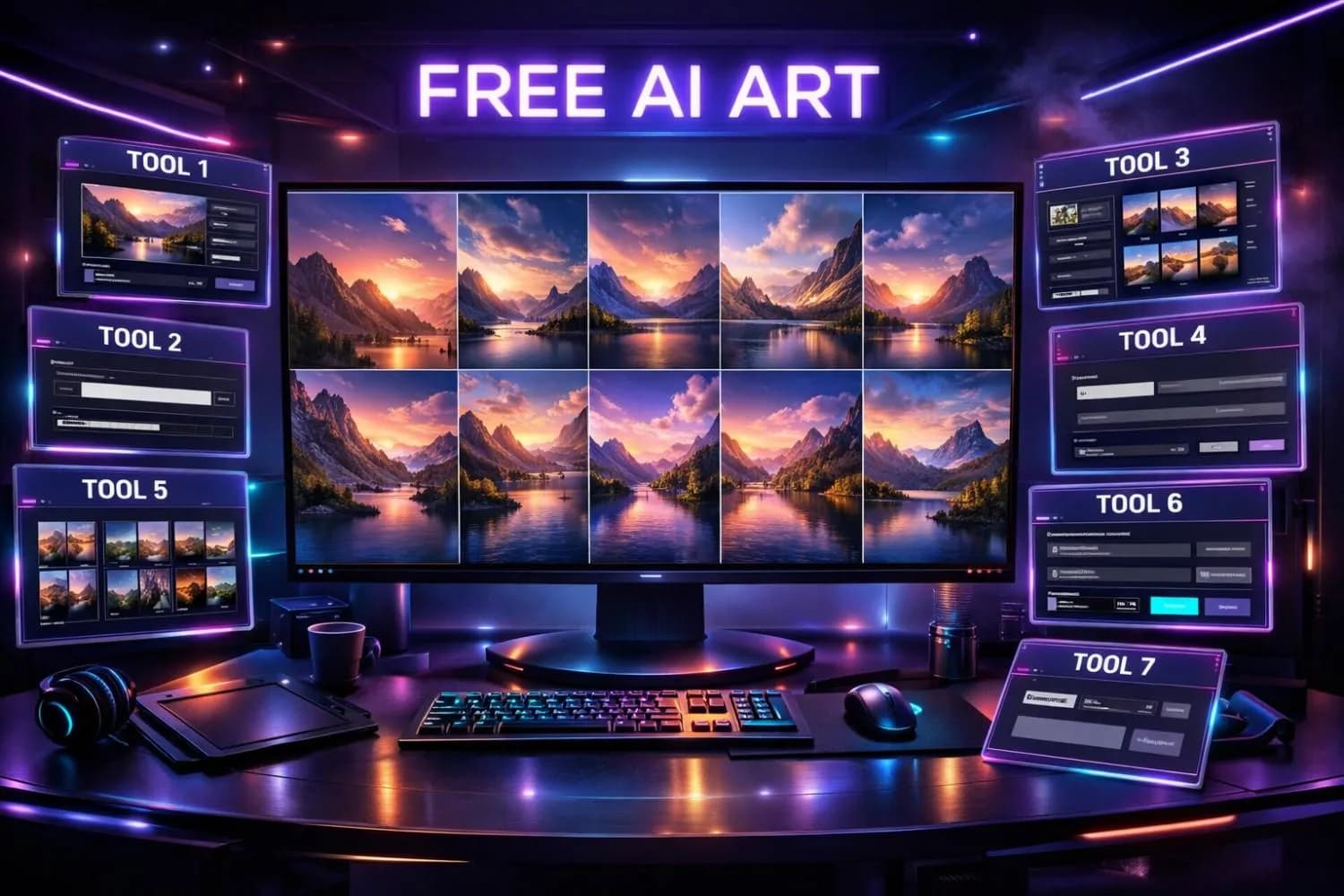
In this comprehensive guide, we'll compare the 7 best free Midjourney alternatives for 2026, covering their strengths, limitations, image quality, and ideal use cases—so you can find the perfect tool for your creative workflow.
Pro Tip
Quick Answer — Best Free Midjourney Alternatives 2026:
1. Leonardo AI— Best overall free alternative (150 daily credits, multiple models)
2.Adobe Firefly— Best for commercial use (25 monthly credits, copyright-safe)
3.DALL-E 3 via Bing Image Creator— Best for beginners (unlimited, no sign-up hassle)
4.Stable Diffusion— Best for advanced users (fully open-source, unlimited locally)
5.Ideogram— Best for text-in-images (strongest typography of any AI tool)
6.Playground AI— Best for rapid prototyping (500 free images/day)
7.Craiyon— Best no-account option (unlimited, no sign-up required)
Why Look for Midjourney Alternatives in 2026?
Before we dive into the alternatives, let's understand why so many creators are searching forfree Midjourney alternatives:
- Cost barrier:Midjourney's Basic plan costs $10/month ($96/year), with no free trial since mid-2023
-Discord-only interface:Midjourney still operates primarily through Discord, which many users find unintuitive
-Privacy concerns:Your prompts and images are visible to other Discord users on the basic plan
-Commercial licensing complexity:Understanding what you can and can't use commercially requires reading fine print
-Platform lock-in:No API access on lower tiers limits integration with other workflows
For YouTube creators specifically, finding a free alternative means you can generate unlimited thumbnail concepts, channel art, and video assets without eating into your content budget.
Complete Comparison: Free Midjourney Alternatives at a Glance
Here's how all seven alternatives stack up against each other and Midjourney:
| Tool | Free Tier | Image Quality | Best For | Text in Images | Commercial Use | Ease of Use |
|---|---|---|---|---|---|---|
| Leonardo AI | 150 credits/day | ⭐⭐⭐⭐⭐ | Overall versatility | Good | ✅ Yes | Easy |
| Adobe Firefly | 25 credits/month | ⭐⭐⭐⭐½ | Commercial-safe art | Good | ✅ Copyright-safe | Very Easy |
| DALL-E 3 (Bing) | Unlimited* | ⭐⭐⭐⭐½ | Beginners | Very Good | ✅ Yes | Easiest |
| Stable Diffusion | Unlimited (local) | ⭐⭐⭐⭐⭐ | Advanced customization | Moderate | ✅ Yes (open source) | Hard |
| Ideogram | 10 images/day | ⭐⭐⭐⭐ | Typography & logos | ⭐ Best | ✅ Yes | Easy |
| Playground AI | 500 images/day | ⭐⭐⭐⭐ | Rapid prototyping | Moderate | ✅ Yes | Easy |
| Craiyon | Unlimited | ⭐⭐⭐ | Quick concepts | Basic | ✅ Yes | Easiest |
| *Midjourney* | *None* | *⭐⭐⭐⭐⭐* | *Artistic quality* | *Good* | *✅ Paid plans* | *Moderate* |
*\*DALL-E 3 via Bing has a daily "boost" limit but allows unlimited slower generations.*
1. Leonardo AI — Best Overall Free Midjourney Alternative
Leonardo AIhas emerged as the most completefree Midjourney alternativein 2026, offering a generous free tier with professional-grade outputs that genuinely rival Midjourney's quality.
Why Leonardo AI Stands Out
Leonardo AI doesn't just generate images—it provides an entire creative suite. The platform offers multiple fine-tuned models, each optimized for different styles:
-PhotoReal v3:Photorealistic images that are nearly indistinguishable from photographs
-Leonardo Diffusion XL:Balanced model for general-purpose art
-DreamShaper v7:Optimized for fantasy, concept art, and illustrations
-Anime/Manga models:Dedicated models for anime-style generation
Free Tier Details
-150 tokens per day(roughly 30-50 images depending on settings)
- Access to all major models
- Up to 1024×1024 resolution
- Image-to-image generation
- Canvas editor for inpainting and outpainting
- No watermarks on outputs
Best For
Leonardo AI is ideal for YouTube creators who need consistent, high-quality thumbnails and channel assets. Pair it with our AI Thumbnail Prompt Generator to create Midjourney-quality prompts optimized for Leonardo's models.
Note
Pro Tip: Leonardo AI's "Prompt Enhance" feature automatically expands your simple descriptions into detailed prompts, similar to how Midjourney interprets short prompts. Enable it for better results with minimal effort.
2. Adobe Firefly — Best for Commercial & Copyright-Safe Use
Adobe Fireflyis Adobe's answer to AI image generation, and its unique selling point is something no other tool can match:every image is trained exclusively on licensed Adobe Stock photos, openly licensed content, and public domain material.
Why Adobe Firefly Stands Out
For businesses, brands, and professional creators in Tier 1 countries (USA, UK, Canada, Australia), copyright liability is a real concern. Adobe Firefly eliminates this risk entirely with its IP indemnification—Adobe will actually defend you legally if a Firefly image ever causes a copyright dispute.
Key Features
- Generative Fill:Edit specific parts of images with text prompts
-Text Effects:Turn text into artistic styles (great for YouTube thumbnail text)
-Generative Recolor:Recolor vector artwork with AI
-Structure Reference:Upload a reference image to guide the composition
-Style Reference:Match the aesthetic of any uploaded image
Free Tier Details
-25 generative credits per month (roughly 25 images)
- Full commercial licensing included
- No watermarks
- Web-based interface (no software installation)
- IP indemnification on paid Adobe plans
Best For
Adobe Firefly is the safest choice for any creator producing commercial content—especially if you're creating assets for sponsored videos, merchandise, or brand partnerships. If you're navigating YouTube sponsorship guidelines, Firefly's clean IP chain gives you peace of mind.
3. DALL-E 3 via Bing Image Creator — Best for Beginners
DALL-E 3is OpenAI's most advanced image model, and Microsoft has made it freely available through Bing Image Creator—no ChatGPT Plus subscription required.
Why DALL-E 3 Stands Out
DALL-E 3's biggest advantage over Midjourney is itsnatural language understanding. While Midjourney requires learning specific parameters and prompt syntax, DALL-E 3 understands conversational English perfectly. You can literally type "a happy golden retriever wearing sunglasses at the beach during sunset" and get exactly what you described.
Key Features
- Superior prompt following:Most accurate interpretation of complex prompts
-Built-in safety features:Refuses to generate harmful, misleading, or explicit content
-Integrated with Microsoft Copilot:Generate images within Bing Chat conversations
-Text rendering:One of the best AI tools for readable text in images
-Aspect ratio control:Generate in portrait, landscape, or square formats
Free Tier Details
-15 daily "boosts"for fast generation (results in seconds)
-Unlimited slower generations after boosts are used (1-5 minute wait)
- Microsoft account required (free to create)
- No watermarks on downloads
- Full commercial use rights
Best For
DALL-E 3 via Bing is the best starting point for anyone new to AI image generation. If you're a YouTube creator exploring AI tools for the first time, this is where to begin. Combine it with our AI Thumbnail Image Generator for a complete thumbnail workflow.
4. Stable Diffusion — Best for Advanced Users & Unlimited Generation
Stable Diffusionis the open-source powerhouse of AI image generation. Unlike every other tool on this list, Stable Diffusion can runentirely on your own computer—meaning truly unlimited, private image generation with zero cost per image.
Why Stable Diffusion Stands Out
Stable Diffusion is the only true "unlimited free" option because there are no daily credits, no monthly limits, and no server queues. Once installed, you can generate thousands of images per day limited only by your hardware.
Key Features
- 100% open source:Download, modify, and run the model freely
-SDXL & SD 3.5 models:Latest models rival Midjourney quality
-ControlNet:Precise control over poses, edges, and composition
-LoRA fine-tuning:Train custom models on specific styles or subjects
-Inpainting & Outpainting:Edit specific regions of generated images
-Massive community:Thousands of custom models on Civitai and Hugging Face
Free Access Options
-Local installation:Free via Automatic1111 WebUI or ComfyUI (requires GPU with 6GB+ VRAM)
-Google Colab:Run in the cloud for free (limited GPU time)
-DreamStudio:25 free credits on sign-up from Stability AI
-Civitai:Community platform with free generation credits
Hardware Requirements for Local Use
| Component | Minimum | Recommended |
|---|---|---|
| GPU | NVIDIA GTX 1660 (6GB VRAM) | NVIDIA RTX 3060 12GB+ |
| RAM | 8GB | 16GB+ |
| Storage | 10GB free | 50GB+ (for models) |
| OS | Windows 10, Linux, macOS | Windows 11, Linux |
Best For
Stable Diffusion is perfect for creators who want maximum control and unlimited generation. If you're building a faceless YouTube channel that relies heavily on AI-generated visuals, the upfront setup time pays for itself within weeks.
Important
Privacy Advantage: Unlike cloud-based tools, locally-run Stable Diffusion never sends your prompts or images to any server. This makes it the most private option for sensitive or proprietary creative work.
5. Ideogram — Best for Text-in-Image Generation
Ideogramsolved what was historically the biggest weakness of AI image generators:rendering readable, accurate text within images.
Why Ideogram Stands Out
If you've ever tried generating a YouTube thumbnail with text using Midjourney or DALL-E, you know the frustration—garbled letters, misspellings, and unreadable fonts. Ideogram crushes this problem. Its text rendering is genuinely best-in-class, making it invaluable for creators who need text-heavy graphics.
Key Features
- Industry-leading text rendering:Accurate spelling, multiple fonts, styled text
-Magic Prompt:AI-enhanced prompts that improve your descriptions
-Style presets:Photo, Design, 3D, Painting, Anime, and more
-Remix feature:Modify existing generations with new prompts
-Public gallery:Browse and remix other users' creations for inspiration
Free Tier Details
-10 standard-speed images per day
- Up to 1024×1024 resolution
- All style presets available
- No watermarks
- Commercial use allowed
Best For
Ideogram is the go-to choice for YouTube thumbnail text overlays, social media quote graphics, logo concepts, and any project where readable text is essential. It's also excellent for creating Pinterest pins and Instagram carousel covers.
6. Playground AI — Best for Rapid Prototyping
Playground AIoffers the most generous free tier of any cloud-based AI image generator—500 free images per day. That's not a typo.
Why Playground AI Stands Out
Playground AI is built for speed and iteration. Its interface is designed to let you generate, refine, and download images as quickly as possible. The platform also offers a unique "Canvas" mode for editing and compositing multiple generations together.
Key Features
- Mixed Image Editing:Combine AI generation with traditional editing tools
-Multiple model access:Choose between Stable Diffusion XL, Playground v3, and other models
-Board mode:Organize generations into project boards
-Image-to-image:Upload reference images to guide generation
-Community prompts:Browse millions of community-created prompts and results
Free Tier Details
-500 images per day(Playground model)
-50 images per day (SDXL and premium models)
- Up to 1024×1024 resolution
- Canvas editing tools included
- No watermarks
- Commercial use allowed
Best For
Playground AI is ideal for creators who need to iterate quickly—brainstorming video concepts, testing thumbnail design ideas, or creating bulk social media content. If you're managing a content calendar for a YouTube channel, this volume capacity is unmatched. Use our Content Calendar Generator to plan your visual assets alongside your video schedule.
7. Craiyon — Best No-Account, Instant Access Option
Craiyon(formerly DALL-E Mini) is the simplest entry point into AI image generation. No account creation, no credit limits, no complexity—just type and generate.
Why Craiyon Stands Out
While Craiyon won't match Midjourney's artistic refinement, it excels at accessibility. You can generate AI imagesin seconds without creating an account, downloading software, or even providing an email address. For quick concepts and brainstorming, this zero-friction approach is unbeatable.
Key Features
- Zero sign-up required:Start generating immediately
-Unlimited generations:No daily or monthly caps
-Negative prompts:Exclude unwanted elements from results
-Style controls:Adjust between Art, Drawing, Photo, and None
-9-image grid:Each generation produces 9 variations simultaneously
-Upscaling:Enhance resolution on your favorite results
Free Tier Details
-Unlimited images (ad-supported, ~45-second wait per generation)
- No account required
- No watermarks on downloaded images
- Basic commercial use allowed
- Available in any web browser
Best For
Craiyon is the quickest way to test ideas, brainstorm visual directions, or introduce someone to AI image generation. Use it for rapid ideation, then refine your best concepts in a higher-quality tool like Leonardo AI or Stable Diffusion.
How to Choose the Right Free Midjourney Alternative
With seven excellent options, here's a decision framework based on your needs:
Choose Leonardo AI if: You want the closest experience to Midjourney with a generous free tier and multiple model options.
Choose Adobe Firefly if: You need guaranteed copyright-safe images for commercial projects, brand content, or YouTube sponsorships.
Choose DALL-E 3 (Bing) if: You're new to AI art and want the easiest, most intuitive experience with strong prompt understanding.
Choose Stable Diffusion if: You want unlimited generations, maximum customization, and complete privacy—and you're comfortable with technical setup.
Choose Ideogram if: Your primary need is generating images with readable, accurate text (thumbnails, logos, social media graphics).
Choose Playground AI if: You need high volume (500 images/day) for rapid iteration and prototyping.
Choose Craiyon if:You want instant access with zero friction for quick brainstorming sessions.
Using Free AI Image Generators for YouTube Content
As YouTube creators, AI image generators are transforming how we produce visual content. Here are the most impactful use cases:
Thumbnails That Drive Clicks
Your YouTube thumbnail is the single biggest factor in your click-through rate. AI generators let you create dozens of concepts in minutes instead of hours. Combine any of these tools with our AI Thumbnail Prompt Generator to get Midjourney-quality prompts optimized for each platform.
Channel Art & Branding
Banners, profile pictures, watermarks, and end-screen backgrounds can all be generated with AI. Maintain a consistent visual identity across your channel without hiring a designer.
Video B-Roll & Illustrations
For educational and explainer videos, AI-generated illustrations can replace expensive stock footage. Faceless YouTube channels especially benefit from this approach—your entire visual pipeline can be AI-powered.
Social Media Cross-Promotion
Repurpose your AI-generated assets for Instagram, Twitter/X, Pinterest, and TikTok. Each platform has different ideal dimensions and styles, and the volume offered by tools like Playground AI makes multi-platform content creation effortless.
Pro Tip
Workflow Tip:Use the AI Thumbnail Image Generator on YouTube Tools Hub for quick YouTube-optimized thumbnails, then use Leonardo AI or Stable Diffusion for more complex creative projects like custom illustrations and channel art.
Integrating AI Art into Your Creator Workflow
For maximum efficiency, build a workflow that leverages multiple tools:
1.Brainstormconcepts with our Video Ideas Generator
2.Generate promptsusing our AI Thumbnail Prompt Generator
3.Create imageswith Leonardo AI or your preferred alternative
4.Add text overlayswith the Thumbnail Text Generator
5.Download and archiveexisting thumbnails for inspiration with our Thumbnail Downloader
The Future of Free AI Image Generation
The trajectory is clear:free AI image generation is getting dramatically better, not worse. Open-source models like Stable Diffusion are closing the quality gap with proprietary tools at an accelerating pace. By late 2026, we expect:
- Real-time generation:Sub-second image creation on consumer hardware
-Video generation:Free tools expanding from still images to short video clips
-3D model generation:AI-generated 3D assets from text prompts
-Seamless editing:Natural language photo editing replacing traditional tools
For AI-forward YouTube creators, mastering these tools now builds a significant competitive advantage. The creators who learn to leverage AI-generated visuals effectively will produce higher-quality content at a fraction of the time and cost.
Conclusion
You don't need to spend $10-$60/month on Midjourney to create stunning AI-generated images in 2026. Each of the seven alternatives we've covered offers genuine value:
-Leonardo AIfor Midjourney-level quality with a generous free tier
-Adobe Fireflyfor copyright-safe commercial use
-DALL-E 3 (Bing)for the easiest beginner experience
-Stable Diffusionfor unlimited, private, fully customizable generation
-Ideogramfor unmatched text-in-image capabilities
-Playground AIfor high-volume rapid prototyping
-Craiyonfor instant, no-account access
The best approach? Try two or three that match your needs, master the prompting techniques, and integrate them into your creative workflow. For YouTube creators, pair these tools with our free AI-powered thumbnail and content tools to build a complete, zero-cost visual content pipeline.
Ready to create stunning AI art without spending a dime? Pick your favorite alternative from the list above and start generating today.
Topics
❓Frequently Asked Questions
Is there a free version of Midjourney in 2026?
No. As of February 2026, Midjourney does not offer a free tier or free trial. The cheapest plan is the Basic Plan at $10/month, which provides approximately 200 image generations. Midjourney briefly offered free trials in 2023 but discontinued them due to abuse. For free AI image generation, alternatives like Leonardo AI (150 daily credits), DALL-E 3 via Bing Image Creator (unlimited), and Playground AI (500 images/day) are your best options.
What is the best free AI image generator in 2026?
Leonardo AI is widely considered the best overall free AI image generator in 2026. It offers 150 daily credits, multiple fine-tuned models (PhotoReal, DreamShaper, Anime), image-to-image generation, and a canvas editor—all without watermarks. For specific needs, DALL-E 3 via Bing is best for beginners, Ideogram is best for text in images, and Stable Diffusion is best for unlimited local generation.
Can I use AI-generated images commercially for free?
Yes, most free AI image generators allow commercial use. Leonardo AI, DALL-E 3 via Bing, Ideogram, Playground AI, and Craiyon all permit commercial use on their free tiers. Adobe Firefly goes further with IP indemnification on paid plans, meaning Adobe will defend you legally if copyright issues arise. Stable Diffusion is open-source with no usage restrictions. Always check each tool's current terms of service for the most up-to-date licensing details.
Which free AI art generator is closest to Midjourney's quality?
Leonardo AI's PhotoReal v3 model produces results closest to Midjourney v6 in terms of photorealism and artistic quality. For specific styles, Stable Diffusion with custom models (LoRAs) from Civitai can actually surpass Midjourney in certain niches like anime, concept art, and photorealistic portraits. DALL-E 3 excels in prompt accuracy and text rendering where Midjourney sometimes struggles.
Are free AI image generators safe to use?
Yes, all seven tools listed in this guide are safe and reputable. Adobe Firefly, DALL-E 3, and Leonardo AI have robust content moderation and safety filters. Stable Diffusion, being open-source, gives you full control but requires responsible use. Always avoid generating harmful, misleading, or explicit content. For privacy, Stable Diffusion run locally is the most private option as no data leaves your computer.
Can I use these free AI tools to make YouTube thumbnails?
Absolutely! AI image generators are excellent for YouTube thumbnails. Leonardo AI and DALL-E 3 produce high-quality backgrounds and scenes, while Ideogram excels at adding readable text. For the best results, generate your base image with any of these tools, then add text overlays using YouTube Tools Hub's free Thumbnail Text Generator. Many successful YouTubers now use AI-generated thumbnails exclusively.
Do I need a powerful computer to use free AI image generators?
No—six of the seven tools on this list are entirely cloud-based and run in your web browser on any device, including smartphones. The only exception is Stable Diffusion when run locally, which requires an NVIDIA GPU with at least 6GB VRAM (GTX 1660 or better). However, even Stable Diffusion can be used for free via cloud services like Google Colab or DreamStudio's free credits.
What is the difference between Midjourney and DALL-E 3?
Midjourney excels at artistic, stylized images with a unique aesthetic quality and produces consistently beautiful results with minimal prompting. DALL-E 3 excels at prompt accuracy and following complex instructions precisely—what you describe is exactly what you get. DALL-E 3 also handles text in images better than Midjourney. The biggest practical difference: DALL-E 3 is free via Bing Image Creator, while Midjourney requires a paid subscription starting at $10/month.
Free tools for this topic
Apply what you just read with free creator tools — no signup required.