8 guides
YouTube AI Tools Guides
AI tools for YouTube cover generative software that speeds up creation: AI thumbnail makers, script writers, video editors, subtitle generators, and idea generators. This hub reviews the tools actually worth using in 2026, with honest notes on what to verify before publishing AI-assisted work.
AI Tools
ChatGPT for YouTube: The Ultimate Guide to AI Content Creation (2026)
How to use ChatGPT & AI for YouTube in 2026: 15 copy-paste prompts for viral video scripts, thumbnail concepts, title hooks, and automated content calendars.
August 28, 2026Read More ->
AI Tools
Best AI Subtitle & Caption Generators for YouTube
Adding captions isn't just about accessibility anymore — it's a critical algorithmic signal for watch time and retention. This guide breaks down the best AI subtitle and caption generators for YouTube creators in 2026, comparing accuracy, workflow speed, and animation styles to help you find the perfect tool.
Mar 17, 2026Read More ->
AI Tools
AI Scriptwriting Tools for YouTube: Top 10 Ranked
Staring at a blank page before every video is one of the most frustrating parts of being a creator. These 10 AI scriptwriting tools for YouTube will cut your scripting time in half, help you structure better content, and actually make your videos more watchable — ranked by what matters most in 2026.
Mar 4, 2026Read More ->
AI Tools
Opus Clip AI Tutorial: Turn Long Videos into Shorts
Master the art of AI video repurposing with our complete Opus Clip tutorial. Learn how to turn long videos into viral Shorts, maximize Tier 1 traffic, and skyrocket your AdSense RPM in 2026.
Feb 20, 2026Read More ->
AI Tools
Canva AI Tools for YouTube: Complete Tutorial (2026 Guide)
Master every Canva AI feature for YouTube in 2026. Learn how to use Magic Design, Magic Write, AI thumbnails, video editing, and brand kits to grow your channel faster—step-by-step tutorial with pro tips.
Feb 13, 2026Read More ->
AI Tools
7 Free Midjourney Alternatives for 2026: Best AI Image Generators That Cost Nothing
Discover the best free Midjourney alternatives in 2026. From Leonardo AI to DALL-E 3, explore powerful AI image generators that create stunning visuals without a subscription. Complete comparison with features, limits, and use cases.
Feb 10, 2026Read More ->

AI Tools
10 Best AI Thumbnail Generators for YouTube in 2026 | Free & Paid
Create click-worthy YouTube thumbnails in seconds with AI. Canva AI, Adobe Firefly, Midjourney, DALL-E & 6 more tools reviewed. Boost your CTR by 30%+ with these AI thumbnail generators.
Feb 4, 2026Read More ->
AI Tools
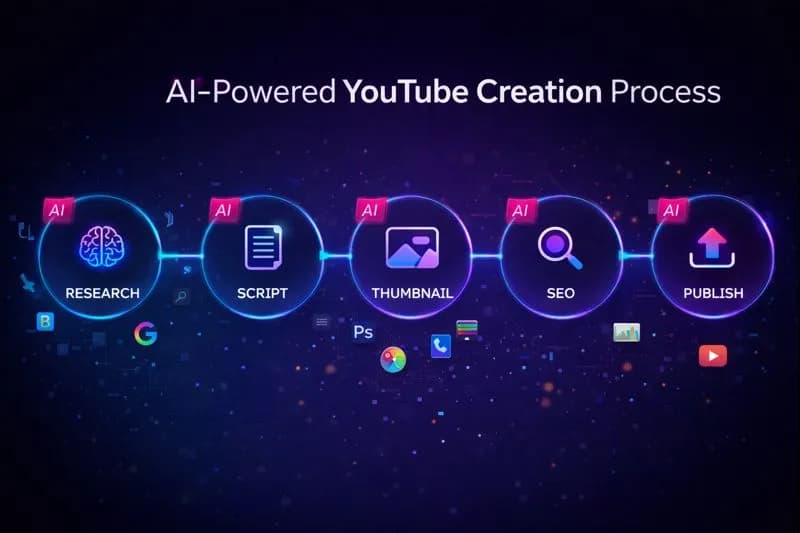
15 AI Tools Every YouTube Creator Needs in 2026 (Most Are FREE)
I used to spend 8 hours editing a single video. Now it takes 2. These 15 AI tools transformed my entire workflow—from research to thumbnails to SEO. Here's my complete toolkit (and most of them won't cost you a dime).
Jan 10, 2026Read More ->
AI Tools — Frequently Asked Questions
Can I use AI to make YouTube videos?
Yes — YouTube allows AI-assisted content, but requires disclosing realistic synthetic media (altered faces, voices, or scenes) via the altered-content label. AI works best for drafts, scripts, thumbnails, and captions; your voice, face, and judgment keep the channel authentic.
What is the best free AI tool for YouTube creators?
For metadata and planning, a free browser suite like YouTube Tools Hub covers titles, tags, descriptions, and thumbnail downloads without signup. For video generation and editing, free tiers of CapCut and Clipchamp handle most beginner workflows.
Will YouTube demonetize AI-generated videos?
YouTube demonetizes mass-produced, repetitive content regardless of how it is made. AI narration over stock footage with no original commentary is at risk; AI used as an editing aid inside original, human-guided videos monetizes normally.
Free tools for ai tools
Apply these guides with free creator tools — no signup required.