If you've ever spent three hours staring at a blank Google Doc before a video shoot, you already understand the problem. Scripting is one of those tasks that every creator knows they should do — and yet it consistently eats up more time than filming, editing, or thumbnailing combined. The blank-page problem is real, and it kills momentum faster than anything else in the content workflow.
Here's what's changed: AI scriptwriting tools in 2026 have gotten genuinely good. Not "kind of helpful if you prompt it just right" good — actually useful, out of the box, for real YouTube content. The difference between the mediocre tools and the excellent ones comes down to a few things: do they understand YouTube's specific content structure, do they write in a voice that sounds like a human instead of a corporate brochure, and do they help you create content that actually holds viewer attention?
I've spent time testing ten of the most widely used AI scriptwriting tools available right now, looking specifically at how well they serve YouTube creators. This is the ranked list.
Important
Quick Answer — Best AI Scriptwriting Tools for YouTube in 2026:
1. ChatGPT-4o— Most versatile, best for creators who want full control with good prompting
2.Jasper AI— Best for high-volume creators who need consistent brand voice
3.Copy.ai— Great for short-form scripts and hooks
4.Writesonic— Best balance of speed and quality for long-form
5.Descript— Unique because it edits your audio/video alongside your script
6.Pictory AI— Best for turning existing content into video scripts
7.InVideo AI— Strong for template-driven YouTube content
8.Synthesia— Best if you're creating AI avatar explainer videos
9.Rytr— Budget-friendly option for smaller creators
10.Notion AI— Best for creators who already organize everything in Notion
Why Your Script Quality Directly Affects YouTube Watch Time
Before the tool rankings, a quick word on why this even matters beyond convenience.
YouTube's algorithm doesn't care how hard you worked on your video. It cares about one thing above everything else:did people keep watching? Average View Duration (AVD) and Audience Retention percentage are the two metrics that determine whether YouTube recommends your video to new people or buries it.
And the thing that controls AVD more than your camera, your editing, or your lighting? Your script structure.
A well-crafted script has a hook that traps attention in the first 15 seconds, delivers on the promise it just made, transitions between sections in ways that prevent drop-off points, and ends with a clear reason for the viewer to subscribe or watch another video. Without that skeleton, even the best camera work falls apart.
The right AI scriptwriting tool doesn't just save you time — it helps you write scripts that are *structurally stronger* than what most creators produce working solo. That's the real ROI here.
Rank #1: ChatGPT-4o — The Gold Standard for Most Creators
Let's be direct: ChatGPT is still the best general-purpose AI scriptwriting tool for YouTube creators in 2026, and the main reason is flexibility.
Every other tool on this list is built on top of some version of a large language model (often GPT itself), plus a template system. ChatGPT is the raw engine with no guardrails, which means it can write your script, rewrite it in a completely different tone, restructure the hook, punch up the ending, and help you plan your next 10 video titles — all in the same conversation.
What it does well for YouTube:
- Writes full scripts from a one-line prompt when you give it context about your audience
- Understands YouTube-specific structures (hook, body, CTA) when you ask it to use them
- Rewrites sections that feel flat without starting over
- Adjusts reading level and vocabulary for different audience types
- Generates multiple title and hook variations for the same concept
Where it falls short:
The blank-prompt problem is real here too. ChatGPT is only as good as your instruction. If you type "write me a YouTube script about cameras," you'll get something generic. If you type "write me a 1,200-word YouTube script for a channel targeting beginner photographers who just bought their first DSLR, with a hook that opens on a common mistake, five camera tips, and an ending that drives them to subscribe," you'll get something genuinely usable.
The learning curve is learning how to prompt. Once you have that skill, no other tool comes close in versatility.
Pricing: Free tier available. GPT-4o access requires ChatGPT Plus at $20/month.
Best for:Creators who want maximum flexibility and are willing to invest a bit of time learning effective prompt structure.
Use our YouTube Title Generator alongside ChatGPT to generate viral title variations once your script is complete — combining both tools gives you a complete content package in under an hour.
Rank #2: Jasper AI — Best for Consistent Brand Voice at Scale
Jasper was originally a copywriting tool, and it shows — in a good way. The output reads cleanly, it avoids the "AI waffle" that plagues cheaper tools, and it has specific YouTube video script templates built directly into the interface.
Where Jasper genuinely separates itself is theBrand Voice feature. You train it on your existing content — past video descriptions, blog posts, social media — and it learns to write in *your* voice rather than a generic AI voice. For creators who post 3-5 times per week and need a consistent tone across all content, Jasper is hard to beat.
What it does well for YouTube:
- Dedicated "YouTube Video Script" template with hook, introduction, body, and CTA built in
- Brand Voice training means scripts that actually sound like you
- Boss Mode lets you type commands mid-document ("give me three alternative hooks here") without breaking flow
- Integrates with Surfer SEO for keyword-dense scripts
Where it falls short:
Jasper is expensive. The Creator plan starts at $49/month, and to access the full Brand Voice and Boss Mode features you're looking at $69-$99/month. For creators monetizing their channel at scale, that's a legitimate business expense. For someone still grinding toward 1,000 subscribers, it might not pencil out yet.
Pricing: Plans start at $49/month.
Best for: Mid-to-large channels posting consistently who need scripts that sound like the creator, not a robot.
Rank #3: Copy.ai — Best for Hooks, Intros, and Short-Form Scripts
Copy.ai doesn't try to replace your entire scripting process — it focuses on the hardest parts: the beginning and the end. Hooks and calls to action are where most creator scripts collapse, and Copy.ai's specialized short-form templates are genuinely strong.
For YouTube Shorts scripts, Copy.ai is arguably the best purpose-built option available. It generates complete 45-60 second scripts that follow proven short-form retention structures, and it does it fast.
What it does well for YouTube:
- Hook generator specifically trained on high-retention openings
- YouTube Shorts script template is unusually solid
- Intro and outro templates for branding consistency
- Generates 10+ variations of any section so you can pick the best one
Where it falls short:
For full long-form YouTube scripts (15-20 minutes), Copy.ai starts to feel like a partial solution. The output quality drops as the length increases. It's best used as a *complement* to a longer-form writer like ChatGPT or Writesonic.
Pricing: Free tier available (limited). Pro at $49/month.
Best for: Creators focused on YouTube Shorts or creators who want to dramatically improve their hook quality without changing their full workflow.
Rank #4: Writesonic — Best Balance of Speed and Quality
Writesonic hits a sweet spot that many creators need: it's fast, the output is genuinely readable, and it has YouTube-specific templates that don't require much prompting knowledge to use effectively.
The Article Writer 6.0 feature (confusingly named but relevant here) can generate a structured long-form YouTube script in under 3 minutes from a keyword input. The structure tends to be solid — introduction, subheadings, body, and conclusion — though you'll want to add personal stories and specific examples manually.
What it does well for YouTube:
- YouTube video script template is easy to use out of the box
- Generates drafts fast — genuinely useful for creators on a deadline
- SEO mode can incorporate target keywords naturally into the script
- Chatsonic allows real-time collaboration and revision
Where it falls short:
The output sometimes defaults to generic phrasing that needs human texture added. Think of Writesonic as a very fast first draft, not a finished product. Budget 30-45 minutes to personalize the output before filming.
Pricing: Free tier (limited). Unlimited plan at $16/month (annual billing).
Best for: Creators who want fast, structured first drafts at an accessible price point.
Once you have your Writesonic script draft, paste it into our YouTube Description Generator to generate optimized video descriptions that reinforce the same keywords from your script.
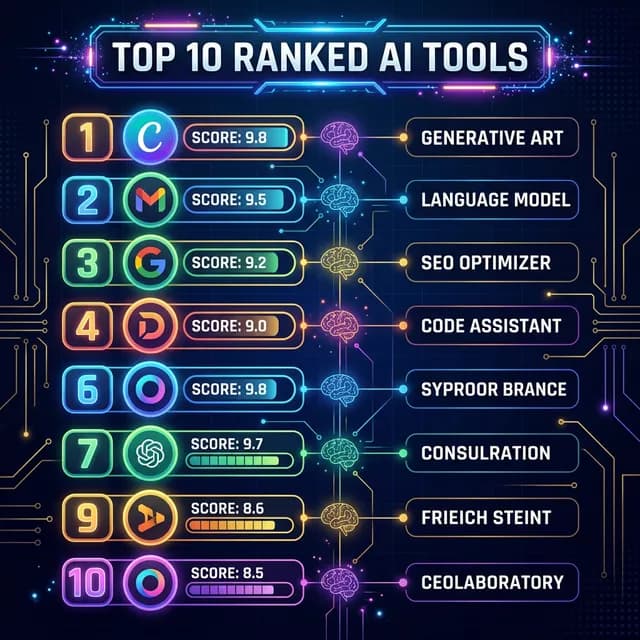
AI scriptwriting tools comparison ranked list showing top 10 tools for YouTube creators in 2026
*Comparing the top 10 AI scriptwriting tools for YouTube in 2026 — ranked by quality, creator-friendliness, and value for money.*
Rank #5: Descript — The Script-to-Video Editing Powerhouse
Descript earns its place on this list for a completely different reason than the tools above. It's not just an AI script writer — it's an AI-powered video and audio editor that treats your transcript as the editable element.
Here's what that means in practice: you write or paste your script in Descript. You record your video. Descript's AI transcribes your recording and matches it to the script. You then *edit the video by editing the text* — delete a sentence in the transcript, and that section of video is automatically removed.
What it does well for YouTube:
- Script-first video editing workflow is genuinely revolutionary for talking-head content
- Overdub feature lets you correct spoken words by typing the correction (your voice, synthesized)
- Studio Sound AI removes background noise without external plugins
- Built-in screen recording for tutorial-style content
Where it falls short:
Descript isn't primarily a script *generation* tool — it won't write your script from scratch. If you're looking for AI to brainstorm and write, you'll still need another tool for that step. Descript shines in the editing phase after the script exists.
Pricing: Free tier available. Creator plan at $24/month.
Best for: Talking-head YouTubers and educators who want to streamline the editing process using their script as the foundation.
Rank #6: Pictory AI — Best for Repurposing Content into Scripts
Pictory flips the script equation: instead of writing a script to create a video, it turns existing content *into* a video script. You paste in a blog post, article, or long-form text, and Pictory's AI identifies the key points, creates a structured script, and matches relevant stock footage to each section.
For content creators who have written extensively — bloggers expanding into YouTube, for example — Pictory is a genuinely time-efficient way to bridge content formats.
What it does well for YouTube:
- Blog-to-video pipeline is best in class
- AI highlights key sentences from long-form text automatically
- Scene-matching algorithm pairs visuals with spoken content intelligently
- Auto-captions and voiceover options included
Where it falls short:
Pictory is primarily a video production tool with scripting features, not a standalone script writer. For creators starting from scratch without existing written content, the value proposition is narrower.
Pricing: Plans start at $19/month.
Best for: Bloggers and writers expanding to YouTube, or creators with large content archives they want to repurpose.
Rank #7: InVideo AI — Strong for Template-Driven Content
InVideo AI targets creators who want structure without having to think too hard about structure. The platform has a massive library of YouTube video templates — from tutorials to listicles to news-format explainers — and its AI fills in the script framework based on your topic input.
For certain content formats (Top 10 lists, "How To" tutorials, product reviews), InVideo's template outputs are surprisingly strong and require minimal editing before filming.
What it does well for YouTube:
- Template-driven approach makes content planning fast
- Strong for listicle and "Top X" style YouTube videos
- Integrated stock media library
- Easy voiceover and caption generation for faceless channels
Where it falls short:
The template structure can become a creative ceiling. If your channel has a unique format or relies heavily on personality, InVideo's rigid templates may feel limiting.
Pricing: Plans start at $25/month.
Best for: Faceless YouTube channels, news channels, and creators making structured informational content regularly.
For YouTube faceless channel strategies paired with AI scripting tools, our guide on faceless YouTube channel ideas covers complete content systems that pair perfectly with InVideo's workflow.
Rank #8: Synthesia — Best for AI Avatar Video Scripts
Synthesia is the only specialized tool on this list designed specifically for creating videos *with an AI avatar as the presenter* — meaning the script you write gets read by a photorealistic digital human rather than you filming yourself.
This makes it uniquely valuable for certain YouTube niches: corporate explainer channels, educational content, languages you don't speak natively, and any scenario where filming yourself isn't practical or preferable.
What it does well for YouTube:
- 160+ AI avatars including diverse demographic options
- Script-to-video pipeline is entirely text-based — no camera required
- Supports 130+ languages for international channel expansion
- Professional studio backgrounds without a physical studio
Where it falls short:
The output has a distinctive "AI video" quality that audiences increasingly recognize. For channels where personality and authenticity are the core product, Synthesia feels hollow. It's a powerful tool in the right context, not a universal solution.
Pricing: Personal plan at $22/month.
Best for: Faceless educational channels, multilingual content, corporate YouTube presence, or any creator who cannot or doesn't want to film themselves.
Rank #9: Rytr — The Budget Creator's Scriptwriting Companion
Rytr is the most affordable credible AI scriptwriting option on this list, with a free tier that's actually functional and paid plans starting at $9/month. For creators who are early-stage, still building toward monetization, or simply don't want to spend heavily on tools, Rytr provides solid basic scripting capabilities at a fraction of competitor pricing.
The output quality is competent — it won't wow you the way ChatGPT-4o can when prompted well, but it's structured and readable with decent hook templates and intro formats.
What it does well for YouTube:
- Video script template is straightforward and usable
- Generous free tier (10,000 characters/month)
- 40+ content types beyond video scripts
- Tone selector (Convincing, Humorous, Formal, etc.) adds voice flexibility
Where it falls short:
Rytr's output tends toward the generic end without significant editing. Treat the output as a structural scaffold rather than a finished draft. Budget time to add specific examples, personal stories, and channel-specific vocabulary.
Pricing: Free tier available. Saver plan at $9/month, Unlimited at $29/month.
Best for:New creators, hobby creators, or anyone who wants functional AI scriptwriting without a significant monthly expense.
Pro Tip
New creator workflow: Use Rytr for initial script structure → bring it into ChatGPT (free tier) for a rewrite with better hooks → refine manually with your own voice and specific examples. This three-step process costs $0 and produces scripts that blow away what most early-channel creators publish.
Rank #10: Notion AI — Best for the System-Oriented Creator
Notion AI earns the final spot because it's not just a scriptwriting tool — it's a complete content creation system with AI baked in. If you're the type of creator who plans in calendars, manages content with tags, tracks video performance in databases, and wants your entire operation inside one workspace, Notion AI integrates scriptwriting right into that ecosystem.
You can create a script template in Notion, use AI Assist to fill in sections, link the script to your video production checklist, and connect it to your content calendar — all within a single application you were probably already using.
What it does well for YouTube:
- AI Assist writes and edits script sections inside your existing Notion workspace
- Summarize, expand, and tone-adjust any written section with one command
- Connect scripts directly to your content planning database
- Team collaboration features for channels with editors or writers
Where it falls short:
Notion AI is the weakest pure script generator on this list. It doesn't have YouTube-specific templates or trained models for video content. The strength is integration and organization, not raw scripting power.
Pricing: AI features available on Notion Plus at $10/month per user.
Best for: System-oriented creators, channels with teams, or any creator who is already working inside Notion for content planning.
How to Actually Use AI Scripts Without Sounding Like a Robot
Getting a script from an AI and reading it verbatim is the fastest way to produce genuinely flat YouTube content. The creators who are using AI scripting tools effectively aren't just hitting "generate" and filming — they're doing this:
1. Use the AI output as a structure skeleton, not a finished product. The AI gets you to 60-70% of a usable script. That's the structural value: the sections are logical, the flow is defensible, and the key points are identified. But then you rewrite sentences in your own voice. You add the specific story from your experience. You include the reference only your audience would get.
2. Personalize the hook above all else. The first 30 seconds of your video are the most critical for retention. Whatever the AI generates there, rewrite it yourself. Your hook should sound nothing like a blog post introduction — it should sound like something you'd actually say to someone who stopped you on the street.
3. Record conversationally, not as a recitation. Even with a complete script, the best YouTubers treat the script as a guide, not a teleprompter. Know your sections well enough to look at the camera and talk, not down at the page and read.
4. A/B test hook variations.Generate 3-5 different opening hooks using any of the tools above and try each one. The difference in retention between hook A and hook C can be dramatic. This is the highest-leverage scripting experiment you can run.
Integrating AI Script Tools with Your Full YouTube SEO Workflow
A great script is only one part of a high-performing YouTube video. Once you have your script locked, your metadata needs to be just as strong.
Use our YouTube Tag Generator to find the exact SEO tags your video should target based on the topic you scripted. Tags aren't dead — they remain one of the primary signals helping YouTube categorize who should see your content initially.
Your title should reflect the most compelling angle from your script hook. Run a few variations through our YouTube Title Generator to identify which phrasing is most likely to drive click-through rate from both search and the browse feed.
And before you publish, check your projected earnings at your target view count using our YouTube Earnings Calculator — knowing the revenue potential of your content helps prioritize which topics to script and produce first.
Pairing strong scripts with smart video ideas is how the best channels stay consistent. Our Video Ideas Generator gives you a full pipeline of content topics so you're never starting from zero on scripting day.
External Backlinks: Authoritative Sources on AI Scriptwriting
The AI content creation space evolves fast. For the most current information and independent benchmarks, these are reliable sources worth bookmarking:
-Creator Economy Report — Influencer Marketing Hub— Annual benchmark data on how creators are using AI tools in their workflows
-OpenAI Research Blog— Primary source for understanding ChatGPT's current capabilities and limitations for content creators
-Jasper AI Blog— Practical tutorials on using AI for content creation across formats including YouTube
-Think With Google: Creator Economy Insights— Google's own research on YouTube creator tools and emerging audience behavior trends
-HubSpot: AI Content Creation Statistics 2026— Market data on AI tool adoption across digital content industries
Which AI Scriptwriting Tool Should You Actually Start With?
If you're new to AI scriptwriting and don't want to overthink it:start with ChatGPT-4o free tier.Learn to prompt it well over two or three weeks. If you find yourself hitting its limits — output isn't in your voice, it doesn't maintain context for long scripts, you want YouTube-specific templates — that's when upgrading to a specialist tool like Jasper or Writesonic makes financial sense.
The goal isn't to have the most sophisticated tool stack. It's to spend less time staring at a blank page and more time actually making videos that grow your channel.
Your audience is waiting for the content. The script is what gets it started.
Topics
❓Frequently Asked Questions
What is the best AI scriptwriting tool for YouTube in 2026?
ChatGPT-4o is the best general-purpose AI scriptwriting tool for YouTube creators in 2026 because of its flexibility, natural output quality, and ability to adapt to any channel format or voice. For creators who need consistent brand voice at scale, Jasper AI is the specialist alternative. Writesonic offers the best balance of speed and quality for creators who want YouTube-specific templates without a steep learning curve.
Can AI write a full YouTube script from scratch?
Yes, AI tools like ChatGPT, Jasper, and Writesonic can generate a complete YouTube script from a one-sentence prompt. However, the best results come when you provide specific context: your audience, the format you want, the approximate length, and the tone. AI output should be treated as a strong first draft that you personalize with your own voice, specific examples, and stories before filming.
Will YouTube viewers know if I used AI to write my script?
Only if you read it verbatim without editing it. Raw AI output has a predictable cadence and vocabulary that experienced viewers increasingly notice. The solution is to use AI for structure and first drafts, then rewrite the script in your own voice — especially the hook, transitions, and conclusion. When personalized properly, AI-assisted scripts are indistinguishable from fully human-written content.
How much does AI scriptwriting software cost per month?
Costs range significantly: Rytr starts at $9/month, Writesonic has plans from $16/month on annual billing, Descript and Synthesia run $22-$24/month, InVideo and Copy.ai are around $25-$49/month, and Jasper starts at $49/month. ChatGPT Plus (which gives GPT-4o access) costs $20/month. Many tools offer free tiers with limited outputs — a good way to test before committing to a subscription.
What is the best AI tool for writing YouTube Shorts scripts?
Copy.ai has the strongest dedicated YouTube Shorts script template, generating complete 45-60 second scripts with strong hooks optimized for short-form retention. ChatGPT is equally capable when prompted correctly: ask it specifically for a 'YouTube Short under 60 seconds' with a defined opening hook, one key point, and a call to subscribe. The key for Shorts scripts is brevity — one strong idea, no filler.
Do I need to disclose that my YouTube script was AI-generated?
As of 2026, YouTube does not require creators to disclose AI-assisted scripting. Disclosure requirements apply specifically to AI-generated synthetic content such as AI avatars, voice cloning, or AI-generated faces in videos under YouTube's synthetic media policy. Using AI to write or draft a script that you then speak and present yourself does not currently require disclosure on the platform.
Can AI scriptwriting tools improve my YouTube watch time?
Yes, indirectly but significantly. Well-structured AI scripts have proper hooks, clear section transitions, and strong conclusions — all factors that measurably improve Average View Duration (AVD). Since AVD is one of the primary algorithmic signals YouTube uses to decide how widely to recommend a video, better-structured scripts lead directly to better algorithmic distribution and channel growth.
Free tools for this topic
Apply what you just read with free creator tools — no signup required.