Quick Answer
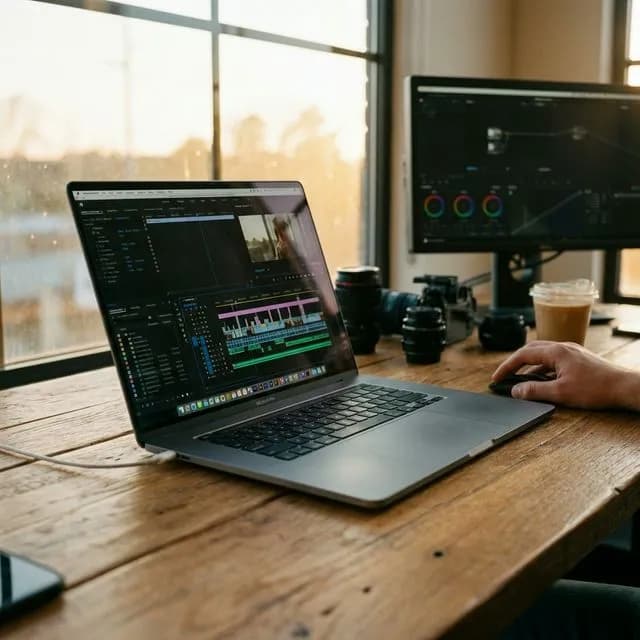
For YouTube editing in 2026: a MacBook Air 15-inch (M4/M5, 16GB+) is the best laptop for most creators; step up to a MacBook Pro (M5 Max-class) for heavy 4K and After Effects work; choose a Windows creator laptop with RTX 50-series graphics if you game, render 3D or need CUDA; and a sub-$1,000 Core Ultra laptop with 16–32GB RAM covers beginners on proxy workflows. Buy 16GB RAM minimum (32GB preferred), a color-accurate screen and an NVMe SSD — check current pricing before buying, because configs and discounts move weekly.
Finding the perfect video editing laptop in 2026 is frankly exhausting. Every manufacturer claims the "ultimate creator machine," then buries you in jargon — neural engines, unified memory bandwidth, thermal throttles. If you are a YouTube creator, you do not need a marketing brochure. You need to know which machine will chew through 4K footage without stalling, render your timeline quickly, and cost no more than your channel can justify.
Upgrading is a real investment. When your current laptop starts audibly gasping the second you add a simple adjustment layer in Premiere Pro or DaVinci Resolve, you know it is time. Overspending on capability you will never use is the opposite trap, and plenty of creators fall into it.
This guide cuts through the noise: the best video editing laptops of 2026, sorted by budget and workflow, plus a Q4 buying plan so you do not pay launch-season money for last-season hardware.
Important
The Bottom Line for 2026:
If you edit purely for YouTube and want the path of least resistance, Apple Silicon (the M4 and M5 generations) is unmatched in performance per watt. If you also render 3D in Blender or Cinema 4D, or you prefer Windows for native gaming, an RTX 50-series Windows creator laptop buys brute-force GPU rendering value.
Verified October 2026: every pick, spec tier and Q4 recommendation below was re-checked on October 1, 2026 against current-generation hardware. Prices are deliberately written as bands, not tags — laptop pricing changes weekly, so treat every number as an anchor and check current pricing before you order.
---
Why your current laptop is freezing (and what actually matters)
Before you spend money, understand *why* video editing is so taxing. Everyday laptops are built for burst tasks — a browser tab, a spreadsheet. Editing is a sustained workload that needs three components working in unison. Understand them and no salesperson can talk you into the wrong machine.
1. The processor (CPU) and the GPU
The CPU is the brain: it handles timeline organization, effects orchestration and export encoding. The GPU is the heavy lifter. Every major non-linear editor — Premiere Pro, Resolve, Final Cut — now leans on hardware acceleration for color grades, stabilization and export.
*Recommendation:* you need either a dedicated GPU (an NVIDIA RTX-class card) or a highly capable system-on-chip with dedicated media engines for ProRes and HEVC decode (Apple's M-series). Integrated graphics without media engines will stutter on modern 4K codecs.
2. Random access memory (RAM)
RAM is short-term memory. Scrubbing a 4K timeline means holding large video chunks in active memory for instant playback. When RAM runs out, the system borrows your drive as temporary memory (swapping) — which is slow, and produces that agonizing dropped-frame playback.
*Recommendation:* 16GB is the absolute floor for 1080p/4K editing today. 32GB is the sweet spot for smooth professional 4K work. 64GB+ is for heavy After Effects compositions, multicam and 8K RAW. On most thin laptops RAM is soldered — you cannot upgrade it later, so buy the capacity you will need in year two, not year one.
3. Storage speed (NVMe SSD)
Video files are massive. If the drive cannot feed the CPU and GPU fast enough, everything else bottlenecks — no matter how expensive the chip is.
*Recommendation:* a Gen 4 or Gen 5 NVMe SSD, ideally 1TB. Never edit off a spinning hard drive, and avoid machines that pair a large marketing number with cheap, slow eMMC storage.
---
Spec comparison: what to buy at each tier
| Tier | Best for | CPU | GPU | RAM | Storage | Screen | Budget band |
|---|---|---|---|---|---|---|---|
| Beginner | 1080p/4K talking head, proxy workflows | Core Ultra 7 / Ryzen 7 class, or base Apple silicon | Integrated or entry discrete GPU | 16GB | 512GB NVMe | 100% sRGB, full HD | Under ~$1,000 |
| Sweet spot | Weekly 4K uploads, light motion graphics | M4/M5 Pro class, or Core Ultra 9 / Ryzen 9 class | Mid-range RTX (40-/50-series) or 16-core+ GPU | 32GB | 1TB NVMe | 100% DCI-P3, OLED or mini-LED | ~$1,200–2,200 |
| Premium | Multicam 4K/8K, heavy After Effects, client work | M5 Max class | High-core RTX 5070-class or above | 64GB | 1–2TB NVMe | Factory-calibrated, 100% DCI-P3 | ~$2,500+ |
| Hybrid | Editing plus CUDA render, Blender, native gaming | Ryzen 9 / Core Ultra 9 | RTX 5070-class (CUDA + games) | 32–64GB | 1–2TB NVMe | OLED, high refresh | ~$1,800+ |
How to read this table: pick the row that matches your *heaviest normal week*, not your once-a-year fantasy project. If four weeks out of five are single-camera 4K with basic color, the sweet-spot row is correct even if the premium row exists.
---
1. The undisputed premium pick: Apple MacBook Pro 16-inch (M5 Max)
If budget is not the primary constraint and your goal is frictionless editing power, the 16-inch MacBook Pro with an M5 Max-class chip is the pinnacle of mobile editing hardware in 2026.
It is almost boring how good this machine is for video creators. Apple did not just improve raw speed — the dedicated media engines are the point. If you shoot ProRes on an iPhone or 10-bit HEVC on a mirrorless body, this laptop decodes those heavy codecs natively. Scrub an 8K timeline with four adjustment layers and the fans may never spin up. That is not magic; it is silicon built for exactly this job.
Who is this for? Full-time YouTubers with real volume, commercial videographers, and anyone living in After Effects. If your channel income is already steady, this removes technical friction from every upload. (Run the numbers through the YouTube Earnings Calculator to see how many monthly views it takes to ROI the machine.)
The specs to configure:
- Chip: M5 Max class (the Pro tier is excellent, but Max doubles the video encode engines)
- Memory: 48–64GB unified memory if After Effects or multicam is routine
- Storage: 2TB internal SSD — project files fill 1TB faster than anyone expects
- Check current pricing on the configured spec; maxed configurations jump in price quickly
For benchmark methodology on Mac-versus-PC editing workflows, Puget Systems publishes their test articles — worth reading before you spend premium money.
---
2. The best Windows creator pick: ASUS ProArt Studiobook 16
Not everyone wants the Apple ecosystem. Plenty of creators are also gamers, streamers or 3D artists, and a MacBook isolates them — no native high-end gaming, no CUDA acceleration for the render engines many studios use.
The ProArt Studiobook 16 is a machine built for creative professionals, not a gaming laptop in costume. The standout is the display: a factory-calibrated OLED covering 100% of the DCI-P3 gamut. If you grade in DaVinci Resolve you need to trust what you see — cheap gaming panels routinely ship with poor color accuracy, and your video then looks different on every phone that plays it.
The physical ASUS Dial, integrated with the Adobe suite, lets you scrub timelines and adjust brush sizes without hunting for a shortcut.
Who is this for? Hybrid creators. If you edit seriously *and* stream, play AAA games, or run Blender, the NVIDIA GPU inside is the rendering horsepower you need. Configure to the sweet-spot or hybrid row in the table above, then check current pricing — this line spans several bands.
---
3. The best mid-range pick: Apple MacBook Air 15-inch (M4)
This is the pick most likely to be called controversial, because the machine has no internal cooling fan. For the large majority of YouTube creators it is still the best balance of price, performance and portability in 2026.
Five years ago, editing 4K on a fanless thin-and-light was a joke — it would throttle and crash inside ten minutes. Chip efficiency changed the math. Multi-cam 4K 10-bit footage from a hybrid mirrorless body edits on an M4 Air without stutter, on battery, in complete silence. Silence matters more than you think if you record voiceovers near the laptop.
Who is this for? Travel vloggers, lifestyle creators and most standard YouTube channels. If your workflow is A-roll, B-roll, basic color and light graphics, do not overspend on a Pro.
Warning
The Spec Trap:
Do NOT buy any 8GB base configuration if you intend to edit video. Upgrade to 16GB or 24GB (32GB if offered) of unified memory. 8GB forces constant memory swapping, which degrades playback smoothness *and* shortens the life of the internal SSD. During Q4 sales, the deepest discounts are usually on exactly these crippled base configs — read the spec sheet, not the discount badge.
---
Budget Workspace
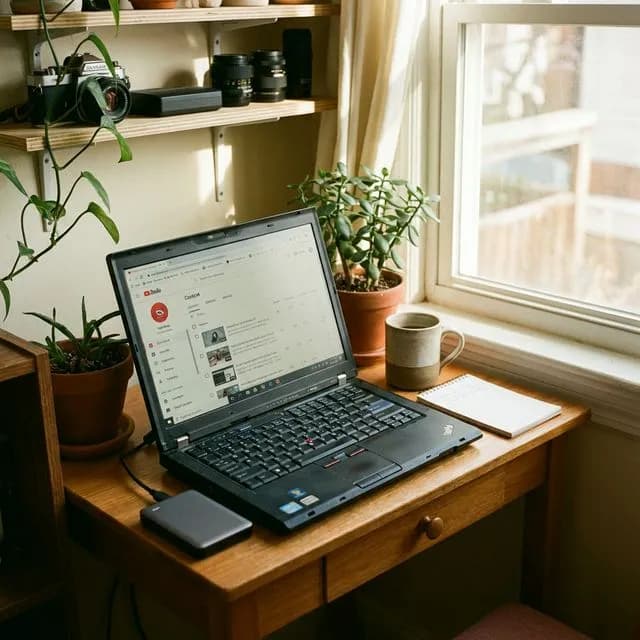
*A budget laptop setup is enough to publish your first videos. Don't let gear stall the channel.*
4. The best budget laptop for beginners: Lenovo IdeaPad Pro 5i
Starting a channel with an ancient laptop that cannot play back your new phone's footage is a special kind of frustration. Your budget is under ~$1,000, and you still need a decent screen, a modern processor and enough RAM.
The IdeaPad Pro 5i class threads that needle: a color-accurate high-refresh display, an efficient Core Ultra processor, and — critically — 16GB to 32GB of RAM in mainstream configurations rather than an 8GB dead end.
Who is this for? New YouTubers and students. It will not render a heavy motion-graphics template in real time, but with a proxy workflow it is entirely capable of shipping professional-looking uploads.
If the budget is tight, spend on the microphone and light first — audio quality buys more watch time than laptop speed does. See the full equipment checklist for that ordering, then let free tools like the title generator carry the packaging load until the channel funds the upgrade.
---
How we'd allocate the budget
The wrong question is "which laptop is best?" The right question is "where does each dollar go?" Use this allocation framework:
| Total budget | Laptop share | Accessory share | What you get | Where you compromise |
|---|---|---|---|---|
| Under $1,000 | 100% into the laptop | $0 (delay accessories) | 16GB RAM, 512GB SSD, good screen | No discrete GPU — use proxies |
| $1,000–$1,800 | ~75% | ~25% (mic, light, stand, external SSD) | 16–32GB, color-accurate screen, 1TB | Mid-tier GPU, mid-tier chip |
| $1,800–$3,000 | ~85% | ~15% (backup drive, calibrator later) | 32–64GB, calibrated display, 1–2TB | Almost nothing meaningful |
| $3,000+ | Buy for workflow, not spec-sheet | Negligible | M5 Max-class or RTX 5070+ workstation | Diminishing returns above this |
Three rules, in order:
- RAM first. It is soldered on nearly every thin laptop and it is the single biggest determinant of timeline smoothness two years from now.
- Storage second. Internal NVMe for active projects; keep masters and archives on an external NVMe drive instead of paying the premium twice.
- Screen third. Color accuracy beats resolution. A 1080p panel at 100% DCI-P3 serves you better than a 4K panel with washed-out whites.
And a fourth, for creators: gear purchases for the channel are a business expense — model the write-off with the Tax Deduction Calculator before you decide you "cannot afford" the 32GB configuration.
Worked example: a weekly 4K talking-head channel with light motion graphics needs the *sweet-spot* row (32GB, 1TB, DCI-P3 screen) plus $200–300 of audio and lighting gear — which outperforms buying a premium-tier laptop and editing on a dark desk with a laptop microphone. Allocate to the bottleneck, not the brochure.
---
Q4 2026 buying advice (verified October 2026)
Late in the year is simultaneously the best and the most dangerous window to buy:
- The big promo window is real. Black Friday, Cyber Monday and holiday bundles produce the largest standard discounts of the year. If your current machine is already slowing you down, buying during this window beats waiting for spring.
- Last generation at a discount usually beats new at MSRP. Chip refreshes happen on different cadences for Apple, Intel and AMD. A previous-generation machine with the RAM and screen you need, now sitting a band lower in price, is frequently the smarter buy than the newest chip at launch pricing.
- Sale ads optimize for specs you do not need. Deep discounts land on 8GB RAM configurations and slow-storage variants. Verify RAM, storage type and panel coverage before the price tag convinces you.
- Open-box and certified refurbished are legitimate. Manufacturer-certified stock with a full return window and a battery-cycle check can save a meaningful slice of the band. Avoid marketplace listings with no return policy.
- Check current pricing, twice. Bands in this guide are anchors, not quotes. Re-check the day you buy, and again if a listed price looks too good — third-party sellers frequently list outdated configurations with the same model name.
- Waiting has a cost too. Three months of slower renders and proxy babysitting can cost you more uploads than you save in dollars. Buy when your current machine is actively taxing your output.
---
The video editing software synergy
The best laptop is useless if you fight your editing software. Software synergy in 2026:
- Final Cut Pro + Mac: the most fiercely optimized pairing available. Apple builds both the silicon and the code, so FCP runs absurdly fast even on base MacBooks and sips battery while doing it.
- DaVinci Resolve + anything: Blackmagic engineered Resolve to use the GPU harder than Premiere does — great on Windows machines with NVIDIA cards, and it runs natively and beautifully on Apple Silicon. See the Resolve starter guide if you are switching.
- Premiere Pro: the industry standard. Heavier and more crash-prone than the other two, but its After Effects and Photoshop integration keeps it indispensable for many teams. Premiere rewards raw RAM and strong single-core CPU performance.
If you are choosing a machine *and* an editor at the same time, shortlist editors first — free editors worth learning and AI editing tools both change the hardware math, because smarter proxies and AI relinking are less demanding than brute-force rendering.
---
Final thoughts: the ROI of a good laptop
Shift the mindset from "this is expensive" to "this buys me time."
If a faster machine saves you 30 minutes of rendering and proxy generation per video, and you publish two videos a week, that is roughly 52 hours a year handed back to you. Spend those hours researching better concepts, writing sharper hooks, or optimizing metadata with the SEO tool hub — anything that compounds.
Buy the machine that removes friction from your creative process. Then start editing, and keep hitting publish.
Topics
❓Frequently Asked Questions
What is the most important spec in a video editing laptop?
For modern video editing in 2026, the dedicated GPU (Graphics Processing Unit) or the specific Media Engine (on Apple Silicon) is the most critical component. Modern editing software offloads the heaviest tasks—like color grading, rendering, and playback of complex codecs—directly to the GPU.
Is 8GB of RAM enough for a video editing laptop?
No. In 2026, 8GB of RAM is severely inadequate for video editing. You will experience constant stuttering, system freezing, and timeline lag. 16GB is the absolute minimum you should purchase, with 32GB being highly recommended for smooth 4K workflows.
Are Macs better than Windows for video editing?
Not necessarily 'better', but generally more efficient. Apple Silicon (M-series chips) offers incredible rendering performance while using very little battery power and generating minimal heat. However, high-end Windows laptops equipped with NVIDIA RTX graphics cards offer superior raw GPU rendering power for complex 3D workflows and natively support high-end gaming.
Do I need a 4K screen on my laptop to edit 4K video?
No. You do not need a 4K screen to edit 4K video. Your editing software's preview window takes up a small portion of your screen anyway. It is far more important to have a screen with excellent color accuracy (100% DCI-P3 or sRGB) than it is to have high resolution.
Why is my editing so slow even with a new laptop?
You are likely trying to edit highly compressed codecs like H.264 or highly demanding formats like 10-bit 4K H.265 directly on the timeline without proper hardware decoding. To fix this instantly, use a 'Proxy Workflow' in your editing software, which temporarily creates lightweight versions of your clips for the editing process.
When is the best time to buy a video editing laptop?
Q4 — Black Friday through the holiday bundles — is when the year's biggest standard discounts land, making it the best window if your current machine is already slowing you down. Otherwise buy when your current laptop starts costing you output; waiting months for a deal can cost more in lost uploads than you save.
How much should I spend on a video editing laptop for YouTube?
Enough to get 16GB of RAM minimum (32GB preferred), a color-accurate screen and an NVMe SSD — for most creators that lands in the mid band rather than the premium band. Spend on RAM first and storage second: a mid-tier machine with the right memory outperforms a flagship with too little.
Do I need an OLED screen for video editing?
No, but color accuracy is non-negotiable. OLED panels usually cover wide gamuts and look excellent out of the box; what actually matters is calibration and gamut coverage (100% DCI-P3 or sRGB). A panel with poor color accuracy will make your finished videos look wrong on viewers' phones regardless of resolution.
Free tools for this topic
Apply what you just read with free creator tools — no signup required.