Starting a YouTube channel in 2026 is one of the smartest things you can do. YouTube has over 2.7 billion monthly active users, search demand for tutorials and reviews keeps growing, and creators who post consistently are still taking channels from zero to their first 1,000 subscribers.
But here is the reality most guides skip: starting is easy. Starting *right* is what separates channels that grow from channels that get stuck at 47 subscribers for two years.
Quick Answer
To start a YouTube channel in 2026: (1) Pick one specific niche you can commit to for six months, (2) Create your channel with a keyword-relevant name, banner, and description, (3) Start with a $50 kit — smartphone, clip-on microphone, window light, (4) Film and publish your first 5 videos covering tutorial, list, and review intent, (5) Optimize every upload: keyword-first title, 200-450 word description, 15-30 tags, 2-4 hashtags, (6) Publish 1-3 times a week on a fixed schedule, (7) Reply to every comment and share where your audience already gathers. Monetization requires 1,000 subscribers plus 4,000 watch hours (or 10 million Shorts views).
Key Takeaways
- Niche beats breadth: one focused topic cluster for six months gives the algorithm a clear signal on who to recommend you to. A mixed channel gives it none.
- Audio > lighting > camera: a $15 lavalier mic in front of a window outperforms a $900 camera with bad audio and flat light.
- Your first five videos are a portfolio: a how-to, a list, a review, a mistakes video, and an intro cover search and browse intent at once.
- Metadata decides the click, content decides the stay: titles, descriptions, tags, and thumbnails earn the impression; the video earns the retention.
- Consistency compounds: 1-3 uploads a week for 12 months beats 20 uploads in a burst followed by silence.
- Monetization bar: 1,000 subscribers AND 4,000 valid public watch hours in the past 12 months — or 10 million Shorts views in 90 days.
---
Step 1: Choose Your Niche
The single most important decision you will make is your niche. "Everything" is not a niche.
YouTube's recommendation system learns from viewer behavior. If your channel mixes cooking, gaming, and finance, the algorithm has no idea who to recommend your content to — every upload starts cold instead of landing in front of a warm audience.
The Three-Question Niche Test
Before you commit, answer these honestly:
- Can I list 50 video ideas? Write them out. If you stall at 15, the niche is too narrow to sustain weekly uploads.
- Do I have an angle? "Phone reviews" is saturated. "Phone reviews for small business owners" is a lane with an identifiable viewer.
- Is there demand? Type the topic into YouTube search and read the autocomplete suggestions, then check that the top 10 results have healthy view counts. Autocomplete only surfaces what people actually search for.
High-CPM Niches
| Niche | CPM Range |
|---|---|
| Finance and investing | $15-30 |
| Technology and software | $12-25 |
| Business and entrepreneurship | $10-20 |
| Health and fitness | $8-15 |
| Education and tutorials | $6-12 |
These ranges are typical, not guaranteed — audience geography and advertiser demand move them month to month. Money should not be your only filter, since a finance channel you hate will die in three months, but it works as a tiebreaker between two interests you equally enjoy.
Use our YouTube Earnings Calculator to estimate what your niche could pay. Still stuck? Take the YouTube Niche Finder Quiz or generate topic clusters with the Video Ideas Generator.
For a fuller breakdown, read our guides to the best YouTube niches in 2026 and high-CPM niches.
---
Step 2: Create Your YouTube Channel
- Go to YouTube and sign in with a Google account you will not share or lose
- Click your profile icon, then Create a channel
- Choose a channel name that is memorable, spellable, and relevant to your niche
- Claim a custom handle (@yourname) that matches the handle on your other social accounts
- Upload a profile picture and a 2560 x 1440 px banner — keep all text inside the central 1546 x 423 px safe area so it is not cropped on phones
- Write a channel description that states who you help, what you publish, and your upload schedule, using the keywords people actually search for
Then set your defaults once, in YouTube Studio → Settings → Upload defaults: a description template with your social links, 3-5 standard tags, and your language. That saves ten minutes on every future upload.
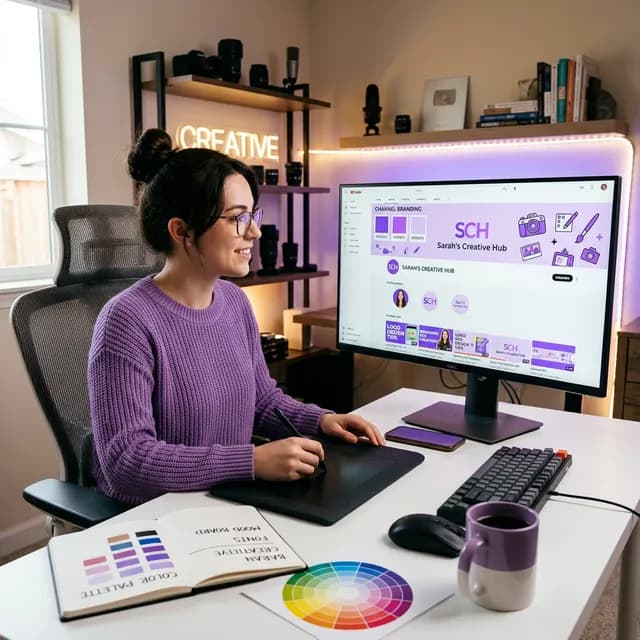
Need a name? Use our Channel Name Generator for AI-generated ideas. For the visual side — logo, banner, and how the channel should feel at a glance — follow the YouTube channel branding guide.
---
Step 3: Set Up Equipment
You do not need expensive equipment. The golden rule: Audio > Lighting > Camera. Viewers forgive average video; they click away from echo, hiss, and muffled speech.
| Budget Tier | Camera | Audio | Lighting | Total |
|---|---|---|---|---|
| Starter | Your smartphone | $15 clip-on lavalier | Face a window | ~$15 |
| Proper first setup | Smartphone | $50 USB or lav mic | $35 ring light | ~$100 |
| Serious | Entry mirrorless under $500 | $80 on-camera mic | Two-panel LED kit | ~$700 |
Starter Kit (Under $50)
- Camera: Your smartphone, shot at 1080p 60fps (or 4K if it supports it)
- Microphone: A $15 clip-on lavalier mic plugged into your phone
- Lighting: Face a window for free, diffused natural light — shoot in the morning or late afternoon, not midday
- Stability: A $25 tripod or gorilla pod so the frame never shakes
Record a 30-second test and listen back with headphones. If you hear room echo, move closer to soft furnishings (a full bookshelf is a free acoustic panel) and bring the mic within 6 inches of your mouth. Most bad-audio problems are distance problems, not gear problems.
For a complete breakdown at every budget, read our YouTube equipment checklist.
---
Step 4: Film Your First 5 Videos
Your first five videos should cover different search intents:
- Introduction video: Who you are, who the channel is for, what viewers get — 60-90 seconds, no filler
- "How to" tutorial: Solve one specific problem in your niche end to end
- "Top 5/10" list video: Easy to script, highly searchable, high retention by design
- Tool or product review: Review something your audience already wants an opinion on
- Common mistakes video: "5 Mistakes Beginners Make in [Your Niche]" — low effort to script, high trust payoff
The First 15 Seconds Decide Everything
Every video needs a hook → promise → payoff structure:
- Hook (0-5s): State the problem or the result in one sentence. "Most new channels die because of this one mistake."
- Promise (5-15s): Tell them exactly what they will have by the end. "In the next eight minutes you'll have a channel that looks credible."
- Payoff: Deliver it, and cut anything that does not serve it.
No channel-intro animation before the hook, and no "hey guys, welcome back" preamble. Retention in the first 15 seconds is the strongest early signal YouTube gets about whether to keep recommending a video.
---
Step 5: Optimize for YouTube SEO
This is where most new channels fail. YouTube is the world's second-largest search engine, and your metadata is what tells it what your video is about.
Title Optimization
Put the primary keyword in the first 60 characters, lead with the benefit, and stay under 70 characters so nothing truncates on mobile.
Worked example — a video about fixing echoey audio:
- Weak: "My new microphone setup video"
- Strong: "How to Fix Echoey Audio in 5 Minutes (Any Mic)"
Use our YouTube Title Generator to generate and test click-worthy variants.
Description Optimization
Write 200-450 words: front-load the first two lines with the keyword and the value proposition (they show before "Show more"), then add chapters, links, and a subscribe prompt. Draft it with our YouTube Description Generator.
Tag Optimization
15-30 tags: your exact keyword, close variants, and two or three broader category tags. Tags are a minor ranking signal, but they still help YouTube disambiguate confusing titles. Use our YouTube Tag Generator.
Hashtag Strategy
2-4 hashtags above the title; past 60, YouTube ignores them entirely. Use our YouTube Hashtag Generator for trending tags in your niche.
For the full checklist, read our YouTube SEO checklist for 2026.
---
Step 6: Design Click-Worthy Thumbnails
Title and thumbnail together decide almost everything about your click-through rate.
- Use a close-up face with one clear, readable emotion
- Add 3-5 words of bold text that adds information the image alone does not convey
- Use 2-3 high-contrast colors and keep the background simple
- Resolution: 1280 x 720 pixels, under 2 MB
- Check it at phone size: if the text is unreadable at thumbnail width, rewrite it
Use our AI Thumbnail Prompt Generator to write prompts for AI image tools, and see the thumbnail A/B testing guide once you have videos worth iterating on.
---
Step 7: Publish and Promote
Where to Share
- Reddit: Answer genuinely in niche subreddits, and only link when your video directly solves the thread's question
- Pinterest: Pins still drive long-tail traffic for tutorial and list content
- Twitter/X and LinkedIn: Post a clip or a key screenshot, and put the link in the reply
- Facebook Groups and Discord servers: Participate first, share second
- YouTube Shorts: Cut 20-30 second moments from your long-form videos for extra reach
Promote where you already add value, never where you only drop links.
Posting Schedule
- Ideal: 2-3 videos per week
- Minimum: 1 video per week, with no missed weeks
- Publish slot: Pick a consistent day and time your audience can rely on — see our best time to upload guide
Use our Content Calendar Generator to plan a full month of uploads in one sitting, then batch-film so a bad week never breaks your streak.
---
Step 8: Grow to 1,000 Subscribers
To monetize through the YouTube Partner Program, you need 1,000 subscribers AND 4,000 valid public watch hours in the past 12 months — or 10 million Shorts views in the past 90 days.
Growth Strategies
- Publish search-first content first: tutorials, reviews, and how-tos keep earning views for years after publish
- Reply to every comment in your first 6 months — early engagement trains the algorithm and converts viewers into regulars
- Use Shorts to gain subscribers, but point them at a long-form video that earns real watch time
- Add end screens and cards to push viewers to your next-best video, and group videos into playlists so they autoplay in sequence
- Study the retention graph in YouTube Studio: where the line drops is exactly where your next script needs to change
How Long Does It Take?
- Average: 12-18 months
- Consistent uploaders (2-3 per week): 6-12 months
- Shorts-heavy strategy: 3-6 months for subscribers — watch hours still take longer
Use our Engagement Rate Calculator to benchmark each upload against your own previous videos rather than against strangers.
For a focused push toward the monetization threshold, follow how to get 1,000 subscribers fast and the channel growth playbook.
---
Long-Form vs Shorts in 2026
You need both, and they do different jobs:
| Format | What It Does Best | What It Pays |
|---|---|---|
| Long-form (8-15 min) | Searchable, compounds for years, carries mid-rolls and sponsorships | Higher RPM; this is where real income sits |
| Shorts (< 60s) | Fast subscriber growth and cold reach | Lower RPM; great for discovery, weak as a business |
The winning pattern: cut 20-30 second moments from each long-form video into Shorts that point back at the full video. Shorts are the ad; long-form is the product.
---
YouTube Monetization in 2026
| Country | Average CPM | Est. per 100K Views |
|---|---|---|
| United States | $6-15 | $600-1,500 |
| United Kingdom | $5-12 | $500-1,200 |
| Canada | $5-11 | $500-1,100 |
| India | $0.50-2 | $50-200 |
These ranges are typical, not guaranteed — niche, audience geography, and watch time per view move the number more than raw view count. For detailed projections, use our YouTube Earnings Calculator.
---
Your First 30 Days: Checklist
- [ ] Niche chosen with the three-question test, and 50 video ideas listed
- [ ] Channel created: name, handle, 2560 x 1440 banner, keyword-rich description
- [ ] Upload defaults configured in YouTube Studio
- [ ] $50 kit bought (lav mic, light, tripod) and a 30-second audio test recorded with headphones
- [ ] First 5 videos scripted, filmed, and edited
- [ ] Titles, descriptions, tags, and thumbnails completed for all 5
- [ ] A fixed upload slot chosen for the next 12 weeks
- [ ] One niche community joined and posted in before any link is shared
---
Common Beginner Mistakes
- Trying to be like MrBeast from day one — production value does not rescue a channel with no clear topic
- Focusing on subscriber count over watch time
- Not optimizing SEO metadata — a great video with a vague title stays invisible
- Uploading inconsistently, then blaming the algorithm
- Buying subscribers or views, which poisons your analytics and can disqualify you from the Partner Program
- Giving up before 12 months, right before compounding starts
- Spending four figures on gear before earning your first 100 subscribers
Worked Example: Zero to the First 100 Subscribers
A new personal-finance channel commits to one upload every Tuesday at 6 pm:
- Weeks 1-4: Five videos publish (intro, two how-tos, a list, a mistakes video). Total views: a few hundred. The creator replies to every comment and shares two videos in niche subreddits where they answered the thread's question first.
- Weeks 5-8: One how-to starts appearing in search autocomplete and picks up suggested traffic. The creator checks the retention graph, sees a drop at 0:20, and cuts the intros of the next two videos.
- Weeks 9-12: Two videos now feed each other through an end screen and a playlist. Subscribers pass 100.
Nothing in that timeline required expensive gear, a viral moment, or a rebrand. It required a specific niche, searchable titles, and twelve unbroken weeks of uploads.
---
Pick your niche tonight, film your first test clip this week, and publish before the end of the month. The algorithm rewards creators who are consistent.
Related guides on this topic: How to Get More Views on YouTube · YouTube Channel Name Ideas · Get 1,000 Subscribers · Channel Audit Checklist · Video Ideas Generator.
Topics
❓Frequently Asked Questions
How much does it cost to start a YouTube channel in 2026?
You can start for free using just your smartphone. A functional first kit costs about $15 to $50: a clip-on lavalier microphone, a small tripod, and free window light. Optional upgrades include a ring light or two-panel LED kit ($30-$80), an entry mirrorless camera ($380-$500), and free editing software such as CapCut or DaVinci Resolve. Spend on audio first — viewers forgive average video but not bad sound.
How long does it take to make money on YouTube?
Most channels take 12-18 months to reach the YouTube Partner Program requirements of 1,000 subscribers and 4,000 valid public watch hours in the past 12 months (or 10 million Shorts views in 90 days). Creators who upload 2-3 times a week with searchable content typically reach it in 6-12 months. Sponsorships and affiliate income can start earlier, sometimes before monetization, once you have a defined audience.
What is the best niche for YouTube in 2026?
High-CPM niches include finance ($15-30), technology ($12-25), business ($10-20), and health ($8-15). Those ranges are typical rather than guaranteed, and audience geography matters as much as topic. The best niche overall is one you can cover weekly for at least six months without running out of ideas — a profitable niche you abandon in month three earns nothing.
Do I need to show my face on YouTube?
No. Faceless channels perform well in finance, technology, history, and motivation niches using screen recordings, stock footage, diagrams, and narration. On-camera formats build trust faster for coaching, reviews, and personality-driven content. Choose the format you can sustain weekly — consistency beats camera shyness in both directions.
How often should I upload to YouTube?
Consistency matters more than frequency. One high-quality video per week with a fixed upload slot is better than daily low-quality content you cannot sustain. Two to three videos per week is the practical sweet spot for growth, and batching filming on a single day is the most reliable way to hold that schedule.
What equipment do I need for my first YouTube video?
A smartphone, a clip-on lavalier microphone, natural window light, and a small tripod — about $15 to $50 total. Record a 30-second test and listen back with headphones before filming properly. If the audio has room echo, move closer to soft furnishings and bring the mic within 6 inches of your mouth. Upgrade to lighting and then camera only after audio is clean.
Do I need 4K video to start a YouTube channel?
No. Clean 1080p at 60fps with good lighting and audio looks better than noisy 4K shot in poor light, and YouTube's compression handles 1080p very well. 4K mainly buys reframing flexibility in editing, which matters once you shoot B-roll-heavy or cinematic content. Start in 1080p, get the fundamentals right, and move to 4K when your camera and lighting support it.
How do I get my first 100 subscribers?
Publish your first five videos covering different search intents (tutorial, list, review, mistakes, intro), optimize every title and description for a real search phrase, and reply to every comment. Then share in niche communities where you answer the thread's question first and link only when your video genuinely solves it. Most channels clear 100 subscribers within the first 8-12 weeks of consistent, searchable uploads.
Free tools for this topic
Apply what you just read with free creator tools — no signup required.