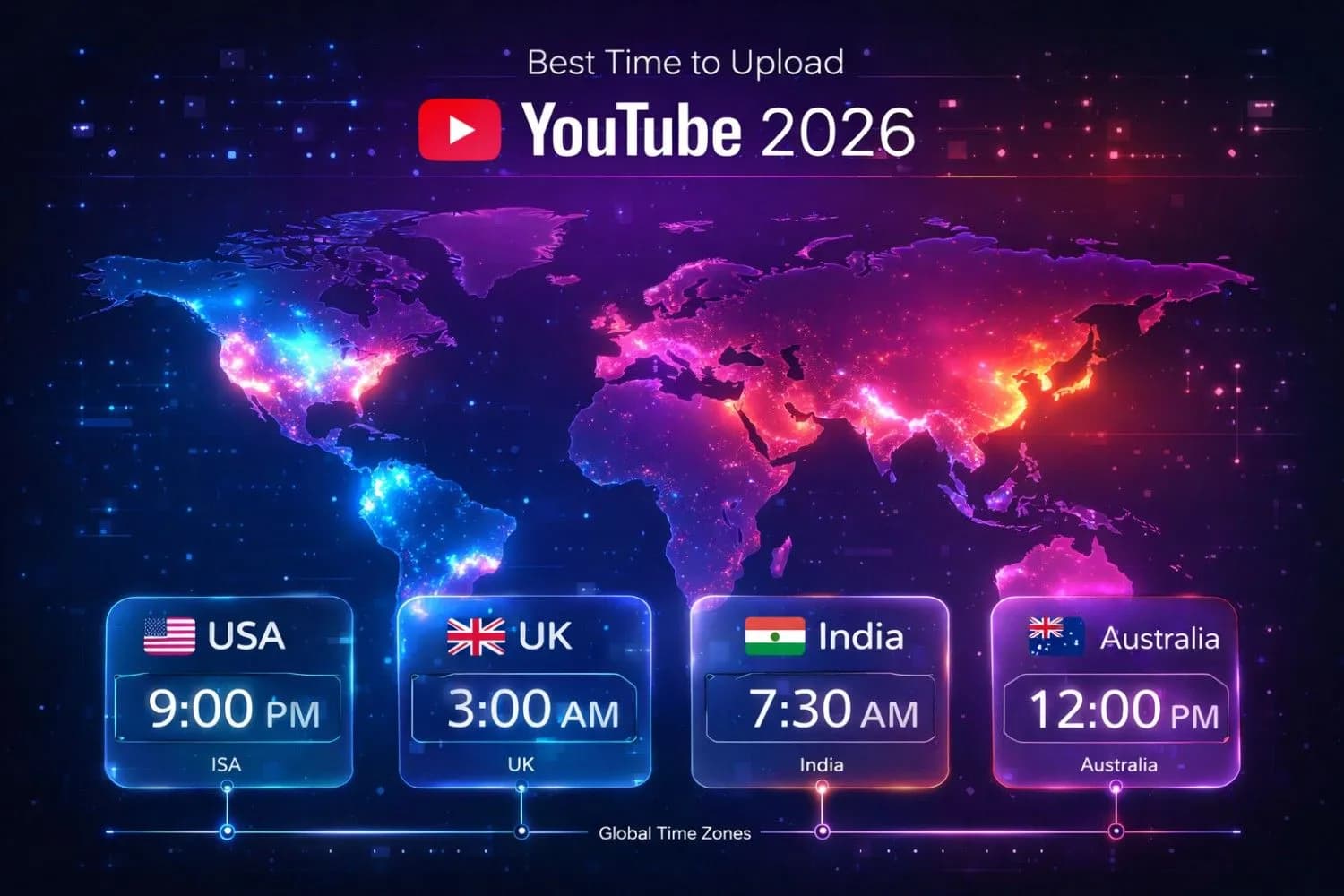
In 2026, YouTube's algorithm has become more sophisticated than ever, with timing playing a crucial role in determining which videos get promoted. The right upload schedule can mean the difference between 10,000 views and 100,000 views on the same quality content.
Understanding when your target audience is most active and engaged is no longer optional—it's essential for growth. In this comprehensive guide, we'll dive deep into the data - backed strategies that successful creators use to maximize their video performance from the moment they hit publish.
Pro Tip
Key Upload Stats for 2026:
- Best USA Time:2 - 4 PM EST(Thursday - Saturday)
-Peak Days:Thursday, Friday, Saturday
-Engagement Boost:+45 % CTR during peak windows
-Critical Window:First 48 hours for algorithmic testing
-Processing Time:Upload 2 - 3 hours before your target time
Why Upload Time Matters in 2026
YouTube's algorithm has evolved to prioritize content that demonstrates immediate engagement potential. When you upload at the right time, you're essentially giving your video the best possible chance to succeed in the algorithm's initial testing phase.
The 48 - Hour Algorithm Window
Within the first 48 hours of publication, YouTube's recommendation system evaluates your video based on several critical metrics:
-Click - Through Rate(CTR):How many people click when they see your thumbnail
-Average View Duration(AVD):How long viewers watch before clicking away
-Engagement Rate:Likes, comments, shares, and saves
-Watch Time:Total minutes watched across all viewers
-Audience Retention:Percentage of video watched on average
According to YouTube Creator Academy data, videos uploaded at optimal times can achieve:
-45 % higher CTRin the first 24 hours
-37 % more watch timecompared to off - peak uploads
-2.3x more viewsin the critical first 48 hours
-62 % better chanceof being recommended to non - subscribers
How YouTube's Algorithm Evaluates Early Performance
The algorithm asks: "If I show this video to more people, will they watch it?" Your upload time directly impacts this because:
1.Immediate Availability of Your Core Audience:When your most engaged subscribers are online, they're more likely to click, watch, and engage immediately
2.Higher Initial Velocity:More views in the first hour signals to YouTube that the content is performing well
3.Geographic Concentration:Targeting specific regions at peak times creates concentrated engagement bursts
4.Competition Levels:Off - peak uploads face less competition in the recommendation feed
Important
The algorithm doesn't just look at total views—it prioritizesengagement velocity. Getting 1,000 views in the first hour is significantly more valuable than getting 1,000 views spread over 24 hours.
Comprehensive Regional Upload Timing Strategy
Different regions have distinct viewing patterns based on work schedules, cultural habits, and internet usage behaviors.Here's the complete breakdown:
| Region | Best Time | Peak Days | Engagement | CPC Tier |
|---|---|---|---|---|
| 🇺🇸 North America | 2 - 4 PM EST | Thu, Fri, Sat | Highest CTR | Tier 1($4 - $15) |
| 🇬🇧 UK & Europe | 12 - 3 PM GMT | Tue, Wed, Thu | Evening Spike | Tier 1($3 - $12) |
| 🇮🇳 India & South Asia | 6 - 9 PM IST | Sun, Wed, Fri | Massive Volume | Tier 2($0.5 - $3) |
| 🇦🇺 Australia | 7 - 10 PM AEST | Wed, Thu, Fri | High Eng. | Tier 1($5 - $14) |
| 🇧🇷 Brazil & Latin America | 8 - 10 PM BRT | Wed, Sat, Sun | Growing Market | Tier 2($1 - $4) |
| 🇯🇵 Japan | 7 - 10 PM JST | Sat, Sun, Wed | High Quality | Tier 1($3 - $10) |
Note
Pro Tip:Upload 2 - 3 hours BEFORE these peak times.This gives YouTube's servers time to process your video (4K processing, checking for copyright, generating captions) and index it so it's ready to be recommended exactly when your audience comes online.
North America Deep Dive(Highest Revenue Potential)
Best Times:
- East Coast(EST):2 - 4 PM(after school / work, before dinner)
-West Coast(PST):11 AM - 1 PM(same window, converted)
-Weekend:10 AM - 2 PM EST(morning leisure time)
Why These Times Work:
- Lunch break browsing (12 - 1 PM)
- Post - work relaxation(3 - 6 PM)
- Evening entertainment(7 - 10 PM)
- Students arrive home from school(3 - 4 PM)
Targeting Strategy:If you can only target one region, choose North America on Thursday - Saturday for maximum revenue potential.The combination of high CPM rates and large audience size makes this the most profitable window.
UK & Europe Multi - Timezone Strategy
Challenge:Europe spans multiple timezones(GMT, CET, EET)
Solution:Target 12 - 3 PM GMT(1 - 4 PM CET, 2 - 5 PM EET)
This window captures:
- UK lunch break and afternoon(12 - 3 PM GMT)
- Central Europe afternoon peak(1 - 4 PM CET)
- Eastern Europe evening start(2 - 5 PM EET)
Best Days:Tuesday through Thursday when professional audiences are most active during work breaks.
Asia - Pacific Considerations
India & South Asia(Population: 1.8 + billion)
-Prime Time:6 - 9 PM IST(after work / school)
-Secondary:10 PM - 12 AM IST(night entertainment)
-Volume Strategy:While CPM is lower, massive view counts can compensate
Japan(High Engagement, Sophisticated Audience)
-Prime Time:7 - 10 PM JST(high - quality viewership)
-Weekend Morning:9 - 11 AM JST(Saturday & Sunday)
-Niche Advantage:Tech, gaming, anime content performs exceptionally well
Australia & New Zealand
- Evening Peak:7 - 10 PM AEST / NZST
-Quality Over Quantity:Smaller audience, but high engagement and CPM
-Best Days:Wednesday - Friday for professional content
Niche - Specific Upload Timing Strategies
Different content types have different optimal upload windows based on viewer intent and behavior patterns.
Gaming Content
Best Time:3 - 5 PM EST Thursday - Saturday
Why: Gamers come online after school / work, with peak engagement during weekend evenings.
Strategy:Upload new game releases immediately after launch for maximum trending potential.
Educational & Tutorial Content
Best Time:6 - 8 AM & 1 - 3 PM EST Tuesday - Thursday
Why: Students and professionals search for learning content during morning routines and lunch breaks.
Strategy:Monday uploads capture the "learning mindset" at the start of the work week.
Entertainment, Vlogs & Reactions
Best Time:5 - 8 PM EST Thursday - Saturday
Why: Entertainment content is consumed during relaxation time after work / school.
Strategy:Weekend uploads perform best as viewers have more leisure time.
Tech Reviews & Unboxings
Best Time:10 AM - 2 PM EST Tuesday - Wednesday
Why: Tech enthusiasts research purchases during work breaks and before business days end.
Strategy:Upload immediately after product launches to capture search traffic.
Finance & Business Content
Best Time:7 - 9 AM & 12 - 2 PM EST Monday - Friday
Why: Business audiences consume content during commutes and lunch breaks.
Strategy:Avoid weekends—your audience is in "personal time" mode, not business mindset.
Kids & Family Content
Best Time:3 - 5 PM & 7 - 9 PM EST, all week
Why: Children watch after school, and families watch together in the evening.
Strategy:Saturday mornings(8 - 11 AM) are excellent for family co - viewing.
News & Trending Commentary
Best Time:Upload IMMEDIATELY when news breaks
Why: Trending content has a short relevance window—speed matters more than perfect timing.
Strategy:Have templates ready for fast production, prioritize being first over being perfect.
How to Use YouTube Analytics to Find YOUR Best Upload Time
Generic advice is helpful, but YOUR specific audience might have unique patterns.Here's how to use data to optimize:
Step - by - Step Analytics Guide
Step 1: Access the Data
- Open YouTube Studio
- Click "Analytics" in the left sidebar
- Navigate to the "Audience" tab
- Scroll to "When your viewers are on YouTube"
Step 2: Interpret the Heatmap
The heatmap shows hourly activity across the week:
- Dark Purple / Blue:Highest viewer activity
-Light Purple:Moderate activity
-Gray:Low activity
Step 3: Identify Patterns
Look for:
- Which days show the darkest colors ?
- What time blocks have consistent high activity ?
- Are there multiple peak windows ?
- Weekend vs.weekday differences ?
Step 4: Cross - Reference with Regional Data
Check "Top geographies" to understand where your viewers are located, then apply the regional timing strategies above.
Step 5: Create Your Custom Schedule
Example: If your heatmap shows:
- 40 % USA audience
- 30 % UK audience
- Dark blue at 2 - 4 PM EST Tuesday - Thursday
Your strategy: Upload at 11 AM EST(before processing delay) on Tuesday - Thursday to hit both US afternoon and UK evening.
Testing Different Upload Times
Create a simple tracking system:
| Upload Date | Time(EST) | Day | 24hr Views | 48hr Views | 7 - day Views | CTR % | AVD |
|---|---|---|---|---|---|---|---|
| Jan 15 | 2 PM | Tue | 5, 200 | 8, 900 | 15, 300 | 6.2 % | 4: 35 |
| Jan 17 | 5 PM | Thu | 7, 100 | 12, 400 | 21, 800 | 7.8 % | 5: 12 |
| Jan 20 | 10 AM | Sun | 3, 800 | 6, 200 | 11, 500 | 4.9 % | 3: 58 |
Analysis:Thursday 5 PM uploads consistently outperform—this becomes your primary time slot.
Best Day of the Week to Upload(Detailed Analysis)
| Day | Performance | Avg.CTR | Best Content Type | Viewer Mindset |
|---|---|---|---|---|
| Monday | Moderate | 3.2 % | Educational, How - to | Learning mode, motivated |
| Tuesday | High | 4.5 % | Tech, Tutorials | Peak productivity day |
| Wednesday | High | 4.8 % | Vlogs, Motivation | Mid - week entertainment |
| Thursday | Very High | 5.2 % | Entertainment, Gaming | Pre - weekend excitement |
| Friday | Very High | 5.5 % | Entertainment, Reactions | Weekend mode activated |
| Saturday | Peak | 6.1 % | Long - form, Docs | Maximum leisure time |
| Sunday | High | 5.0 % | Family, Inspirational | Relaxation, family time |
Why Saturday Dominates
Saturday consistently shows the highest engagement because:
-More free time:Viewers can watch longer videos without time pressure
-Relaxed mindset:Higher tolerance for entertainment and educational content
-Discovery mode:More browsing behavior rather than search - specific
-Family viewing:Multi - person households watching together
The Monday Paradox
While Monday shows lower CTR, it has unique advantages:
-Less competition:Fewer creators upload on Mondays
-Fresh start mindset:Audiences are receptive to self - improvement content
-Algorithm refresh:Being early in the week helps with sustained recommendation through the week
Strategy: Use Monday for educational / motivational content targeting self - improvement audiences.
Advanced Upload Strategies for Maximum Impact
The Processing Time Factor
Many creators overlook this critical element:
4K Video Processing Times:
- 10 - minute video: 1 - 2 hours
- 20 - minute video: 2 - 4 hours
- 60 - minute video: 4 - 8 hours
What gets processed:
- Multiple quality versions(144p to 4K)
- Automatic captions in multiple languages
- Content ID checks
- Copyright detection
- Thumbnail generation
- Metadata indexing
Warning
If you upload at 2 PM for a 2 PM publish time, your video might not be fully processed and available in all quality options when your audience arrives.Upload 2 - 3 hours early!
Upload Method Comparison
Immediate Publish:
- ✅ Good for: Breaking news, trending topics
- ❌ Bad for: Gives no control over timing
- Use when:Speed matters more than optimal timing
Scheduled Upload:
- ✅ Good for: Consistency, planned campaigns
- ✅ Allows processing time before publish
- ✅ Can batch - create content in advance
- Use when:You have a regular schedule
Premiere:
- ✅ Good for: Building anticipation, live engagement
- ✅ Creates event - like experience
- ❌ Requires audience to watch at specific time
- Use when:You have highly engaged community
Social Media Coordination Strategy
Timeline for Maximum Reach:
2 - 3 hours before publish:Upload video, set to scheduled
- Video processes in background
- You have time to prepare promotion
30 minutes before publish:
- Post teaser on Instagram / Twitter
- Send email to your list(if applicable)
- Post in relevant communities(Discord, Reddit)
Exact publish time:
- Video goes live
- Notifications sent to subscribers
15 minutes after publish:
- Share direct link on all platforms
- Engage with first comments(CRITICAL for algorithm)
- Pin top comment with context or question
1 hour after publish:
- Check analytics for early performance
- Respond to all comments to boost engagement signals
- Cross - promote in related video descriptions
24 hours after publish:
- Analyze 24 - hour stats
- Create follow - up content if video performs well
- Adjust future strategy based on data
Common Mistakes That Kill Upload Performance
❌ Mistake #1: Copying Competitors Without Testing
Just because a big creator uploads at 4 PM doesn't mean it works for YOUR audience.
✅ Solution:Use your own analytics data first, then test variations.
❌ Mistake #2: Ignoring Timezone Confusion
Uploading at "2 PM" in PST when your audience is in EST means you miss the window by 3 hours.
✅Solution:Always work in one timezone(preferably EST for US audience) and convert others to it.
❌ Mistake #3: Inconsistent Schedule
Uploading Monday 10 AM one week, Thursday 8 PM the next week, Saturday 2 PM the following week.
✅Solution:Pick 2 - 3 time slots and stick to them for at least 30 days before adjusting.
❌ Mistake #4: Perfect Timing, Poor Thumbnail
Upload time means nothing if your thumbnail and title don't get clicks.
✅Solution:Spend as much time optimizing CTR elements(thumbnail, title) as you do on upload timing.
❌ Mistake #5: Not Engaging in First Hour
The algorithm watches how YOU interact with your video.Ignoring comments in the first hour sends negative signals.
✅Solution:Block out the first hour after publish to actively engage with every comment.
❌ Mistake #6: Single Upload Without Testing
Assuming your first attempt at "optimal timing" will work perfectly.
✅Solution:Run experiments over 4 - 8 weeks with different times, track results, iterate.
❌ Mistake #7: Forgetting Processing Time
Publishing exactly when you want it live, not accounting for processing delays.
✅Solution:Schedule 2 - 3 hours before intended publish time, use "Scheduled" not "Public."
Seasonal and Trending Considerations
Upload timing isn't static—it changes with seasons, holidays, and cultural events.
Holiday Season Adjustments(Nov - Dec)
Changes in viewer behavior:
- More family co - viewing
- Increased evening viewership
- Shopping - related content peaks
- Gift guides and reviews perform exceptionally well
Timing strategy:Upload earlier in the day(10 AM - 12 PM EST) to capture extended browsing time.
Summer vs.School Year(June - Aug)
Summer changes:
- Younger audiences watch throughout the day
- Educational content performance drops
- Entertainment and outdoor content surges
- International travel content peaks
Timing strategy:Wider upload windows work(11 AM - 4 PM EST) as schedules are more flexible.
Back - to - School(Aug - Sep)
Content opportunities:
- Study tips, organization content
- Technology reviews(laptops, tablets)
- Dorm room setups
- Academic skill development
Timing strategy: Upload Sunday evenings or Monday mornings to capture motivated students.
Trending Events & Viral Moments
When major events happen(product launches, celebrity news, sports finals):
Speed > Perfect Timing
- Upload immediately
- Basic editing is acceptable
- Focus on being first, not perfect
- Capitalize on search traffic spike
Event - Based Content Calendar:
- CES(January): Tech reviews
- Tax Season(February - April): Finance content
- Summer(June - Aug): Travel, outdoor content
- Black Friday(November): Shopping guides, deals
- New Year(December - January): Goal - setting, transformation content
Tools and Resources for Upload Optimization
YouTube Native Tools
YouTube Studio Analytics:Your primary data source
- "When your viewers are on YouTube" heatmap
- Traffic sources
- Audience demographics
- Engagement metrics
YouTube Scheduled Upload:Built -in publishing scheduler
- Free, reliable
- Integrates with your workflow
- Allows precise timing
Third - Party Tools
TubeBuddy(Free & Paid):
- Best time to publish suggestions based on your channel data
- Keyword research for titles
- Thumbnail A / B testing
- Comment management
VidIQ(Free & Paid):
- Upload timing recommendations
- Competitor analysis
- Trending video alerts
- SEO optimization
Social Pilot / Buffer:
- Schedule social media promotion
- Cross - platform posting
- Analytics tracking
Content Calendar Templates
Create a spreadsheet with:
- Upload date and time
- Video topic / title
- Target audience(region)
- Expected performance
- Actual performance
- Learning notes
Pro Tip
Use Google Sheets or Notion to track your upload schedule for 90 days.Pattern recognition becomes easier with visual data over time.
Testing and Optimization Framework(30 - 60 - 90 Day Plan)
Phase 1: Baseline Testing(Days 1 - 30)
Goal:Establish your current performance baseline
Action:
- Upload at the "recommended" time for your niche(from this guide)
- Keep consistency: same day, same time for 4 weeks
- Track: views, CTR, AVD, engagement for each video
Success metric:Identify your average performance
Phase 2: Experimentation(Days 31 - 60)
Goal:Test variations to find improvements
Action:
- Week 5: Test different day(if you did Thursday, try Saturday)
- Week 6: Test different time(if you did 2 PM, try 5 PM)
- Week 7: Test different region targeting
- Week 8: Combine best elements from previous tests
Success metric:Identify which variation performed 15 % + better than baseline
Phase 3: Optimization(Days 61 - 90)
Goal:Commit to your winning strategy
Action:
- Lock in your optimal time / day based on Phase 2 results
- Upload consistently at this time
- Fine - tune promotional strategy
- Scale content production
Success metric:Consistent improvement over baseline, predictable performance
A / B Testing Methodology
Controlled Variables:
- Keep video quality consistent
- Similar content topics
- Same thumbnail style
- Comparable video length
Test Variable:
- Only change upload time / day
Sample Size:
- Minimum 4 uploads per time slot for statistically meaningful data
Decision Framework:
If Time A consistently outperforms Time B by 20 % + across 4 uploads → Time A wins
Enhanced Best Practices Checklist
Pre - Upload(2 - 3 Hours Before)
- [] Video fully edited and exported in highest quality
- [] Thumbnail created with high CTR design
- [] Title optimized for SEO and curiosity
- [] Description written with keywords and timestamps
- [] Tags added(10 - 15 relevant tags)
- [] End screen and cards configured
- [] Upload to YouTube, set to "Scheduled"
- [] Double - check publish time and timezone
30 Minutes Before Publish
- [] Teaser posted on Instagram Stories
- [] Tweet with thumbnail preview
- [] Email list notification(if applicable)
-[] Discord / Community post announcement
- [] Prepare to engage with comments
At Publish Time
- [] Video goes live automatically
- [] Share direct link across all platforms
- [] Post in relevant subreddits(follow community rules)
- [] Share in niche Facebook groups
First Hour After Publish(CRITICAL)
- [] Respond to EVERY comment within first 60 minutes
- [] Pin top comment with question to drive more comments
- [] Like engaging comments to encourage more engagement
- [] Share video on LinkedIn(for professional content)
-[] Monitor real - time analytics for early signals
24 Hours After Publish
- [] Review 24 - hour analytics
- [] Check traffic sources(where views came from)
- [] Identify what's working/not working
- [] Create follow - up content if topic is trending
- [] Thank engaged community members
Week After Publish
- [] Full analytics review
- [] Update tracking spreadsheet
- [] Plan next video based on learnings
- [] Adjust strategy if needed
Maximizing Revenue with Strategic Timing
High - CPM Timing Strategy
For creators focused on AdSense revenue:
Target these premium windows:
- Tuesday - Thursday 2 - 4 PM EST:Business audiences(high CPM)
-Avoid:Late night / early morning(lower advertiser demand)
-Premium days:Tuesday, Wednesday, Thursday(B2B advertisers active)
CPM varies by time:
- Business hours: $8 - $15 CPM
- Evening entertainment: $4 - $8 CPM
- Late night / early morning: $2 - $4 CPM
Seasonal CPM Patterns
Highest CPM Months:
- November - December(holiday shopping): +40 % CPM
- January(New Year resolutions): +25 % CPM
- September(back - to - school): +20 % CPM
Lowest CPM Months:
- January(post - holiday): -30 % CPM(unless education niche)
- Summer July - August: -20 % CPM
Strategy:Double down on content production in Q4(Oct - Dec) when CPM peaks.
Google Discover and SEO Optimization
Beyond YouTube's platform, optimize for Google Discover and Search:
Google Discover Requirements
-High - Quality Images:Minimum 1200x675px(1200x1200px even better)
-Compelling Headlines:Under 110 characters, curiosity - driven
-Trending Topics:Content about current events with evergreen value
-E - E - A - T Signals:Expertise, Experience, Authority, Trust
SEO Publishing Strategy
Upload your video first, then publish corresponding blog content 30 - 60 minutes later:
- Video goes live at optimal YouTube time
- Blog post published 30 - 60 min later with video embedded
- Social sharing links to blog(drives traffic to both)
This strategy:
- Captures YouTube's early engagement window
- Gives Google fresh content to index
- Cross - promotes both platforms
- Maximizes total reach
Cross - Platform Timing
YouTube:2 - 4 PM EST Thursday - Saturday
Blog SEO:6 - 8 AM EST Tuesday - Thursday(when bloggers / writers search)
Instagram:11 AM - 1 PM & 7 - 9 PM EST
Twitter:9 AM, 12 PM, 5 PM EST
LinkedIn:7 - 8 AM & 12 PM EST Tuesday - Thursday
TikTok:6 - 10 PM EST Friday - Sunday
Conclusion: Your Action Plan
The best time to upload to YouTube in 2026 depends on three factors:
1.Your niche(content type determines viewer intent)
2.Your audience location(timezone and cultural patterns)
3.Your data (what YOUR analytics show)
Start with the recommendations in this guide, then refine based on your specific channel performance over 30 - 60 days.
Quick Start Action Steps:
- Check your YouTube Analytics "When your viewers are on YouTube" today
- Identify your primary audience location
- Choose an upload time from the regional recommendations above
- Commit to that schedule for 4 weeks
- Track results and adjust
Remember: Consistency beats perfection.Uploading regularly at a good time is better than irregularly at the "perfect" time.
The algorithm rewards channels that train their audience to expect content on a predictable schedule.Your viewers will start checking YouTube at your upload time specifically to see your new video—that's the ultimate optimization.
Important
The #1 Rule:After all the data and strategies, the most important factor is creating valuable content your audience actually wants to watch.Perfect timing on mediocre content won't work. But great content at optimal timing? That's the winning formula.
Start testing, track your results, and iterate.Within 90 days, you'll have a data-driven upload schedule that works specifically for YOUR channel.
Related guides on this topic: How to Get More Views on YouTube · How to Start a YouTube Channel · YouTube Channel Name Ideas · Get 1,000 Subscribers · Channel Audit Checklist.
Topics
❓Frequently Asked Questions
What is the absolute best time to upload on YouTube?
For USA audiences (highest CPC), upload between**2-4 PM EST on Thursday-Saturday**. For global reach,**12-3 PM GMT on Wednesday**captures both European and American audiences. However, the truly 'best' time depends on YOUR specific audience—check YouTube Analytics 'When your viewers are on YouTube' for personalized data. Remember to upload 2-3 hours BEFORE your target time to allow for processing.
Does upload time really affect views?
Yes, significantly. Videos uploaded at optimal times see**45% higher CTR**and**2.3x more views**in the first 48 hours compared to off-peak uploads. Early engagement directly influences YouTube's recommendation algorithm. The first hour after publishing is critical—concentrated engagement during this window signals to YouTube that your content is worth promoting to non-subscribers.
How do I find the best upload time for MY channel?
Go to**YouTube Studio → Analytics → Audience → "When your viewers are on YouTube"**. This heatmap shows exactly when YOUR subscribers are active. Look for dark purple/blue blocks indicating peak activity. Cross-reference this with your 'Top geographies' to understand timezone considerations. Test different times within these peak windows and track performance over 4-8 weeks to find your optimal slot.
Can I schedule uploads in advance on YouTube?
Yes. In YouTube Studio, upload your video and set it to "Scheduled" instead of "Public", then select your desired publish date and time. This ensures precise publishing even if you aren't online. Scheduling is essential for maintaining consistency and allows processing time (2-3 hours) before your video goes live. You can schedule videos weeks in advance.
What if my audience is global? Which timezone should I target?
If you have a truly global audience, prioritize the region that generates the **highest revenue**(usually USA/UK/Canada/Australia). For example, targeting 2-4 PM EST captures US afternoon viewers AND UK evening viewers (7-9 PM GMT). Analyze your 'Revenue by geography' in YouTube Analytics to identify which countries generate the most income, then optimize for those timezones. If evenly distributed, consider uploading twice weekly at different times to serve different regions.
Should I upload at the same time every week?
Yes, consistency is crucial. Uploading at the same time trains your audience to expect your content and improves subscriber notification engagement. YouTube's algorithm also rewards predictable publishing schedules. Choose 1-3 specific time slots (e.g., Tuesday 3 PM and Friday 3 PM) and stick to them for at least 30 days before making adjustments. Subscribers will start checking YouTube at your upload time specifically for your content.
Does upload time matter for Shorts?
YouTube Shorts operate differently than long-form content. Shorts are primarily discovered through the Shorts feed, not subscriptions, so upload timing matters less. However, uploading Shorts during**peak mobile usage times (7-10 PM local time)**can still provide an initial engagement boost. For Shorts, focus more on the first 3 seconds of content and trending audio rather than precise timing. Consider uploading Shorts daily for consistent feed presence.
What's better: uploading immediately, scheduling, or using Premiere?
Each method serves different goals:**Immediate publish**works for trending/news content where speed matters most.**Scheduled upload**is best for consistent creators who want control over timing and need processing time—this is recommended for most creators.**Premiere**creates an event-like experience with live chat, great for highly engaged communities, but limits views to those who can watch at that specific time. For maximum reach, use scheduled uploads.
How long does it take for YouTube to process my video?
Processing time varies by video length and quality:**10-minute 4K video:**1-2 hours,**20-minute 4K:**2-4 hours,**60-minute 4K:**4-8 hours. YouTube processes multiple quality versions (144p to 4K), automatic captions, Content ID checks, and copyright detection. Always upload**2-3 hours before**your intended publish time. You can check processing status in YouTube Studio—wait until all quality versions are available before publishing.
I uploaded at the 'perfect time' but got low views. What went wrong?
Timing alone doesn't guarantee success—it amplifies good content. If you got low views despite optimal timing, check:**1) CTR (Click-Through Rate):**Is your thumbnail compelling?**2) AVD (Average View Duration):**Are viewers clicking away quickly?**3) First 30 seconds:**Are you hooking viewers immediately?**4) Title optimization:**Is it searchable and curiosity-driven?**5) Competition:**Did a major creator upload similar content at the same time? Use YouTube Analytics to identify the specific bottleneck, then optimize that element before blaming timing.
Free tools for this topic
Apply what you just read with free creator tools — no signup required.