Let me be honest with you upfront: most YouTube SEO advice on the internet is a decade old, repackaged into a listicle, and posted by someone whose last channel hit 1,000 subscribers in 2019.
What you'll find here is different. This checklist reflects how YouTube's algorithm actually works in 2026 — after the major updates to how the platform weighs search relevance signals, how much thumbnail click-through rate matters at different traffic sources, and why descriptions that look great to humans can still hurt your rankings.
I've broken this into four phases — before you film, before you upload, right at publish, and the week after. Each phase has specific actions. Some you probably do. The ones you skip are almost certainly the ones holding your videos back.
Important
The YouTube SEO Checklist at a Glance:
1. Phase 1 — Research(Before You Film): keyword validation, competition check, search intent mapping
2.Phase 2 — Metadata(Before You Upload): title formulas, description structure, tag strategy
3.Phase 3 — Publish(Upload Day): thumbnail optimization, cards, end screens, community post
4.Phase 4 — Post-Publish(Days 1–7): backlink seeding, engagement signals, re-indexing triggers
---
Phase 1 — Research Before You Film
This phase is where most creators skip steps — and it's the one that determines 60% of your video's ceiling before you've recorded a single second.
✅ 1.1 Validate Your Keyword in YouTube Search
Go to YouTube.com, type your target keyword into the search bar, and look at two things. First, do results actually show up? If YouTube surfaces videos for that phrase, it means people are searching for it — the demand is real. Second, what's the average view count on the first five results? If every top video has 500K+ views, that's a competitive niche. If the top videos have 20K–80K views, that's a keyword with manageable competition for smaller channels.
Use our YouTube Tag Generator to expand your seed keyword into a full keyword map. The hierarchical tagging approach it uses — primary, secondary, and long-tail — mirrors exactly how YouTube categorizes content internally.
✅ 1.2 Check Search Autocomplete Variations
After you type your main keyword, let YouTube's autocomplete show you every variation people are searching. These autocomplete suggestions aren't random — they're ranked by search frequency. Write down every relevant variation. These become your secondary keywords for your description and tags.
For "youtube seo checklist," YouTube autocomplete typically surfaces: "youtube seo checklist 2025," "youtube seo checklist free," "youtube seo step by step," and "youtube seo tips for beginners." Each of those is a secondary keyword you can naturally work into your content.
✅ 1.3 Map the Search Intent
Not all keywords with the same phrase mean the same thing. Someone searching "youtube seo" might want a tutorial, a tool, or an explainer — three very different videos. Watch the top 3 results for your target keyword and ask: what type of content is ranking? Tutorial? List? Case study? Quick overview?
Pro Tip
The Intent-Match Rule:YouTube rewards videos that satisfy the same intent as what already ranks. If all top results are 15-minute step-by-step tutorials and you post a 4-minute overview, you'll struggle to outrank them even with better SEO — because you're not matching what those searchers came for.
✅ 1.4 Check What Makes the Top Videos Work
Open the top 3 ranking videos for your keyword. Look at their:
-Thumbnail— What visual pattern are they using? Reaction face? Text overlay? Split comparison?
-Title structure— Do they front-load the keyword? Use numbers? Include a year?
-Description first lines— Is there a keyword-rich hook? A timestamp structure?
-View-to-subscriber ratio — A video with 200K views on a 10K subscriber channel is dramatically outperforming expectations. That's a format worth studying.
This audit takes 15 minutes and tells you more about what will rank than any tool.
✅ 1.5 Plan Your Hook Around Retention
Your retention rate — the percentage of the video viewers actually watch — is what determines how aggressively YouTube recommends your content after upload. A strong hook is your primary lever for retention because viewers who stay past the first 30 seconds are statistically far more likely to finish the video.
Plan your opening before you film, not after. Your hook should do one or more of these things in the first 15 seconds: name the problem your viewer came to solve, tease the most surprising or valuable piece of content in the video, or create a contrast between what viewers assume and what you're about to show them.
---
Phase 2 — Metadata Optimization Before Upload
This is the phase most creators do in 5 minutes and most professional channels spend 30 minutes on. The difference in results is proportional.
✅ 2.1 Title Formula — Front-Load Your Primary Keyword
Your title is the single most important metadata field. YouTube's search algorithm weights keywords that appear closer to the beginning of your title more heavily. The ideal structure in 2026:
[Primary Keyword] — [Compelling Hook or Benefit] ([Year if relevant])
Examples for this topic:
- *YouTube SEO Checklist 2026: Copy-Paste Template That Actually Works*
- *YouTube SEO Checklist — Step-by-Step Ranking Guide (2026)*
- *YouTube SEO Checklist: The Exact 27-Point System I Use Every Upload*
Keep your title under 60 characters so it doesn't get truncated on mobile. Put your keyword in the first 3–4 words. Make the second half of the title earn the click.
Run your title candidates through our YouTube Title Generator to test variations and identify which phrasing patterns are most likely to convert searchers into clicks in your specific niche.
✅ 2.2 Description — The Three-Zone Structure
Your video description does two completely separate jobs simultaneously: it tells YouTube's algorithm what your video is about, and it gives human viewers a reason to keep watching. Most creators only do one of those jobs.
Structure your description in three zones:
Zone 1 — The Hook (First 2 Lines, 150 Characters)
This is the only part that appears in YouTube search results without clicking "Show more." Make it keyword-rich and scannable. It should answer: what is this video about and why should I watch it?
*Example:* "The complete YouTube SEO checklist for 2026 — covering keyword research, title optimization, tag strategy, and the post-publish signals most creators skip."
Zone 2 — The Value Statement (Lines 3–8)
Expand on what the viewer will learn. Include your secondary keywords naturally here. Add timestamps if your video has sections — this creates YouTube Chapters, which get displayed in search results as "Key Moments" and significantly improve CTR from Google.
Zone 3 — Links and CTAs (Bottom Section)
Related tools: YouTube Tag Generator, YouTube Title Generator, YouTube Description Generator. Related blog posts. Subscribe CTA. Social links.
Use our YouTube Description Generator to build descriptions that follow this three-zone structure automatically — it generates the first two zones from your keyword input and structures the CTA section correctly.
✅ 2.3 Tags — Hierarchical, Not Random
Tags are a secondary signal, not a primary ranking factor in 2026. But they still matter for two specific things: establishing your video's topic cluster so YouTube recommends it next to related content, and catching alternative spellings or phrasing of your target keyword.
The hierarchical tag approach:
- Tag 1:Exact primary keyword ("youtube seo checklist")
-Tags 2–5:Close variations ("youtube seo checklist 2026," "youtube seo template," "youtube optimization checklist")
-Tags 6–10:Broader topic tags ("youtube seo," "youtube ranking," "youtube algorithm")
-Tags 11–15:Long-tail variations ("how to rank youtube videos 2026," "youtube seo step by step guide")
-Tags 16–20: Niche/category tags ("youtube growth," "youtube tips 2026")
For the public #hashtags that go in the description (a different system from these Studio tags), use the YouTube hashtag generator guide.
Aim for 15–20 tags, staying under YouTube's 500-character limit. Use our YouTube Tag Generator to populate the full list from your primary keyword in under 60 seconds.
To understand what tags top-performing videos in your niche are using, run their URLs through our YouTube Tag Extractor — this shows you the hidden keyword data your competitors think nobody can see.
✅ 2.4 Category Selection
Category is a frequently skipped optimization. The right category improves how YouTube clusters your video with similar content, which directly affects Suggested Video placement. For most educational and how-to content: "Education" or "How-to & Style." For creator strategy content: "People & Blogs" often outperforms "Education" because it matches the intent of the audience browsing those categories.
✅ 2.5 Custom Thumbnail — The Highest-Leverage Visual Decision
Your thumbnail is technically not a metadata field, but it has more impact on your video's view count than every other optimization on this checklist combined. A 1% improvement in click-through rate from a better thumbnail can mean 30–50% more views over the lifetime of a video.
2026 CTR-optimized thumbnail principles:
- One dominant visual element (face with extreme expression, or single object in context)
- Maximum 4 words of text — make each word earn its place
- High contrast between text and background
- Consistent color palette that signals your channel brand
- Mobile-legibility test: shrink your thumbnail to 90×50px and verify it's still readable
Use our AI Thumbnail Generator to generate professional thumbnail visuals from a text description, then layer your title text over it in Canva or Photoshop.
For the thumbnail text strategy, our YouTube Thumbnail Text Generator creates psychology-backed copy variations specifically optimized for high CTR.
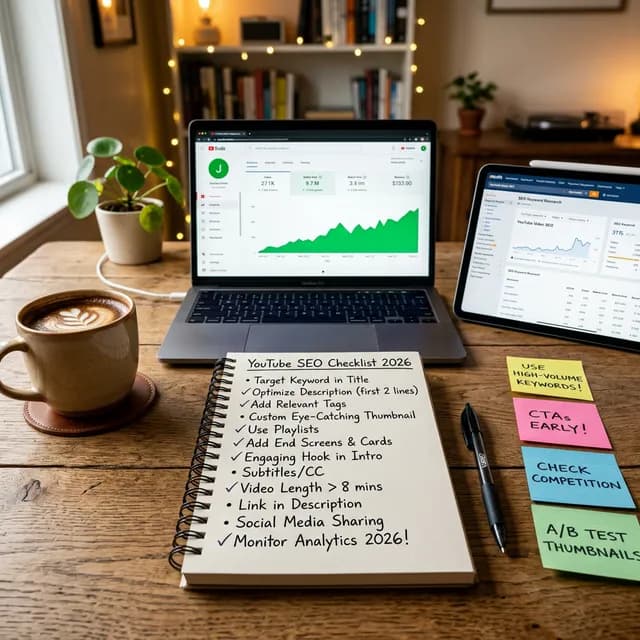
A YouTube SEO checklist notebook flat lay with analytics on laptop screen, keyword research on tablet, coffee, and sticky notes in a warm home office setting
*Every optimized video upload follows a consistent pre-publish workflow — and this checklist is your copy-paste template for making that workflow repeatable.*
---
Phase 3 — Upload Day Optimizations
✅ 3.1 Upload Timing — Use Your Audience Heatmap
Go to YouTube Studio → Analytics → Audience → scroll down to "When your viewers are on YouTube." This heatmap shows the days and hours your specific subscribers are most actively watching. Schedule your upload to go live during one of the two or three peak windows shown.
Early view velocity — how many views and watch hours your video accumulates in the first 24 hours — is one of the primary signals YouTube uses to determine how broadly to recommend the video in the days after upload. Uploading during peak audience hours directly increases that velocity.
For data-backed timing recommendations by niche, see our guide YouTube Studio Dashboard: Complete Walkthrough 2026 — the Audience Analytics section covers this in complete detail.
✅ 3.2 End Screens — Link to Relevant Content (Last 20 Seconds)
Add end screens in the last 20 seconds of every video. YouTube lets you add up to four end-screen elements: video links, playlist links, channel subscription button, and external link button (if eligible). Best practice in 2026:
- Latest upload card— automatically promotes your newest content to anyone who watches this video
-Best-for-viewer card— YouTube's AI recommendation, which typically suggests the right video for retention
-Subscribe button— persistent, but place it bottom-left where it doesn't compete with video content visually
✅ 3.3 Cards — Strategic Mid-Video Links
Add 2–3 cards (the "i" icon appearing during videos) at moments in the video where you reference something specific. Cards work best when they genuinely extend the viewer's session — link to a related video or playlist that answers the natural "what next?" question after each content section.
✅ 3.4 Pinned Comment — Your SEO Safety Net
Immediately after uploading, leave a pinned comment that includes: a one-sentence summary of the video, your primary keyword used naturally in a sentence, and a question directed at your audience to drive comment engagement ("What's the biggest SEO mistake you've made? Drop it below").
Early comment engagement signals to YouTube that your video is generating discussion — a positive ranking indicator in the first 24–48 hours.
✅ 3.5 Chapters — Keyword-Rich Timestamps
If your video has defined sections, add timestamp chapters to your description. Format it exactly like this:
0:00 Introduction
1:45 Phase 1: Keyword Research
5:30 How to Write SEO Titles
9:15 Tag Strategy Explained
13:00 Thumbnail Optimization
17:20 Post-Publish Signals
Name each chapter after the keyword phrase someone would search for that section's content. YouTube displays these as "Key Moments" in Google Search results, driving additional traffic from Google's video snippets.
✅ 3.6 Closed Captions & Spoken Transcripts — The 3x Semantic Multiplier
Never leave your audio transcription entirely to YouTube's raw speech-to-text algorithm. YouTube's automated transcription engine frequently mishears technical terminology, tool names, and creator brands, corrupting the semantic entities assigned to your video in the recommendation graph.
Before publishing, audit your video dialogue or download a clean SRT subtitle file using our YouTube Transcript Downloader & Keyword Extractor. Spoken dialogue carries up to 3x more search relevance in YouTube's neural algorithm than backend tags. Uploading a verified, error-free caption file ensures Google and YouTube index every spoken entity with 100% accuracy.
---
Phase 4 — Post-Publish Week: What to Do After You Upload
✅ 4.1 Share to Community Tab Immediately
Post a Community Tab update linking to your new video within 1–2 hours of publishing. Include a hook question or a value teaser — not just "New video is up!" but something that makes subscribers want to click. The Community Tab drives immediate views from your existing subscriber base, which boosts early velocity.
✅ 4.2 Backlink Seeding — Day 1 and Day 3
Embed your video in two or three external placements within the first 48 hours. This signals to YouTube that the video has external traffic sources, which is a positive ranking signal. Options:
-Your website or blog— embed the video in a relevant post
-Reddit— post to a relevant subreddit where the content genuinely adds value (not self-promotional spam)
-Quora— answer a question on the topic, include video as supporting resource
-Pinterest— create a pin with a still from your thumbnail leading to the YouTube URL
External links don't directly boost rankings, but they bring in external traffic. External traffic signals broad relevance to YouTube's algorithm beyond just its own platform.
✅ 4.3 Reply to Every Comment in the First 48 Hours
Comment engagement in the first two days carries disproportionate algorithmic weight. Reply to every comment individually — not just "Thanks!" but a genuine short response. This increases comment count, boosts engagement rate, and keeps the video showing as "active" in YouTube's recency signals.
✅ 4.4 Check Analytics at 24 Hours and 72 Hours
At 24 hours post-upload, open YouTube Studio Analytics and check:
-CTR (Click-through rate):Is it above or below your channel average? If significantly below, the thumbnail or title may need adjustment. You can update both at any time without losing SEO credit.
-Average View Duration:Is it at or above 40%? If substantially below, your hook or opening section has a viewer drop-off problem.
-Traffic Sources:Which source sent the most views? If "YouTube Search" is already driving traffic, your SEO metadata is working. If it's "Browse Features" primarily, the algorithm likes your content but searchers aren't finding it yet.
Our complete breakdown of what each metric means and how to act on it lives in the YouTube Studio Dashboard: Complete Walkthrough 2026 guide.
✅ 4.5 Update Metadata Based on 72-Hour Data
After 72 hours, if your CTR is underperforming, try these targeted adjustments:
-A/B test your thumbnail— change one element (expression, background color, or text) and give it another 48–72 hours
-Refine your title— try moving your primary keyword position, adding a number, or changing the emotional hook
-Update the first two lines of your description — make the "above the fold" text more specific and curiosity-driven
These metadata updates don't restart the algorithm — YouTube preserves all existing watch time and engagement signals. You're not losing progress; you're giving the video a second chance with an improved first impression.
---
The 8 YouTube SEO Mistakes That Cost Creators Rankings
After analyzing dozens of creator channels that plateau despite consistent publishing, these are the patterns that consistently hold videos back from ranking:
1. Keyword in the description, not in the title. The title is where search algorithms look first. A keyword buried in the description description with a generic title is like putting your business name on the door but your company name only inside on the menu.
2. Exact-match keyword as the only tag. One tag for your exact keyword is insufficient context. YouTube needs multiple related signals to understand your topic cluster.
3. No chapters in videos over 5 minutes. Chapters unlock Google's "Key Moments" feature, which displays your video's timestamps directly in Google Search results — free SERP real estate most creators leave on the table.
4. Generic descriptions that don't front-load the keyword. Those first 150 characters appear in YouTube search snippets. If they're "Hey guys, welcome back to my channel — today we're talking about...", you've wasted the highest-value real estate in your description.
5. Uploading at random times instead of using the audience heatmap. Early velocity is a primary ranking signal. Uploading when your audience isn't online reduces that velocity window significantly.
6. Never revisiting old video metadata. YouTube search rankings shift as new content enters niches. Old videos that once ranked can be refreshed with updated titles, descriptions, and thumbnails to recapture traffic. This is one of the most underused growth levers on the platform.
7. CTR below channel average for 7 days with no adjustment. If your thumbnail and title aren't converting browsers into clicks, YouTube will gradually reduce the video's recommendation frequency. A thumbnail swap on day 3 instead of day 21 makes a meaningful difference.
8. Zero external traffic sources.Channels that only generate internal YouTube traffic have lower algorithmic resilience. Embedding videos externally, even in modest placements, diversifies traffic sources and signals broader audience relevance.
---
Projecting the Revenue Impact of Better SEO
One thing creators rarely quantify: what is better video SEO actually worth in dollars?
If your current videos average 5,000 views and better SEO doubles that to 10,000 views per video — and you post 2 videos per week — that's roughly 520,000 additional annual views. In a mid-range niche with an RPM of $3–$5, that's $1,560–$2,600 in additional annual revenue from the same upload frequency.
Use our YouTube Earnings Calculator to model your specific niche RPM and see what better search rankings could mean for revenue at your current upload cadence. And if you're still working toward monetization eligibility, our YouTube Monetization Guide 2026 walks through every requirement and what the YPP review process actually looks like.
For a data-driven comparison of how YouTube Shorts vs long-form SEO performance differs, see our deep-dive on YouTube Shorts vs TikTok vs Reels — the traffic source analysis there is directly relevant to multi-format SEO strategy.
---
Advanced SEO — The Signals Most Creators Don't Know About
Closed Captions as SEO Signals
YouTube's search algorithm indexes your video's closed captions, not just your title and description. This means the spoken keywords in your video — when they appear in your captions — count as meaningful search relevance signals.
Auto-generated captions are indexed, but they're less accurate. Uploading a corrected SRT file or editing the auto-generated captions in YouTube Studio (under Subtitles) ensures the indexed text is accurate and matches your keyword strategy. For videos where you deliberately say your primary keyword multiple times, accurate captions reinforce that keyword signal directly.
Playlist Placement and Topical Authority
Adding a new video to a well-organized playlist signals to YouTube that this video belongs to a topical cluster — and topical clusters rank better than isolated videos. Create playlists organized by topic ("YouTube SEO," "Channel Growth," "Monetization") rather than by date, and add every new video to the most relevant playlist immediately at upload.
Channel-Level Authority Signals
YouTube's algorithm operates at the channel level as well as the video level. A channel with strong audience retention across all its videos gets a "channel authority boost" that helps individual videos rank faster. This means consistently strong retention on your existing content makes your next video more competitive in search before it even publishes.
Monitor your channel-level retention trends in YouTube Studio Analytics. If your channel-average retention is trending down over time, fixing that structural problem (through better hooks and tighter scripting) will help your SEO more than any metadata optimization.
To get better scripts that naturally improve retention — which in turn improves your channel authority — our guide on AI Scriptwriting Tools for YouTube covers the top AI tools creators are using to dramatically cut scripting time while improving content structure.
Google Discover and the Thumbnail-First Algorithm
An increasingly significant source of YouTube traffic in 2026 is Google Discover — the personalized content feed that appears on Android phones and in the Google app. YouTube videos with strong click-through rates and high engagement are eligible to appear in Discover feeds for relevant users.
The primary factor in Discover eligibility is your thumbnail quality. Google Discover is an image-first interface, and videos with compelling, high-resolution thumbnails (1280×720px minimum) consistently outperform those with generic visuals.
Ensure your thumbnail file size is under 2MB, use real photographic images or high-quality AI-generated visuals rather than flat design graphics, and avoid thumbnail templates with heavy text that reduces the image area.
---
External Resources: Authoritative YouTube SEO References
For independent validation and the most current official guidance on YouTube's ranking systems, these are the resources worth bookmarking:
-YouTube Help Center — Videos Discovered in Search— Google's official documentation on how YouTube Search surfaces videos, including the primary factors the algorithm weighs
-Google Search Central — Video SEO Best Practices— Official guidance on how Google indexes and ranks YouTube videos in Google Search (relevant for Discover and video snippets)
-YouTube Creator Academy — Thumbnails— YouTube's first-party tutorials on thumbnail strategy directly from the platform's creator success team
-Ahrefs Blog — YouTube SEO— One of the most data-backed independent analyses of YouTube ranking factors, based on analysis of millions of videos
-Backlinko — YouTube Ranking Factors Study — Brian Dean's widely cited study on the correlational relationship between video metadata signals and search ranking position
---
The Copy-Paste Template
Below is the complete, condensed version of this checklist formatted for copying directly into a notes app or content workflow tool:
PRE-FILM:
- [ ] Validate keyword in YouTube Search autocomplete
- [ ] Check top 5 result view counts (competition gauge)
- [ ] Map search intent from top 3 results
- [ ] Audit top results for thumbnail and title patterns
- [ ] Plan hook targeting retention past 30 seconds
PRE-UPLOAD:
- [ ] Title: Primary keyword in first 3 words, under 60 chars
- [ ] Description Zone 1: Keyword-rich 150-character hook
- [ ] Description Zone 2: Secondary keywords + timestamps
- [ ] Description Zone 3: Tool/resource links + CTA
- [ ] Tags: 15–20, hierarchical (primary → variations → longtail → category)
- [ ] Category: Set correctly for niche
- [ ] Thumbnail: 1280×720px, max 4 words of text, mobile-legible
UPLOAD DAY:
- [ ] Schedule during audience heatmap peak window
- [ ] Add End Screens (latest upload + best-for-viewer + subscribe)
- [ ] Add Cards at 2–3 topic-relevant timestamps
- [ ] Pin a comment with keyword + engagement question
- [ ] Add Chapters with keyword-rich names
POST-PUBLISH (Days 1–7):
- [ ] Community Tab post within 1–2 hours
- [ ] Embed video on external site/blog (Day 1)
- [ ] Share to Reddit or Quora naturally (Day 2–3)
- [ ] Reply to every comment within 48 hours
- [ ] Check Analytics at 24 hours — CTR, AVD, traffic sources
- [ ] A/B test thumbnail or title if CTR is below channel average
- [ ] Review and update metadata at 72 hours based on data
The channels that consistently outrank their competition aren't running more complicated SEO operations. They're running more disciplined ones — applying the same checklist to every upload, checking the same metrics at the same intervals, and making small adjustments faster than their competitors.
That consistency, compounded over 50 or 100 uploads, is what separates the channels that plateau from the ones that compound.
Related guides on this topic: YouTube Algorithm Guide · Algorithm Ranking Factors 2026 · Title Generator · YouTube Title Generator Guide · YouTube Transcript Downloader.
Topics
❓Frequently Asked Questions
What are the most important YouTube SEO factors in 2026?
The three most important YouTube SEO factors in 2026 are: (1) Title relevance — your primary keyword should appear in the first 3–4 words of your title; (2) Audience retention rate — YouTube's algorithm uses Average View Duration as a primary ranking signal, rewarding videos that hold viewer attention past the 50–60% mark; and (3) Click-through rate — a strong thumbnail and title combination that converts impressions into clicks signals to YouTube that your content is relevant to its audience. Tags and descriptions are important secondary signals, but these three factors drive the majority of your ranking potential.
How many tags should I use for YouTube SEO in 2026?
Use 15–20 tags, staying within YouTube's 500-character total limit. Structure them hierarchically: your first tag should be your exact primary keyword, tags 2–5 should be close keyword variations, tags 6–10 should be broader topic tags, tags 11–15 should be long-tail search phrases, and tags 16–20 should be niche or category-level tags. Quality and relevance matter significantly — 20 well-researched relevant tags outperform 60 loosely related ones, and irrelevant tags can actively harm your categorization signals.
Does YouTube description still matter for SEO in 2026?
Yes — but not in the way most creators use it. The description's primary SEO value comes from its first 150 characters, which appear as the snippet in YouTube Search results before users click 'Show more.' These first two lines should be keyword-rich and clearly state what the video covers. The full description also gets indexed by YouTube's search algorithm and by Google, meaning keyword-relevant sentences in the body of your description help surface your video for long-tail search queries. Descriptions with correctly formatted timestamps (Chapters) unlock 'Key Moments' in Google Search, creating additional traffic-driving real estate.
How do I rank YouTube videos faster in search?
To rank YouTube videos faster in 2026: (1) Publish during your audience's peak hours using the YouTube Studio audience heatmap — early view velocity in the first 6 hours strongly influences how broadly YouTube recommends the video; (2) Use a keyword with moderate competition where your channel can realistically compete, not exclusively high-volume keywords dominated by channels with millions of subscribers; (3) Get external traffic signals within 48 hours by embedding the video or sharing it on relevant external platforms; (4) Build genuine early engagement by replying to every comment in the first 48 hours; and (5) Ensure your thumbnail drives above-average CTR — low CTR is the single fastest way to drop in rankings.
What is the best YouTube title formula for SEO?
The most effective YouTube title formula for SEO in 2026 is: [Primary Keyword] — [Compelling Hook or Benefit] ([Year if applicable]). For example: 'YouTube SEO Checklist 2026: Copy-Paste Template That Actually Works.' This structure satisfies both the algorithm (keyword front-loaded, within first 4 words) and the human viewer (specific benefit, specific year of relevance). Keep titles under 60 characters to prevent truncation on mobile. Avoid generic phrases like 'Ultimate Guide' in isolation — specificity drives CTR. Numbers and years consistently improve click-through rates because they signal fresh, actionable content.
How long should a YouTube video description be?
For maximum SEO effectiveness, your YouTube description should be 300–500 words. The first 150 characters (approximately 2 lines) are your highest-value real estate — they appear in search snippets and should contain your primary keyword in a natural sentence. The middle section should include your secondary keywords, a content outline, and chapter timestamps if applicable. The bottom section should contain your CTAs (subscribe, related links), relevant tool or resource links, and 3–5 hashtags. Avoid padding descriptions with keyword lists — YouTube's algorithm reads for topical relevance, not keyword density, and stuffing can actually reduce ranking..
Do YouTube chapters (timestamps) help with SEO?
Yes, significantly. YouTube chapters — created by adding properly formatted timestamps to your description — do two things for SEO: they create chapter markers in the video player timeline that improve viewer navigation and can boost average view duration, and they unlock 'Key Moments' snippets in Google Search results, which display your video's timestamps directly on the Google Search page. This 'Key Moments' feature drives incremental organic traffic from Google Search to your YouTube video and is entirely unavailable to creators who don't add chapters. For videos over 5 minutes with defined sections, chapters are one of the highest-ROI SEO additions available.
Free tools for this topic
Apply what you just read with free creator tools — no signup required.