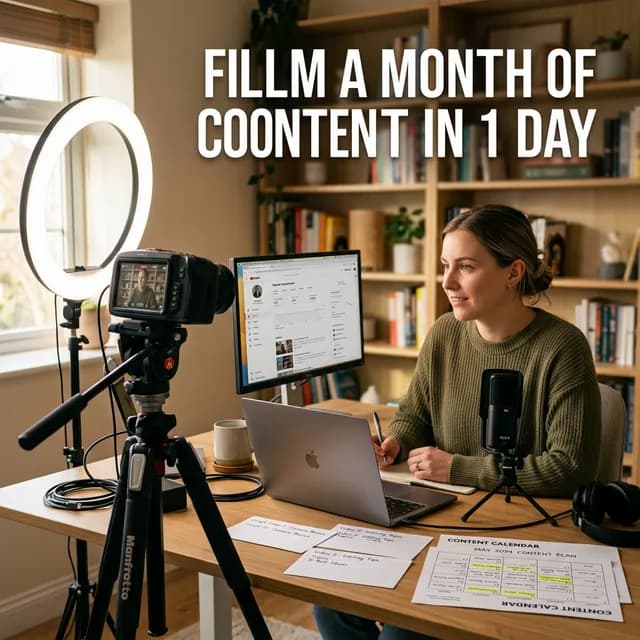
Burnout is the number one reason YouTube channels die. Not a bad algorithm update. Not a low view count. Not even bad content. It's the sheer exhaustion of showing up to film, edit, and publish week after week, indefinitely, with no finish line in sight.
I've spoken with hundreds of creators who quit not because they weren't growing, but because the treadmill never stopped. If that sounds familiar, what you need isn't more motivation — you need a better system. Specifically, you need to understandyoutube content batching.
Content batching is the practice of grouping similar tasks together and executing them all at once, rather than doing every step of production for each video individually. Done right, you can walk into your filming space on a Saturday morning and walk out eight hours later with enough footage for an entire month of uploads.
Here's exactly how to do it.
Important
The Core Principle:
Content batching works because context switching is expensive. Every time your brain shifts from "research mode" to "filming mode" to "editing mode," you lose 15–30 minutes of productive output to mental re-orientation. Batching eliminates that tax entirely.
---
Why Most Creators Fail at Consistency (And Why Batching Fixes It)
Let's be blunt. The every-week upload grind feels fine for the first two or three months. You have a backlog of ideas, the novelty keeps your energy up, and you're running on the excitement of starting something new.
Then reality hits. The ideas get harder to find. Life interrupts your filming schedule. You miss one week and the guilt makes you miss the next. Before long, you're posting once a month at best, and your analytics show the algorithm has moved on.
The traditional approach — plan one video, script one video, film one video, edit one video, post one video, repeat — is fundamentally broken for most creators. It treats content creation as a series of isolated projects instead of a repeatable industrial process.
Batching reframes the whole thing.Instead of treating each video as its own event, you treat your content calendar as a production sprint. One day to plan everything. One focused session to write all the scripts. One marathon filming day. Then drip the content out on your schedule.
The advantages compound quickly:
-Mental bandwidth is preserved— you do one type of work at a time, so you're sharper at each stage
-Your filming setup is ready once— you set up lights, camera, and audio once and shoot 4–5 videos back-to-back
-Editing becomes a factory— you hand raw footage to an editor (or your future self) in bulk, which is far more efficient
-You always have content insurance — a backlog of filmed content means one sick day or family emergency doesn't tank your upload schedule
---
Phase 1: The Content Plan (Do This 2–3 Days Before Filming)
Batching doesn't start on filming day. The entire system collapses if you show up to film without knowing exactly what you're making. Your pre-production planning session is the foundation.
Build a Monthly Content Map
Sit down with a blank spreadsheet or a piece of paper. Decide on your upload frequency for the month (3 videos? 8 videos? 12 Shorts?). Now fill in each slot with a specific topic, not a vague theme.
Bad: "A video about YouTube tips"
Good:"What to do in the first 24 hours after uploading a YouTube video (the post-publish checklist)"
Each topic needs to be specific enough that you could start writing a script from it immediately. Vague topic ideas are just procrastination disguised as planning.
For keyword research at this stage, use our YouTube Tag Generator to find proven search terms around each topic. A topic that nobody is searching for will earn zero views from search traffic, no matter how good the video is.
Cluster Your Videos Strategically
One massive advantage of batching is the ability to create thematic clusters. Instead of randomly picking topics, group your month's content into two or three themes or mini-series. For example:
-Week 1 & 2:A two-part series on growing from 0 to 1,000 subscribers
-Week 3:A standalone deep-dive on YouTube SEO
-Week 4: Q&A based on comments from the first two videos
When you have a content cluster, each video naturally promotes the others. You can mention "watch Part 2 next week" in your video, which builds anticipation and trains your audience to expect consistent uploads. It also gives you clean material for internal linking in your video descriptions and cards.
Prep Your Scripts in Advance
Scripts are not optional if you want to batch efficiently. Even if you prefer a conversational, off-the-cuff style on camera, you need either a detailed outline or a full script before you walk into that filming session. Improvising takes three times as long to film and twice as long to edit.
Use whatever method works for you — bullet-pointed outline, full word-for-word script, or detailed talking points with transitions. The goal is that when you hit record, your brain is in "performance mode," not "writing mode."
---
Phase 2: The Filming Day (The Marathon Session)
This is the main event. With your scripts prepped and your content plan locked, you're going to batch-record everything in one extended session.
How to Structure Your Filming Day
The most common mistake creators make on filming day is trying to film in chronological order and getting stuck on every video equally. Here's a smarter structure:
Morning: Setup and Calibration (1 hour)
Set up your camera, adjust your lighting, dial in your audio levels, and do a test recording for 30 seconds. Watch it back and fix anything. This investment of one hour saves you hours of unusable footage or bad audio across all your videos. You only do this once, not five times.
Mid-Morning: The Easiest Videos First (2–3 hours)
Start with the videos you feel most confident about. Getting two or three videos done quickly builds momentum for the harder ones. Don't break down your setup between videos. Keep the camera rolling, stand up, take a two-minute break, then sit back down and start the next one.
Afternoon: Harder Concepts (2–3 hours)
Move into your more complex topics once you've built your filming rhythm. By now your mouth is warmed up, you're in the zone, and you'll get through the trickier scripts faster than you expect.
Late Afternoon: Short-Form Content (1 hour)
If you create YouTube Shorts alongside long-form content, batch those at the end. By this point you've already covered a month's worth of topics in long-form. Shorts can often be pulled directly from the most compelling 45-second moments from your long-form filming. Stand in front of your camera, deliver three to five punchy Short scripts back-to-back, and you're done.
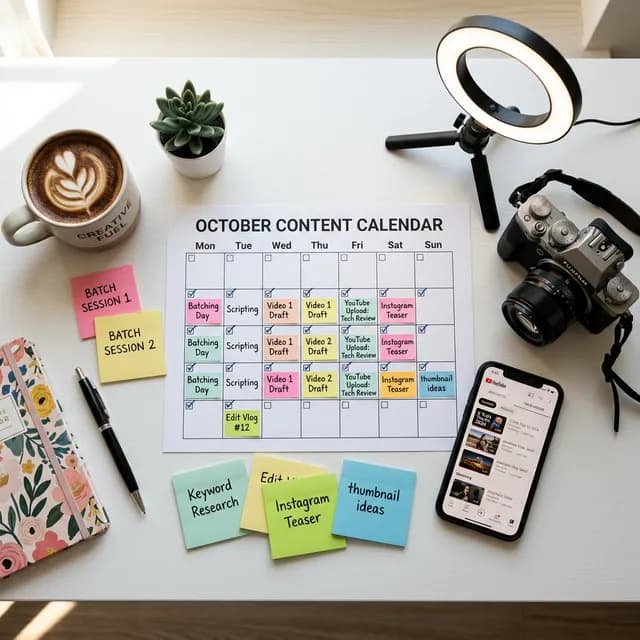
A top-down flat-lay of a content batching planning workspace with a printed content calendar, colorful sticky notes, a camera, and a smartphone showing YouTube — representing the organized preparation behind a successful batch filming session
*The foundation of a successful batch filming day is always the planning that happens before the camera turns on.*
Handling Mistakes and Retakes
New batchers often worry they'll film a mess that takes forever to edit. The answer is simple: don't try to be perfect.
If you stumble on a sentence, pause for two seconds, then restart from the beginning of that sentence. Don't stop the recording. Your editor (or you in post) will find the clean take easily because of the silence before the retry. Trying to record a perfect take in one shot on every sentence is what drains the battery of a filming day.
A rule many veteran batchers use: two takes maximum per section. If the second take is still imperfect, accept it and move forward. Perfection on camera comes with reps, not with endless retakes.
---
Phase 3: Editing and Scheduling Your Batch
You've survived filming day. You have a month of raw footage sitting on your hard drive. Now you have two paths.
Option A: Edit It All Yourself in Batches
Just as you batched the filming, batch the editing. Block off two or three editing sessions over the following week and process all your footage at once. Don't edit one video, export it, and upload it immediately. Finish all the rough cuts first, then go back for color, audio polish, and thumbnail creation across all videos at once.
This mirrors the same principle: staying in one mode at a time is faster and less mentally exhausting than constantly switching contexts.
Option B: Hand Off Raw Footage to an Editor
Batching becomes even more powerful when you're working with an editor (even a part-time freelancer). You can hand off an entire month of raw footage at once, with clear timestamps and editing notes for each video. The editor can then return all the finished cuts in bulk, which you review and schedule on a single day.
If you're at this stage of your channel, understanding your revenue clearly is important. Run your numbers through our YouTube Earnings Calculator to see how much you're earning per video — it'll help you determine if outsourcing editing is financially worth it at your current scale.
Scheduling Your Uploads in Advance
Once your videos are edited, upload them all to YouTube Studio and schedule them as private. Set each one to publish on its designated day and time, based on your audience heatmap data (found in YouTube Studio under Analytics → Audience).
This is the punchline of the entire batching system: after one epic filming day and a week of editing, you're done. The next four weeks of content will publish automatically while you move on to planning the following month's batch.
Pro Tip
The Scheduling Hack: Schedule your first video of the month to publish the day you finish editing. Don't wait. Momentum matters, and having a live video to promote while you finish editing the others keeps your channel active and your audience engaged.
---
The Gear and Setup That Makes Batching Sustainable
You don't need an expensive studio to batch content effectively. But you do need a setup you can activate and deactivate quickly. If it takes you two hours to build your filming setup every time, batching becomes impractical.
The "Quick-Deploy" Studio Setup:
- Your camera mounted on a dedicated tripod that stays at your filming location
- A ring light or softbox on a permanent arm that you just switch on
- A wired or clip-on microphone that's always plugged in
- A designated background (bookshelf, wall with art, or a simple backdrop) that never needs to be rebuilt
When your studio can go from "off" to "rolling" in under five minutes, filming sessions become dramatically lower friction. That low friction is what makes you actually show up on filming day instead of procrastinating.
For those building out their studio on a budget, check out our deep-dive on Best Microphones Under $100 for YouTube for audio gear recommendations that punch well above their price point.
---
Content Batching for Different Creator Types
The system above is flexible. Here's how to adapt it depending on your channel type:
Face-on-Camera Educators and Commentators
This is the original use case for batching. You're talking to the camera, your setup is consistent, and your topics are script-driven. The system works out of the box.
Vloggers and Lifestyle Creators
Batching is harder for vloggers because your content is tied to real life events. The adaptation: batch your *editing* instead of your filming. Spend one day per week editing all the footage you captured organically through the week, then schedule the finished videos for the following two weeks. This creates the same pipeline buffer without forcing you to fake spontaneous moments.
Gaming Channels
Gaming creators can batch recording sessions extremely effectively. You're already sitting at your setup. Batch three or four full game sessions back-to-back on a weekend, then let your editor clip and add commentary across the entire batch during the week. The result: consistent daily uploads from a once-per-week recording session.
---
Advanced Batching: The Content Repurposing Layer
The highest-leverage version of youtube content batching doesn't stop at recording. It layers repurposing on top of your batch.
When you film four long-form videos in a day, you're also generating raw material for:
- 4+ YouTube Shorts(pull the best 45-second moments from each video)
-4+ Instagram Reels or TikTok clips(exported with vertical framing)
-4+ Twitter/X thread topics(the core argument from each video, rewritten as a thread)
-4+ email newsletter segments (the key insight from each video, summarized in three paragraphs)
One filming day becomes a month of content across every platform. This is how solo creators compete with media companies — not by working more hours, but by extracting more value from every hour already spent.
To understand how platforms compare for reach and revenue, our YouTube Shorts vs TikTok vs Reels breakdown shows where each piece of repurposed content will earn the most.
---
Common Batching Mistakes and How to Avoid Them
Even with the best system, creators run into predictable failure points. Here are the three most common ones and how to sidestep them:
Mistake 1: Planning Too Many Videos for One Day
Eight hours of filming sounds like it should produce ten videos, but it won't. Plan for four to five 8–12 minute videos in a full day. Trying to cram in ten videos means rushing all of them, generating terrible footage, and burning out on the very first batch.
Mistake 2: Not Taking Breaks
Your vocal cords need water and rest. Your on-camera energy is a finite resource. Take a genuine 10-minute break every 90 minutes of filming. Eat lunch. Step outside. The final video of the day should sound as energetic as the first one.
Mistake 3: Not Having Scripts Ready
This one kills batching days faster than anything else. If you arrive on filming day and start writing scripts from scratch, your day is over. The scripts must be done before you unpack the camera. No exceptions. If you're struggling with scripting consistency, our guide on AI Scriptwriting Tools for YouTube covers how to use AI to generate first drafts that you refine with your own voice — cutting your scripting time by 60–70%.
---
Measuring Whether Your Batching System Is Working
After your first batch month, check three things in YouTube Studio:
- Upload consistency:Did you post on your intended schedule, without gaps? If yes, the batch system is working mechanically.
2.Channel-average retention rate:Did your Average View Duration hold steady or improve? If retention dropped, your scripts need more work before the next batch.
3.Subscriber growth rate:Monthly subscriber growth correlates strongly with upload consistency. A full month of consistent uploads — even modest ones — will almost always accelerate subscriber growth relative to sporadic posting.
For a detailed breakdown of what each metric means and how to read it accurately, our YouTube Studio Dashboard: Complete Walkthrough 2026 is the definitive guide to interpreting your analytics data.
---
External Resources Worth Bookmarking
The creators and researchers below have published excellent independent work on content batching and creative productivity:
-Creator Economy Report by ConvertKit— Annual survey data on how full-time creators structure their production workflows, including how many use batching strategies
-YouTube Creator Insider (Official YouTube Channel)— YouTube's own engineering and product team discusses platform features that directly affect scheduled uploads and batch workflows
-Deep Work by Cal Newport (Book Summary on Blinkist)— The foundational productivity theory behind why batching and context-switching reduction works at a neurological level
-Backlinko YouTube Channel Growth Study— Data on how upload frequency and consistency correlate with subscriber and view growth over time, directly validating the batching strategy
---
Final Thought: The Month-Ahead Advantage
Here is the real, unsexy competitive advantage ofyoutube content batching: when you're a month ahead, you stop making panicked, low-quality content.
When you film a video at 11 PM the night before it's supposed to publish because you've been procrastinating all week, the result is always mediocre. The lighting is bad. The script is rushed. The energy is wrong. You can feel it while you're filming, and your audience can feel it while they're watching.
When you filmed that same video three weeks ago, replete and energetic on a well-planned batch day, with a polished script and a properly lit setup? That's a different video. That's the kind of video that builds a channel.
The batch system doesn't just save time. It makes every video you produce measurably better. Start small — batch just two videos on your next free weekend. You'll feel the difference immediately.
Related guides on this topic: Video Ideas That Actually Work · Video Ideas Generator · Script Formula for Retention · Intro Script Generator · Timestamp Generator.
Topics
❓Frequently Asked Questions
What is YouTube content batching?
YouTube content batching is a production strategy where a creator groups similar tasks together and completes them all in one focused session, rather than going through the full production cycle for each video individually. For example, instead of planning, scripting, filming, and editing one video per week, a creator will plan all four videos for the month in one session, script them all in another, film them all in a single day, and edit them all in one editing block. This method dramatically reduces context-switching, saves total production hours, and ensures consistent uploads.
How many YouTube videos can you batch film in one day?
Most creators can realistically batch film four to six 8–12 minute talking-head or educational videos in an eight-hour filming session. The exact number depends on script length, how many retakes you need, your comfort level on camera, and whether you're filming Shorts as well. Plan conservatively for your first batch day — four well-filmed videos is a significant achievement and gives you a full month of weekly uploads. Trying to squeeze in ten videos in one day usually results in exhausted, low-quality footage across all of them.
Do you need a script to batch film YouTube videos?
You don't need a word-for-word script, but you absolutely need a detailed outline or talking points for each video before you start filming. Arriving on filming day without scripts pre-written is the single most common reason batch filming sessions fall apart. Your brain is in 'performance mode' on filming day, not 'writing mode.' Trying to write and film at the same time cuts your efficiency dramatically. At minimum, have a clear intro hook, three to five main talking points, and a strong outro/CTA written out for each video before you pick up the camera.
How far in advance should you schedule YouTube videos?
Most full-time creators aim to stay two to four weeks ahead of their current upload schedule. Being two weeks ahead gives you a comfortable buffer for unexpected life events without missing an upload. Being four weeks ahead (which a proper batch system enables) gives you the mental freedom to plan the next month's content, experiment with new formats, and make significant improvements without pressure. Avoid scheduling more than eight weeks in advance — topics that felt timely when you filmed them can feel stale or outdated if held too long.
Does content batching work for all types of YouTube channels?
Content batching works best for face-on-camera educators, commentators, tutorial-based channels, and gaming channels. It requires adaptation for vloggers and lifestyle creators whose content is tied to real-world events — in that case, the batching applies to editing sessions rather than filming sessions. It works least well for channels whose content is highly time-sensitive (daily news commentary, stock trading, live event coverage), where the value of the content decays rapidly. For most niches, however, evergreen educational or entertainment content lends itself perfectly to batching.
What is the best way to stay consistent on YouTube?
The most reliable way to stay consistent on YouTube is to decouple your creation schedule from your publishing schedule. This means filming and editing content in batches so you always have a backlog of finished, scheduled videos. When your publishing is automated through YouTube's scheduling feature, consistency becomes a system process rather than a willpower exercise. Combine this with a content calendar planned one month in advance, and you create a structure that maintains consistent uploads even during life's inevitable disruptions.
Free tools for this topic
Apply what you just read with free creator tools — no signup required.