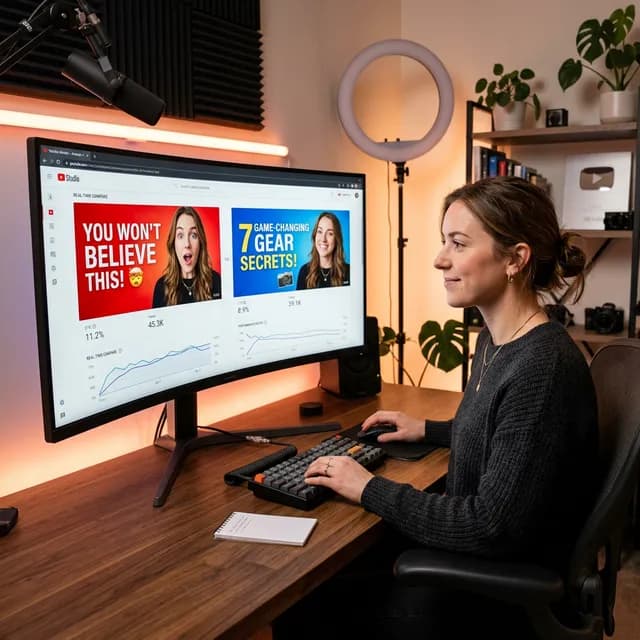
Ask any creator what the most frustrating part of YouTube is, and they'll probably tell you it's the unpredictability. You spend 40 hours conceptualizing, scripting, filming, and editing a video that you just *know* is a banger. You hit publish, watch the real-time analytics for an hour, and... crickets. Your click-through rate (CTR) is sitting at a painful 2.1%.
For years, the standard advice was just to "make better thumbnails." But what does "better" even mean? Brighter colors? Bigger text? A more ridiculous face?
Welcome to 2026, where we don't need to guess anymore. YouTube thumbnail A/B testing is now the standard operating procedure for every top-tier creator. If you aren't split-testing your thumbnails, you are quite literally leaving views—and money—on the table.
In this guide, I'm breaking down exactly how to run a proper YouTube thumbnail A/B test, what variables you should actually be testing, and how to read the data so you can scientifically improve your click-through rate.
Important
What You Need to Know Before Testing:
A/B testing (or split testing) is the process of comparing two or more versions of a thumbnail to see which one performs better. YouTube's native "Test and Compare" feature now allows creators to upload up to three thumbnails per video and let the algorithm determine the winner based on Watch Time share.
---
Why You Can't Afford to Skip Thumbnail A/B Testing
Let's do some quick math. If your video gets 100,000 impressions on the YouTube homepage, a 3% CTR means 3,000 views. If you A/B test your way to a 6% CTR—which is incredibly common once you start experimenting—that same video now gets 6,000 views.
But it doesn't stop there. YouTube's algorithm is entirely driven by viewer satisfaction. When a video demonstrates a high CTR combined with solid average view duration (AVD), the algorithm starts pushing it to *wider* audiences. That 6% CTR doesn't just double your views; it often acts as a multiplier, turning 3,000 views into 30,000 as the video gets picked up by Browse Features and Suggested Videos.
As I outlined in our YouTube Algorithm 2026 guide, your thumbnail is the single highest-leverage asset you have. Spending 10 hours on an edit and 10 minutes on a thumbnail is the most common mistake small creators make.
---
The Step-by-Step Blueprint for a YouTube Thumbnail A/B Test
Setting up an A/B test on YouTube is technically simple, but doing it *correctly* requires a bit of discipline. Here is the exact workflow you should follow.
Step 1: Conceptualize Two Distinct Directions
The biggest mistake creators make with a YouTube thumbnail A/B test is testing two images that are essentially the same. Changing the background from light blue to dark blue isn't a real test. Adding an exclamation point to the text isn't a real test.
To move the needle, you need to test entirely different psychological hooks.
Common Thumbnail Variations to Test:
- In-Context vs. Isolated:Show the subject in a natural environment (like an office or outdoors) versus isolating the subject on a bright, solid-color background.
-Curiosity vs. Clarity:One thumbnail that clearly states exactly what the video is about, versus one that obscures the outcome to invoke curiosity.
-Face vs. No Face:Test a highly expressive reaction face against a text-heavy, object-focused thumbnail. (You'd be surprised how often "no face" wins in educational niches).
If you're struggling to come up with completely different concepts, our AI Thumbnail Generator is fantastic for quickly mocking up radical layout changes before you spend hours in Photoshop.
Step 2: Use the Right Tools to Generate Assets
Once you have your concepts, build them out. Remember the golden rule: maximum four words of text, high contrast, and legible on a tiny mobile screen.
Need help writing the text? You can use our YouTube Thumbnail Downloader to pull high-performing thumbnails from your competitors to study their text layout, and then use our YouTube Thumbnail Generator to craft high-converting copy that pairs with your visuals.
Step 3: Launch the Test in YouTube Studio
YouTube's native "Test and Compare" feature is integrated right into the upload flow.
- Go toYouTube Studioand begin uploading your video (or edit an existing one).
- Scroll to theThumbnailsection.
- ClickTest & Compare.
- Upload up to three different thumbnail options.
- Publish your video.
YouTube will now distribute your impressions evenly across the variants.
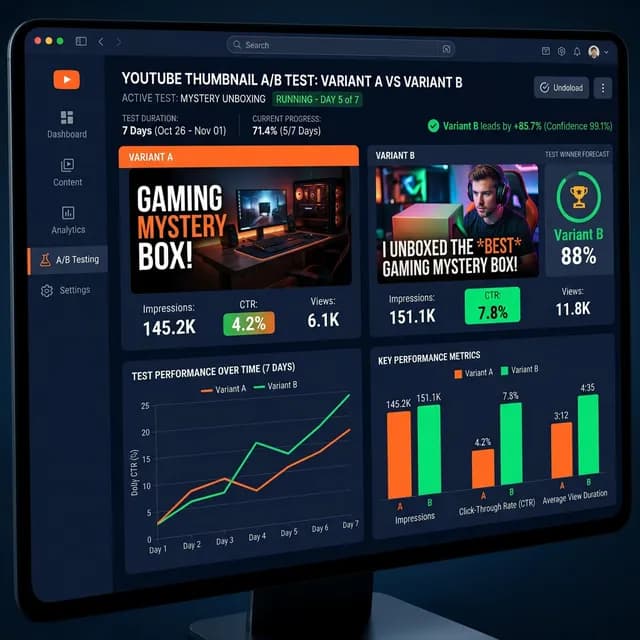
A detailed infographic dashboard showing a YouTube thumbnail A/B testing workflow with variant A and variant B comparisons, CTR metrics, and impression charts
*When running an A/B test, focus heavily on the first 24 to 48 hours of data. This window represents how your core audience reacts.*
---
How to Read the Data (and Pick the Real Winner)
Here is where things get tricky. YouTube's native testing tool declares a winner based on Watch Time share, not strictly CTR.
Why? Because a clickbait thumbnail might get a 10% CTR, but if viewers realize they've been tricked, they'll leave after 5 seconds. A slightly less "clickable" thumbnail (say, 7% CTR) that accurately represents the video will result in viewers watching for 5 minutes. The 7% thumbnail is far more valuable to YouTube, so it wins the A/B test.
What to Look For in YouTube Studio Analytics
When reviewing your test results, head over to the Analytics tab. If you've read our comprehensive YouTube Studio Dashboard Walkthrough, you know exactly where to find this data.
Look specifically at your Traffic Sources.
If Variant A is winning heavily in "Browse Features" (the homepage), it means that thumbnail is great at stopping the scroll for casual viewers. If Variant B is winning in "YouTube Search," it means it strongly matches search intent.
If you're testing an older video, keep in mind that testing can temporarily disrupt search rankings. I highly recommend reading the official guidance from YouTube Creator Academy on how metadata changes affect older, high-performing videos.
Don't Forget the Title
A YouTube thumbnail A/B test is practically useless if your title is working against you. The thumbnail stops the scroll; the title closes the deal. They have to work together.
If you're testing a heavily text-based thumbnail, try to keep the video title concise to avoid repeating words. If your thumbnail is a curiosity-inducing image with no text, your title needs to explicitly state the topic.
Make sure to run your title ideas through our YouTube Title A/B Tester to predict which phrasing will pair best with your visual variants.
---
3 Advanced Thumbnail Split Testing Strategies
Once you've mastered the basics, here is how the top 1% of creators run their thumbnail tests.
1. The "First 3 Hours" Test
The algorithm heavily weighs the initial burst of traffic from your subscribers. Launch your video with Thumbnail A. After 3 hours, check your CTR in the Realtime Analytics. If it's below your channel average, manually swap to Thumbnail B. This is an old-school manual test, but it gives you immediate control if a thumbnail is aggressively bombing. (For a deep dive into reading these early signals, our YouTube Analytics Guide Beginners breaks down exactly what "normal" looks like).
2. Testing the "B-Roll" Approach
Instead of heavily designed, highly-produced Photoshop composites, test a raw, unedited screenshot directly from the video. In niches like vlogging, finance, and commentary, raw screenshots often feel more authentic and can drastically outperform heavily edited graphics.
3. The Extremes Strategy
Test one hyper-maximalist thumbnail (lots of colors, arrows, big text, circles) against a hyper-minimalist thumbnail (a single object on a plain background with zero text). The data will quickly tell you how sophisticated your audience's visual palate is.
---
The Hard Truth About Click-Through Rates
A bad video with an incredible thumbnail will get clicks, but it won't get watch time. The algorithm will kill it within 48 hours. A YouTube thumbnail A/B test is not a magic fix for boring content, poor pacing, or bad audio.
However, if your content is genuinely good, an optimized thumbnail is the key that unlocks the algorithm. Commit to running a proper A/B test on your next five uploads. I guarantee the data will humble you—the thumbnail you *thought* was best will often lose—but your channel will grow faster because of it.
Related guides on this topic: YouTube Thumbnail Downloader · AI Thumbnail Generator · Thumbnail Text Generator · AI Thumbnail Prompt Generator · Thumbnail Design Psychology.
Topics
❓Frequently Asked Questions
How long does a YouTube thumbnail A/B test take to complete?
YouTube's native 'Test and Compare' tool typically takes up to two weeks (14 days) to declare a definitive winner. However, if there is a massive performance difference between two thumbnails, the system can sometimes declare a winner in just a few days. For high-traffic channels with plenty of data, you can often see clear directional trends in your CTR within the first 48 hours.
Does changing my YouTube thumbnail affect the algorithm?
Yes, but in a good way! Changing a thumbnail does not 'reset' the algorithm or erase your previous watch time. If you update an underperforming thumbnail with a better one, the new thumbnail can immediately improve your click-through rate, which sends a positive signal to the algorithm to distribute the video more broadly via Browse Features and Suggested Videos.
Can I A/B test thumbnails on old YouTube videos?
Absolutely. In fact, running a YouTube thumbnail A/B test on older, evergreen videos that still get consistent search traffic is one of the highest-leverage growth strategies available. A better thumbnail can revive a dead video and bring it back to life in the recommendation feed.
How many thumbnails can you A/B test at once on YouTube?
Using YouTube's native 'Test and Compare' feature inside YouTube Studio, you can test up to three (3) different thumbnails simultaneously. The algorithm will distribute impressions among the three options and ultimately select the winner based on which one generates the highest share of Watch Time.
Free tools for this topic
Apply what you just read with free creator tools — no signup required.