
Let me tell you something embarrassing.
For the first 18 months of my YouTube journey, I uploaded 87 videos without looking at my analytics once.
Not a single glance. I thought analytics were for "big channels." I figured if I just kept uploading, eventually I'd blow up.
Result?Stuck at 2,147 subscribers. For over a year.
Then I got frustrated enough to actually open YouTube Studio. I spent one weekend—just one—learning what the numbers meant.
Eight months later, I crossed 50,000 subscribers.
What changed? I stopped guessing and started listening to what my data was screaming at me.
Important
YouTube Analytics isn't a complicated dashboard for data scientists. It's a conversation between you and your audience. Learn to listen, and they'll tell you exactly what they want.
This guide will teach you everything I learned the hard way. Let's turn those confusing graphs into a roadmap for growth.
Why YouTube Analytics Actually Matter in 2026
Here's what nobody tells beginners:YouTube already knows what works for your channel. It's tracking every click, every pause, every time someone shares your video.
All that data is sitting in your YouTube Studio, waiting for you to use it.
According to YouTube's Creator Academy, channels that regularly review and act on their analytics grow 2.4x faster than those that don't. That's not a minor improvement—that's the difference between staying stuck and building a real audience.
The 2026 algorithm is smarter than ever. It rewards creators who understand their audience because YouTube cares about one thing above all else: keeping viewers on the platform.
Your analytics show you exactly how to do that.
Getting Started: How to Access YouTube Studio Analytics
Before we dive into the metrics, let's make sure you can actually find them.
On Desktop:
- Go to studio.youtube.com
- Sign in with your YouTube channel account
- Click "Analytics" in the left sidebar
On Mobile:
- Download the YouTube Studio app (iOS/Android)
- Tap "Analytics" at the bottom of the screen
You'll land on the Overviewtab—your channel's vital signs at a glance.
Pro Tip
Bookmark studio.youtube.com. Make checking analytics as routine as checking email. I look at mine every Monday morning with my coffee.

YouTube Analytics Dashboard Overview
The Overview Tab: Your Channel's Health Check
Think of the Overview as a doctor's checkup for your channel. It shows:
-Views– Total times your videos were watched
-Watch Time– Total hours people spent watching
-Subscribers– Net gain/loss of subscribers
-Estimated Revenue(if monetized) – What you're earning
The default view is 28 days, but you can change this. I typically look at:
-Last 7 days– For quick performance checks
-Last 28 days– For overall trends
-Last 90 days – For strategic planning
The real gold isn't in the Overview—it's in the tabs we'll cover next.
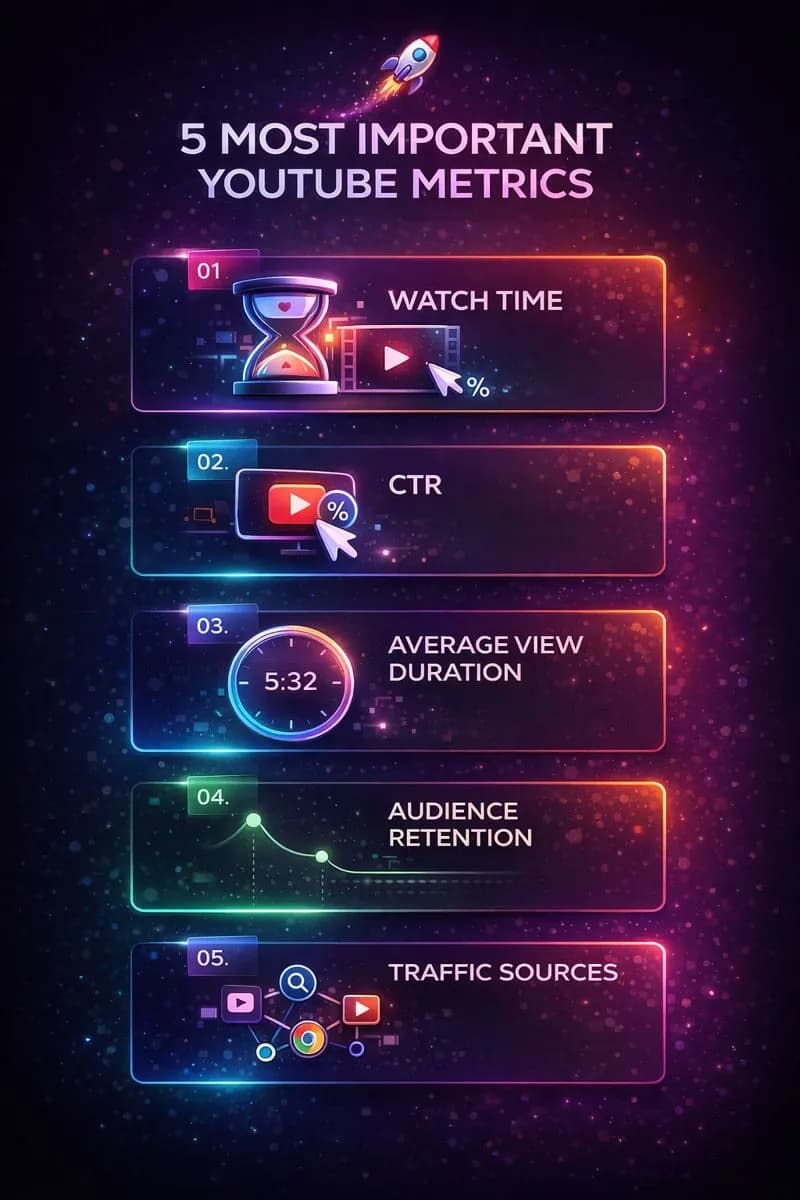
The 5 Most Important Metrics (And What They Actually Mean)
You don't need to understand every number in YouTube Studio. Focus on these five, and you'll know more than 90% of creators.
Metric #1: Watch Time (Hours)
What it is: The total time viewers spent watching your videos.
Why it matters: Watch time is YouTube's #1 ranking factor. More watch time = more recommendations = more growth.
How to use it:
- Compare watch time between videos, not just views
- A video with 1,000 views and 500 hours of watch time beats one with 5,000 views and 400 hours
- Identify your "watch time champions" and make more content like them
Use the Engagement Rate Calculator to see how your watch time compares to your view count—it reveals whether viewers are actually staying.
Metric #2: Click-Through Rate (CTR)
What it is: The percentage of people who saw your thumbnail and clicked.
Why it matters: CTR determines whether your video gets shown to MORE people. Low CTR = YouTube stops pushing your content.
Benchmarks:
- 2-4% = Average
- 4-10% = Good
- 10%+ = Excellent (often from returning subscribers)
Warning
CTR below 2% is a red flag. Your thumbnail or title isn't working. Use our Title A/B Score Checker to test alternatives before publishing.
How to improve CTR:
- Test different thumbnail styles
- Use curiosity gaps in titles
- Add faces with emotions to thumbnails
- Make text readable at mobile size
Metric #3: Average View Duration (AVD)
What it is: How long viewers watch before leaving, on average.
Why it matters: YouTube wants to recommend videos that keep people watching. AVD directly impacts whether your video gets promoted.
How to interpret it:
- Compare AVD to your video length
- A 10-minute video with 4-minute AVD = 40% retention (decent)
- A 5-minute video with 4-minute AVD = 80% retention (excellent)
The uncomfortable truth: If your AVD is dropping, your content might be too long for what you're delivering. Cut the fluff.
Metric #4: Audience Retention Graph
This is the most underrated metric in YouTube Studio.
What it is: A second-by-second graph showing where viewers drop off (and where they rewatch).
Why it matters: It tells you exactly what's boring and what's engaging.
How to read it:
- Gradual decline= Normal (people always drop off)
-Sharp drops= Something went wrong (boring section, broken promise)
-Spikes upward = Something went RIGHT (viewers rewatching)
YouTube Metrics Explained Infographic
Pro tip:Watch your video while following the retention graph. When you see a drop, ask: "What am I doing at this moment?" Then don't do that in future videos.
Pro Tip
Noticed your intro has a 40% drop in the first 30 seconds? Your hook isn't working. Use theIntro Script Generator to create intros that keep viewers watching.
Metric #5: Traffic Sources
What it is: Where viewers are discovering your videos.
Common traffic sources:
- Browse features– YouTube homepage and Shorts feed
-Suggested videos– Recommendations after/during other videos
-YouTube Search– People searching for your topic
-External – Links from websites, social media, etc.
Why it matters:Each traffic source requires a different strategy.
-Search traffic:Optimize titles, descriptions, and tags (use ourYouTube Tag Generator)
- Suggested traffic:Create content similar to what's already working
-Browse traffic: Your thumbnails and titles need to grab attention fast
Understanding where your views come from helps you double down on what's working.
Understanding Your Audience Tab
The Audience tab reveals WHO is watching, not just what they're watching.
Key insights to check:
Demographics:
- Age and gender breakdown
- Top countries and languages
- Helps you tailor content to your actual audience (not who you *think* is watching)
When Your Viewers Are On YouTube:
- Shows the best days and times to upload
- A dark purple bar = peak activity
- Schedule uploads 1-2 hours before peak times for maximum initial push
Other Channels Your Audience Watches:
- Reveals competitor channels
- Study their successful videos for inspiration (not copying!)
Note
Surprised by your demographics? I discovered 60% of my audience was 25-34, not the 18-24 I assumed. I adjusted my examples and references—engagement jumped 25%.
Revenue Analytics: RPM vs CPM Explained
If you're monetized (or working toward it), the Revenue tab matters.
CPM (Cost Per Mille):
- What advertisers pay per 1,000 ad impressions
- YouTube's gross revenue
- You don't get all of this
RPM (Revenue Per Mille):
- What YOU actually earn per 1,000 views
- After YouTube's 45% cut
- This is the number that matters for your wallet
Use the YouTube Earnings Calculator to estimate what you might earn based on your niche and audience geography.
Want higher RPM?
- Target Tier 1 countries (USA, UK, Canada, Australia)
- Create content in high-CPM niches (finance, tech, B2B)
- Make longer videos (8+ minutes) to enable mid-roll ads
Check our complete YouTube Monetization Guide for the full breakdown.
The 5 Biggest Analytics Mistakes Beginners Make
Mistake #1: Only Looking at Views
Views are vanity. Watch time is sanity. A video with fewer views but higher retention often performs better long-term.
Mistake #2: Checking Stats Obsessively After Upload
The first 48 hours are volatile. Checking every hour drives you crazy and changes nothing. Wait 7 days for meaningful data.
Mistake #3: Comparing to Other Channels
Your analytics only make sense compared to YOUR previous performance. A 5% CTR might be amazing for you or terrible for someone else.
Mistake #4: Ignoring Retention Graphs
This is free goldmine data. YouTube is literally showing you where people leave. Pay attention!
Mistake #5: Never Taking Action
Data without action is useless. If you see a pattern, DO something about it. Change your thumbnails. Adjust your hooks. Cut your video length.
Your Weekly Analytics Review Routine
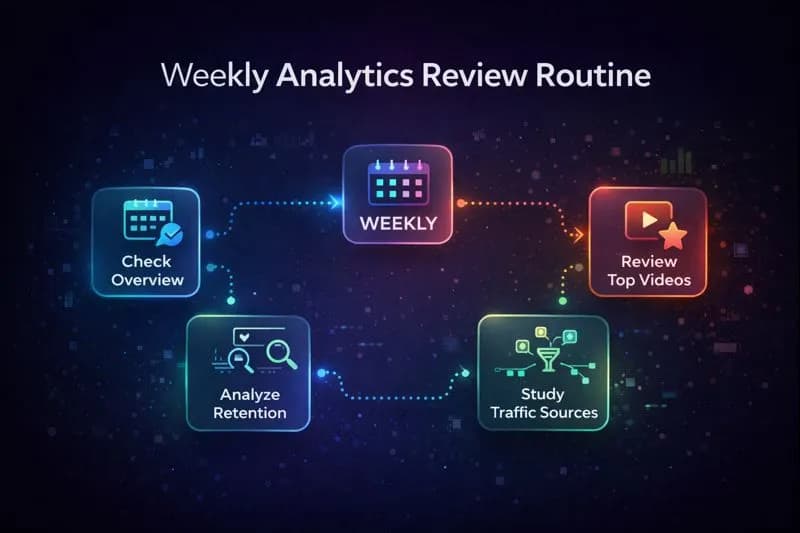
Consistency beats intensity. Here's my Monday morning routine:
Step 1: Check Overview (2 minutes)
- Any videos popping off?
- Any concerning drops?
Step 2: Review Top Videos from Last 7 Days (5 minutes)
- What's working? Why?
- Can I make similar content?
Step 3: Analyze Retention on Recent Upload (10 minutes)
- Where are the drops?
- What can I improve next time?
Step 4: Study Traffic Sources (5 minutes)
- What's driving views?
- Should I optimize for search more?
Step 5: Plan Content Based on Data (10 minutes)
- Update content calendar
- Double down on what works
YouTube Analytics Weekly Routine Workflow
Use the Content Calendar Generator to plan your next month based on what your analytics tell you.
Tools That Make Analytics Easier
Free Tools:
- YouTube Engagement Rate Calculator– Quick health check on engagement
-Channel Health Auditor– Comprehensive channel analysis
-YouTube Earnings Calculator – Estimate monetization potential
For Better Content:
- YouTube Title Generator– Create CTR-optimized titles
-YouTube Tag Generator– Improve search discoverability
-Thumbnail Text Generator– Create click-worthy thumbnails
The Bottom Line
YouTube Analytics isn't just a dashboard—it's the difference between creators who guess and creators who grow.
Every successful YouTuber I know checks their analytics regularly. Not obsessively, but strategically. They use data to make better content, not to stress about numbers.
Important
Your analytics are having a conversation with you. Every metric is feedback. Every drop in retention is a lesson. Every spike is a signal to do more of that thing.
Start small. This week, just look at your top 3 videos and ask: "What do they have in common?" That single insight could change your entire content strategy.
The data is already there, waiting for you. All you have to do is look.
Now go open YouTube Studio and start reading what your audience is trying to tell you.
Related Resources
-YouTube Algorithm Secrets 2026– How the recommendation system really works
-YouTube Monetization Complete Guide– Everything about CPM, RPM, and earnings
-How to Get 1000 Subscribers Fast– Growth strategies for new channels
-Best YouTube Tools for Beginners– Essential free tools to start
Official Resources
- YouTube Creator Academy – Free official courses
- YouTube Help Center – Official documentation
- Think with Google – Marketing insights and data
Related guides on this topic: YouTube Creator Statistics · Engagement Rate Calculator · Channel Audit · Analytics Tools · YouTube Studio Walkthrough.
Topics
❓Frequently Asked Questions
How do I access YouTube Analytics?
Access YouTube Analytics by going to studio.youtube.com on desktop or downloading the YouTube Studio app on mobile. Sign in with your YouTube channel account, then click 'Analytics' in the left sidebar (desktop) or tap 'Analytics' at the bottom of the screen (mobile). The dashboard shows your channel's performance data including views, watch time, subscribers, and revenue if monetized.
What is a good CTR (Click-Through Rate) on YouTube?
YouTube CTR benchmarks: 2-4% is average, 4-10% is good, and 10%+ is excellent (often seen in returning subscriber views). CTR below 2% is concerning and suggests your thumbnail or title needs improvement. Note that CTR varies by traffic source—homepage recommendations typically have lower CTR than search traffic. Compare your CTR to your own channel average rather than arbitrary benchmarks.
What's the difference between YouTube RPM and CPM?
CPM (Cost Per Mille) is what advertisers pay YouTube per 1,000 ad impressions—the gross revenue. RPM (Revenue Per Mille) is what YOU actually earn per 1,000 total views after YouTube takes their 45% cut. RPM is always lower than CPM and is the number that matters for calculating your actual earnings. Example: If CPM is $10, your RPM might be around $5-6 after YouTube's share.
How often should I check my YouTube Analytics?
Check YouTube Analytics weekly, not daily. A good routine: Monday morning review of the past 7 days. Avoid obsessive checking in the first 48 hours after upload—data is volatile and checking constantly won't change anything. For strategic planning, review 28-day and 90-day trends monthly. The goal is consistent, actionable review, not anxiety-inducing constant monitoring.
Why is my YouTube watch time more important than views?
Watch time is YouTube's #1 ranking factor because it measures actual engagement, not just clicks. YouTube's goal is keeping people on the platform—videos with more watch time get recommended more. A video with 1,000 views and 500 hours of watch time outperforms one with 5,000 views and 400 hours of watch time in the algorithm. Focus on creating content that keeps viewers watching longer, not just clicking.
What does audience retention graph tell me?
The audience retention graph shows second-by-second where viewers drop off and where they rewatch. Gradual decline is normal. Sharp drops indicate boring sections or broken promises. Spikes upward show highly engaging moments worth repeating. Use this data to improve future videos: watch your content while following the graph, note where drops happen, and avoid those patterns in future uploads. This is free goldmine data most creators ignore.
When is the best time to upload YouTube videos?
Find YOUR best upload time in YouTube Studio > Analytics > Audience > 'When your viewers are on YouTube.' This shows a heatmap of when your specific audience is most active. Dark purple bars indicate peak activity. Schedule uploads 1-2 hours BEFORE these peak times so YouTube has time to process and start recommending your video when your audience is online. There's no universal 'best time'—it varies by niche and audience location.
Free tools for this topic
Apply what you just read with free creator tools — no signup required.