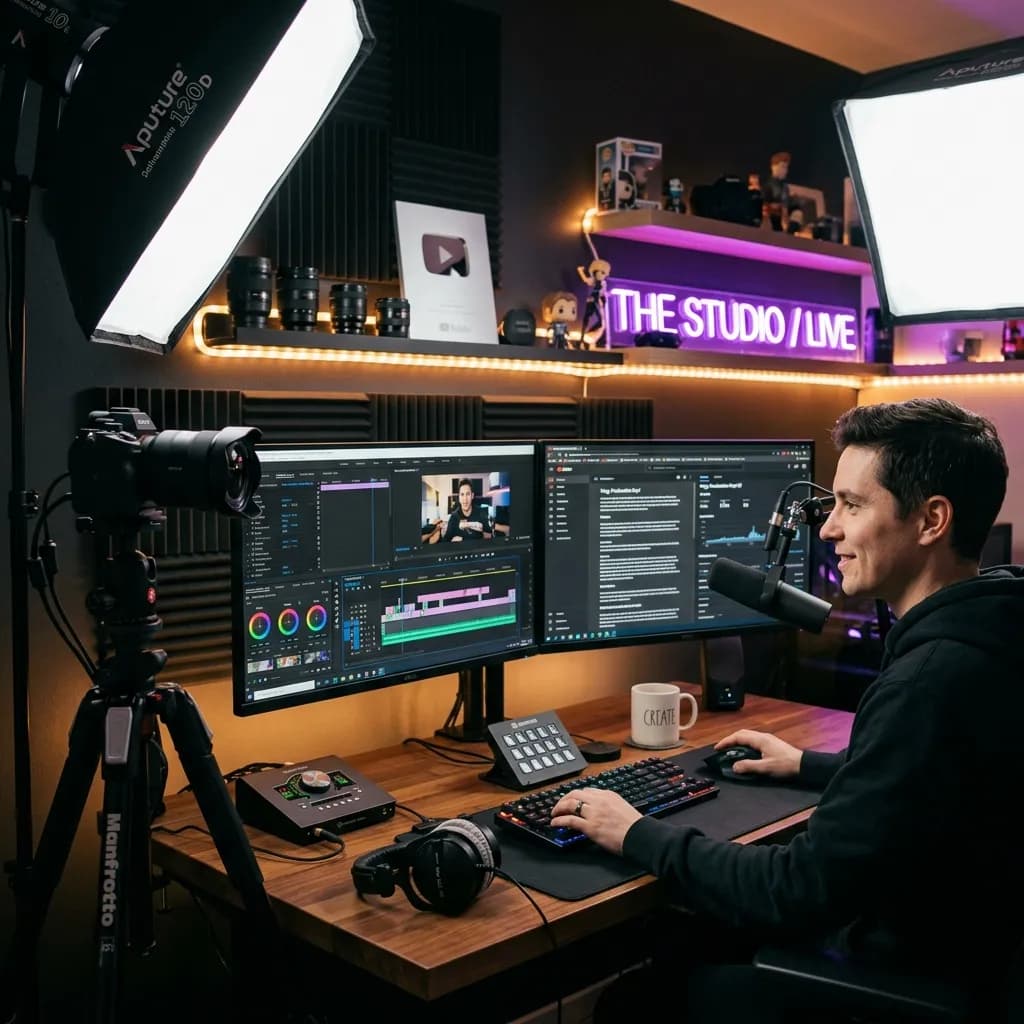
Quick Answer
To start on YouTube in 2026 you need three things in this order: a dedicated microphone (even a $30–$60 lavalier or USB mic), a key light, and stable support for your phone — then, and only then, a better camera. Audio and lighting upgrades in the $150–$400 total range will do far more for retention than a $1,000 camera body. Model the payback before you spend with the YouTube Earnings Calculator.
Key Takeaways
- Spend in this order: audio first, lighting second, camera third. Viewers forgive soft video; they never forgive muddy audio.
- Buy by tier, not by aspiration: a $100–$300 starter kit beats an unused $5,000 rig every time.
- Verified October 2026: every model below was re-checked for availability and typical Q4 price bands. Treat prices as ranges and check current pricing before you buy.
- Q4 is the buying season: late November (Black Friday and Cyber Monday) is when camera, mic, and lighting discounts actually land — buy the one gap you have, not everything that is on sale.
- Gear is a deductible business expense in the US, UK, Canada, and Australia when used to create content. Keep every receipt.
If you are scrolling through YouTube, it is easy to look at creators with $5,000 cinema cameras and dream of the day you can match their setup. But here is the hard truth: buying expensive gear will not get you views. The camera on your phone can capture stunning video, and a cheap microphone can sound professional with the right settings.
The goal of this youtube equipment list is to keep things practical. I am not here to sell you the most expensive gadgets. Instead, I want to show you the exact gear you need at every stage of your creator journey, from starting with zero dollars to building a professional multi-cam setup in 2026.
---
The Core Concept: Audio First, Lighting Second, Camera Third
If you remember one rule from this guide, make it this: viewers will tolerate bad video quality, but they will click away instantly if the audio is bad.
A 1080p video with crystal-clear voiceover is highly watchable. A 4K video with muddy, echoing audio is unwatchable. When you are deciding where to allocate your budget, always prioritize a good microphone.
Once your audio is sorted, focus on lighting. Even cheap cameras look incredible under great lighting. A $3,000 camera looks flat and grainy in a dark room.
---
Who should buy which setup (decision guide)
If the tier tables below feel abstract, start with the row that describes you:
| You are... | Start with | First upgrade | Skip for now |
|---|---|---|---|
| Desk-based talking head (tutorials, finance, coding) | Phone on a tripod + clip-on lav + one softbox | Key light, then camera | Capture cards, XLR chains |
| Vlogger / always-moving creator | Phone + wireless lav + compact light | Flip-screen camera with reliable face autofocus | Studio panels, boom arms |
| Streamer or gamer (face cam over gameplay) | 1080p webcam + dynamic USB mic + key light | 4K webcam or a mirrorless clean-HDMI setup | XLR until you are full-time |
| Faceless channel (screen recordings, voiceover) | USB mic + basic room treatment (rug, blankets) | Second monitor, script prompter | Any camera |
| Podcast or two-person interview | Two dynamic mics on one audio interface | Acoustic panels, a camera for the video feed | Full-frame bodies |
| Already earning ad revenue | Everything in the semi-pro tier | Proper three-point lighting, then a second camera | Gear you will not shoot with twice |
Verified October 2026: model names, availability, and price bands below were re-checked for Q4 2026. Prices move weekly — treat every figure as a typical range and check current pricing before you buy. Where a model has been quietly refreshed, the recommendation pattern still holds.
---
📸 Tiered Setup Comparison
Before we dive into the specific gear, here are the three setups you can actually build, with realistic budget ranges instead of wishful thinking:
| Setup Tier | Typical total | Primary Video | Primary Audio | Lighting | Ideal For |
|---|---|---|---|---|---|
| Zero-Budget Starter | $0–$100 | Your smartphone (any recent phone) | Clip-on lavalier ($15–$40 range) | Window light | Vlogs, format testing, brand-new channels |
| Semi-Pro Creator | $700–$1,600 | Sony ZV-E10 II or Canon R50 with kit lens | USB mic (Rode NT-USB Mini, Elgato Wave:3) or on-camera mic | Godox SL60W + softbox, or two LED panels | Talking head, reviews, weekly uploaders |
| Studio Pro Setup | $3,000–$6,000+ | Sony A7 IV or Lumix S5II + fast prime | XLR dynamic mic into an interface (Shure SM7B / Rode NT1) | Aputure Amaran 100d + diffuser, key/fill/back | Podcasts, full-time creators, high-RPM niches |
Prices are typical street ranges, not guarantees — check current pricing on the day you order. Streaming-specific picks live in our best webcams for YouTube streaming guide.
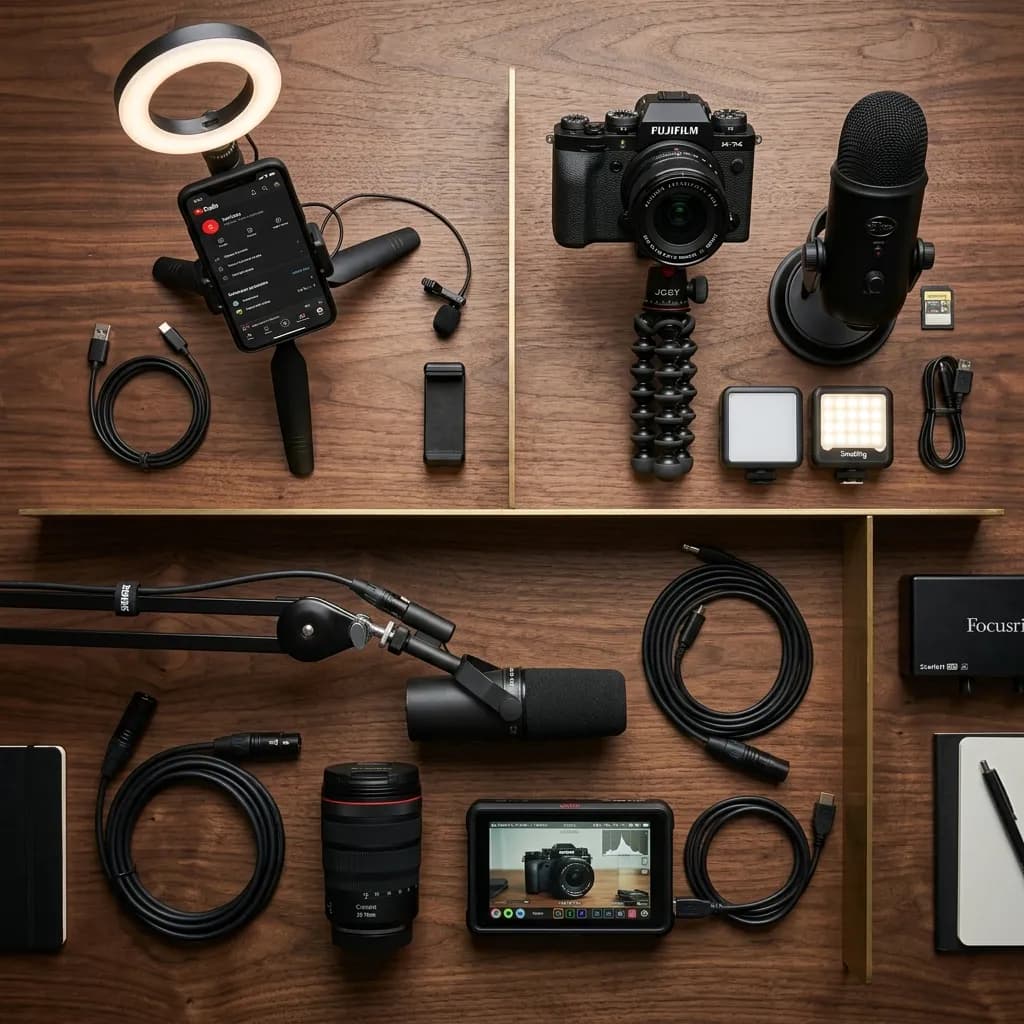
Top-down view comparing three tiers of YouTube creator equipment: Beginner, Intermediate, and Pro setups organized neatly on a dark wooden table
---
1. Video Cameras: Finding the Right Eye
You do not need a DSLR or mirrorless camera to start. The phone in your pocket is likely more than capable of recording great content. However, if you are looking to upgrade, here are the key features to look for:
- Autofocus: You need real-time face tracking. If you move around, the camera must keep you sharp automatically.
- Flip Screen: An articulating screen allows you to see yourself while filming, ensuring you are in frame and in focus.
- Clean HDMI Output: If you want to use the camera as a webcam or stream directly, this is a must-have.
Budget: The Smartphone Setup
Most modern smartphones can shoot in 4K at 30 or 60 FPS. To make the most of it:
- Use the rear camera, not the selfie camera (the rear camera has a larger sensor and better lenses).
- Lock your exposure and focus before you start recording to prevent the image from shifting colors or pulsing.
Mid-Range: The Vlogger & Creator Standard (typically $700–$1,100)
- Sony ZV-E10 II: The default recommendation for beginner creators — strong face autofocus, a flip screen, and a large APS-C sensor for background blur (bokeh). Kit bundles usually land in the $800–$1,000 range.
- Canon EOS R50: A lighter, cheaper alternative with excellent color science out of the box; kit bundles typically sit around $650–$850.
Professional: The Full-Frame Studio (bodies typically $1,500–$2,600)
- Sony A7 IV: The industry standard for professional creators. Excellent in low light, 4K with 10-bit color options, and class-leading autofocus. Body-only pricing typically sits around $2,000–$2,600.
- Panasonic Lumix S5II: Strong image stabilization and color grading tools; body-only pricing typically around $1,500–$2,000.
| Camera | Sensor | Flip screen | Clean HDMI | Typical street range (check current pricing) |
|---|---|---|---|---|
| Your smartphone | Varies | Selfie preview | Limited to apps | $0 — already owned |
| Canon EOS R50 | APS-C | Yes | Yes | Kit roughly $650–$850 |
| Sony ZV-E10 II | APS-C | Yes | Yes | Kit roughly $800–$1,000 |
| Panasonic Lumix S5II | Full frame | Yes | Yes | Body roughly $1,500–$2,000 |
| Sony A7 IV | Full frame | Yes | Yes | Body roughly $2,000–$2,600 |
If you are choosing between bodies at these prices, the deciding question is autofocus reliability for your format — talking heads should prioritize tracking, while seated reviewers can spend the difference on lighting instead. For tighter budgets, our guides to cameras under $500 and 4K cameras under $1,000 break the same decision down further.
---
2. Audio: Making Sure You Are Heard
Good audio is non-negotiable. If you are recording a tutorial or screen share, you want your voice to sound warm, present, and free of echo.
USB Microphones (The Simplest Choice)
USB microphones plug directly into your computer. They are perfect for voiceovers, gaming, and screen recordings.
- Rode NT-USB Mini: Compact and crisp, with a built-in pop filter (typically $90–$130).
- Elgato Wave:3: Software gain control that prevents clipping when you get loud (typically $130–$170).
Wireless Lavaliers (For Vloggers and Anyone Who Moves)
Away from the desk, a wireless lavalier beats every other option: clip it on and your voice stays consistent whether you are two feet or twenty feet from the lens. Budget kits typically run $40–$100; feature-rich creator kits (two transmitters plus 32-bit float safety recording) usually sit around $200–$350. Our best wireless lavaliers for YouTube comparison breaks down which tier fits which format.
XLR Microphones (The Professional Standard)
XLR microphones require an audio interface (like a Focusrite Scarlett or Rodecaster) to connect to your computer. Dynamic microphones reject background noise far better than condenser mics, which matters enormously in untreated rooms.
- Shure MV7: A hybrid USB/XLR microphone that grows with your channel (typically $190–$270).
- Shure SM7B: The podcast standard. Budget for a clean, high-gain interface or inline preamp alongside it — the microphone itself typically sits around $350–$450.
Total spend matters more than brand: a $100 microphone in a quiet, soft-furnished room beats a $400 microphone in an empty echoey one. Tight on budget? Start with microphones under $100 or the fuller USB microphone guide.
Two setup traps to check before your first real recording: play back a 10-second test and confirm your editor captured dual-mono, not a single channel, and watch your input meter so peaks sit below clipping instead of pinned at the top. Once the channel is live, the free Channel Audit is the quickest way to spot whether audio complaints are leaking into your retention and comment data.
---
3. Lighting: Shaping the Scene
You can have a $5,000 camera, but without good lighting, your video will look amateurish. The secret to professional lighting is the three-point lighting setup:
- Key Light: Your primary light source. Position it at a 45-degree angle to your face, slightly higher than eye level. Use a softbox or diffuser to make the light soft and avoid shadows.
- Fill Light: A softer light placed on the opposite side of the key light to fill in the shadows.
- Backlight (Hair Light): Placed behind you, pointing at the back of your head or shoulders. This separates you from the background and adds depth.
Budget Lighting (typically $0–$80)
- The Window: Sit facing a large window. It provides the softest, most beautiful light for free — overcast days are even better.
- Ring light or small LED panel: A basic panel in the $25–$60 range fixes most dark-room problems and works when the sun does not.
Professional Studio Lighting (typically $70–$250 per light)
- Amaran 100d + softbox (light typically $150–$220): A powerful LED point source that gives soft, cinematic falloff when diffused.
- Elgato Key Light (typically $150–$200): A sleek, desk-mounted panel you can control from your computer or Stream Desk.
Placement beats model choice: one soft light at 45 degrees, slightly above eye level, solves most "why does my video look flat" complaints. Add a second light only after the first one is placed well.
---
4. Supporting Gear: Tripods, Prompters & Workspaces
The small accessories are what keep your production running smoothly.
- Tripods: Do not buy a $15 plastic tripod — one bump can send your camera crashing down. A sturdy unit in the $40–$120 range, like the Manfrotto Element or Ulanzi Travel Tripod, is boring and worth it.
- Teleprompters: If you write scripts, a prompter in the $60–$150 range (such as the Desview T3) lets you look directly into the lens while reading, keeping natural eye contact with viewers.
- Room treatment: Rugs, curtains, and a full bookcase do more for audio than a microphone upgrade. Expect $0–$50 if you already own the furniture.
- Spares: Two extra batteries and one spare SD card. Running out mid-shoot costs more than the cards do.
---
The order to buy: three worked budgets
Spending in the right sequence matters more than the total. Three examples, using typical street ranges:
First month — about $150: clip-on lav or a budget USB mic ($30–$60), one LED panel ($25–$40), and a phone tripod ($25–$60). That is a complete, publishable setup where the audio is clean, the face is lit, and the frame is stable.
Semi-pro — about $1,000: everything above, plus a flip-screen APS-C camera with kit lens (typically $650–$1,000) and a softbox ($60–$150). This is the tier most weekly uploaders should stop at.
Studio — about $3,500: full-frame body (typically $1,500–$2,600), a fast prime lens, an XLR dynamic mic plus interface ($500–$900), and two-point lighting with stands and modifiers ($300–$600).
Two rules apply to all three: buy the next item only when you are already publishing consistently on the current setup, and before each purchase run the payback estimate through the YouTube Earnings Calculator. Gear does not fix an upload schedule.
---
Q4 2026 buying timing
- Late November is the real sale. Black Friday and Cyber Monday carry the deepest camera, lens, mic, and lighting discounts of the year — this is the one window worth planning around.
- Last-generation bodies are the value play. Camera makers refresh on roughly annual cycles, so Q4 discounts on the outgoing model are usually smarter than paying launch price for the new one.
- December bundles beat December shopping. Holiday kits pair bodies with extra batteries, cards, and softbox bundles; the accessories cost less inside a bundle than separately.
- Manufacturer refurbished is legitimate for lights, tripods, and even bodies — check the warranty terms and buy from the maker's own store, not an anonymous reseller.
- What not to do: delay your first video waiting for a sale. A month of consistent uploads with phone-plus-lav audio compounds faster than a camera you buy six weeks later.
---
7 gear mistakes that waste money
| Mistake | Why it hurts | Do this instead |
|---|---|---|
| Buying the camera first | Your audio stays bad and retention suffers | Mic, then light, then camera |
| The $15 plastic tripod | One bump sends the camera to the floor | One sturdy tripod in the $40–$120 range |
| Assuming a pricey mic fixes an echo | Hard surfaces ruin every capsule | Soft furnishings first — rug, curtains, books |
| Buying gear before a publishing habit exists | Gear cannot fix an inconsistent schedule | Get 10 videos out with what you own |
| Chasing flagship specs you never use | Paying for frame rates your format ignores | Buy for your format only |
| Buying everything on sale in Q4 | Discounted gear you do not need is still wasted money | Buy the single gap on your list |
| Ignoring the used market | Full price for last-generation equipment | Maker-refurbished bodies and lights |
---
Pre-purchase checklist
- [ ] The gap I am fixing is visible or audible on a real, published video
- [ ] Audio and lighting are already handled — camera is third
- [ ] I compared typical price ranges, not just the sale banner
- [ ] I ran the payback estimate in the earnings calculator
- [ ] Receipts are saved for tax records
- [ ] The item fits my format: desk, mobile, or stream
---
💰 The Business of Gear: Tax Deductions and ROI
Here is a major tip for creators in Tier 1 countries (United States, United Kingdom, Canada, Australia): Your YouTube gear is a tax-deductible business expense.
If you are running your channel as a business, you can write off your cameras, computers, editing software, and studio workspace.
- United States: Section 179 allows you to deduct 100% of the cost of eligible equipment in the year of purchase rather than depreciating it over time.
- United Kingdom: You can use Capital Allowances to claim tax relief on equipment.
- Australia: The Instant Asset Write-Off scheme allows immediate deduction for business assets.
Before you invest thousands of dollars into a new setup, use the YouTube Earnings Calculator to estimate how many views you need to recoup the purchase. If a new camera costs $1,500 and your effective RPM is $15, you need roughly 100,000 monetized views to pay it off. Be smart with your business cash flow.
Once the gear is sorted, the next lever is publishing: run the free Channel Audit to find the biggest gaps in your current library, and plan the next ten videos with the Video Ideas Generator.
Topics
❓Frequently Asked Questions
Do I need a 4K camera to start on YouTube in 2026?
No, 1080p is more than enough for most beginners. Viewers value high-quality audio and interesting content far more than 4K resolution. In fact, most viewers watch on mobile devices where 4K is barely noticeable. Focus on clean audio and solid lighting before upgrading to 4K.
Should I buy a USB or XLR microphone?
If you are a beginner or solo creator who wants simplicity, choose a USB microphone like the Elgato Wave:3 or Rode NT-USB. They are plug-and-play and don't require extra gear. XLR microphones (like the Shure SM7B) offer better pre-amps and control but require a separate audio interface, making them better for professional setups.
Can I write off my YouTube gear on taxes?
Yes, in Tier 1 countries like the United States, United Kingdom, Canada, and Australia, you can write off equipment used exclusively for content creation as business expenses. For example, under Section 179 in the US, you can deduct the full cost of cameras, computers, and lighting in the year of purchase. Keep detailed receipts and consult with a tax professional.
What should I buy first for YouTube?
A microphone. Even a $30–$60 clip-on lavalier or budget USB mic transforms your videos more than any camera upgrade, because viewers tolerate soft video but abandon bad audio immediately. Buy a light second, a stable phone mount third, and only then consider a dedicated camera.
How much should a beginner spend on YouTube gear?
Under about $150 gets you a complete, publishable setup: a clip-on lav or USB mic, one LED panel, and a phone tripod. Around $700–$1,600 covers the semi-pro tier with a flip-screen APS-C camera. Spend in that order and upgrade only when you are publishing consistently — an expensive rig does not fix an irregular upload schedule.
Is it worth buying used or refurbished camera gear?
Often yes. Cameras, lights, and tripods have no consumable parts, so manufacturer-refurbished units with a real warranty are a smart way to save, especially in Q4 when the outgoing model is discounted. Buy from the maker's own refurb store or a reputable used dealer, avoid gear with sensor damage, and check the shutter count on interchangeable-lens bodies where that figure is reported.
How do I know when it is time to upgrade?
Upgrade when a specific, repeated limitation shows up in your published videos — echo you cannot treat with soft furnishings, focus hunting you have already corrected in settings, or low-light grain after you added a key light. If you cannot name the exact problem the new gear solves, the current setup is not what is holding you back.
Free tools for this topic
Apply what you just read with free creator tools — no signup required.