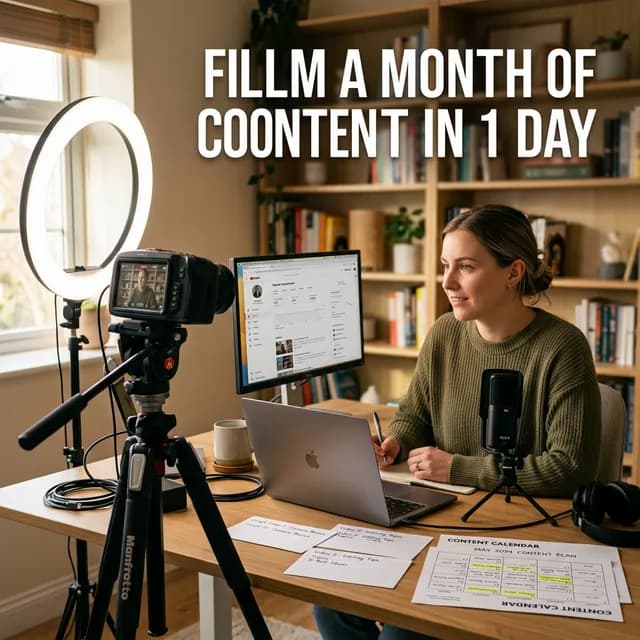
You already did the expensive part. Researching, scripting, filming, and editing is where the hours go — and most creators then publish, glance at the analytics, and start over from zero. The video that took a week to make usually contains another week of content that never gets made, because nobody sat down and cut it loose.
Repurposing is not posting the same clip seven times. It is recognizing that one finished video holds several arguments, demonstrations, and payoffs, each of which fits a different surface: a Short for cold reach, a thread for discussion, an email for the people who already trust you, a blog post for search. This guide is the working version of that idea — how to pick the moments worth cutting, what goes into each format, a decision table mapping segment to platform to call to action, and a weekly workflow with time estimates you can plan around.
Quick Answer
Turn one long-form video into 3-6 Shorts, one thread or post, one email, and one blog summary. Pick cut moments that stand alone — a strong claim, a demonstration, a payoff — then reframe each for vertical, caption it, and open on the claim instead of a greeting. Never post a contextless clip: every asset has to make sense to someone who has never seen your channel. Run the whole block once a week in a fixed window, not in fragments scattered between videos.
Key Takeaways
- One video, five assets. A long-form upload should leave the week as Shorts, a thread, an email, a blog post, and a community post — not one upload plus three days of silence.
- Pick cut moments by one test: does this 15-45 second piece stand alone for someone with zero context? If it needs the previous two minutes, it is not a Short.
- Match format to job. Shorts buy cold reach, threads build authority, email owns the relationship, the blog post compounds in search — use the decision table instead of cross-posting everywhere.
- Time-block it. Roughly 3-6 hours per video in your first month, about 3-4 once the steps are habit.
- Quality rules beat volume. A contextless clip, identical captions everywhere, or a transcript dumped into a blog post does more harm than no post at all.
---
What one video actually becomes
Take a typical 10-minute tutorial or breakdown. Strip out the intro patter and the transitions, and it contains roughly:
- 3-6 self-contained moments between 15 and 45 seconds: the core claim, a demonstration, a counterintuitive point, a mistake to avoid, a one-line summary.
- One argument that compresses into a five to nine post thread.
- One set of takeaways that fits an email to people who already chose to hear from you.
- One transcript that restructures into a 600-1,000 word guide.
Nothing here is invented content. It is the same work re-cut for different surfaces — which is why repurposing takes hours instead of days, and why the output still sounds like you.
The trap is treating it as recycling: a carelessly cut Short reads as a fragment, a thread that lists points without the argument reads as a list, and an email that says "new video is up!" reads as a notification. Each surface has a job, and each job has a standard.
---
Picking the cut moments: how to choose your 3-6 Shorts
This is the skill the whole workflow rests on. Most creators cut the wrong moments: the polished intro, the tangent that made them laugh, the section that felt important in the edit but depends on five minutes of setup.
Run every candidate through five tests:
- The zero-context test. Someone who has never seen your channel, scrolling muted — does this clip make its point without anything before it? If it needs the previous two minutes, cut a different moment.
- The first-frame test. Does it open on the claim, the result, or the action? "So, before we get started..." is not a Short yet — trim until the first second says something.
- The one-idea test. One claim, one demonstration, one payoff per clip. Clips carrying two ideas carry neither in fifteen seconds.
- The motion test. Is something changing — a screen, a hand, a number, a face — in the first few seconds? Static talking heads need a hard hook to survive the scroll.
- The honest-in-isolation test. Would the clip stay true and fair if it circulated without your video attached? Never cut a caveat out from under a claim.
Where to look in the transcript for candidates:
- The strongest claim you made — the sentence you would defend in the comments.
- A demonstration or result — the moment the thing actually works.
- A counterintuitive point — where you disagreed with the common advice.
- A warning or mistake — "this is why your X fails" moments hold attention.
- A mini story with a payoff — 20-30 seconds, problem to resolution.
Mark eight to ten candidates while the transcript is open, then keep the best three to six. Three excellent Shorts from a dense talking-head video beat six mediocre ones.
Cutting for the surface, not just the timeline
A 16:9 clip dropped into a 9:16 slot is the classic repurposing mistake. Rebuild each Short for vertical: reframe so the subject fills the frame, burn in captions because most viewers are muted, and cut the dead air on both sides. Write a title that gives the clip a reason to be watched, with the first words on screen in the first second.
If cutting is where you stall, our Shorts Script Planner returns the hook, beat-by-beat structure, and closing call to action before you open the editor — useful for planning new Shorts and for structuring a clip you already found. For what earns a view on short-form feeds generally, Shorts vs Reels vs TikTok breaks down how the three surfaces differ.
---
The thread, the email, and the blog summary
Three assets, three audiences, three standards.
The thread (or single-platform post)
The thread is the video's argument without its runtime. Structure it:
- Post 1 — the hook. The claim, stated plainly, with the stakes.
- Post 2 — context. Why this matters now, in two sentences.
- Posts 3-7 — the points. One per post, tightened. Cut the transitions; keep the specifics.
- Post 8 — the caveat. The honest limitation you included in the video. It buys credibility that a clean list cannot.
- Post 9 — the link. Where the full version lives, and what viewers get there that the thread cannot give.
On LinkedIn and Instagram the same material works as a single long post or a text carousel; on X, the multi-post thread spreads further. Either way the rule holds: the thread must be worth reading with no video attached, and the link is the reward at the end, not the reason for the post.
The email
Your list already said yes, so the email can be shorter and more direct than any other asset:
- Subject line: the payoff, not the title. If the video is "I Rebuilt My Editing Workflow in 30 Days," the subject can be "The step that saved me 6 hours a week."
- First two sentences: the result. People decide on the preview text.
- Three bullets: what they will learn, specific enough to be useful on their own.
- The link, with one line about the moment worth jumping to.
- One question to reply to. Replies are the signal that keeps you in the primary tab.
Send it on its own day — in a weekly roundup it competes with five other links.
The blog summary
The transcript is a draft, not a post. Restructure it: headings that match how people search, the video embedded near the top, the argument flowing without the need to watch, and links to whatever you used. 600-1,000 words ranks for the phrase you targeted and gives the video a permanent, searchable doorway.
Publishing the transcript raw is the failure mode — a wall of text that matches no search intent. The framing, images, tables, and links are what make it a genuinely different asset.
---
The decision table: segment to format to platform to CTA
Stop asking where to post and start asking which segment this is. Each row is a decision you can make in seconds:
| Source segment | Format | Platform | Job | Call to action |
|---|---|---|---|---|
| 15-45s self-contained moment | Short / Reel / clip | YouTube Shorts, Reels, TikTok | Cold reach | "Full walkthrough on the channel" |
| The argument, compressed | Thread or long single post | X, LinkedIn | Authority and discussion | Link to the full video |
| One lesson with a visual | Carousel or image post | Instagram, LinkedIn, Threads | Warm audience retention | "Watch the full version" |
| Takeaways plus links | Your newsletter | Owned audience, repeat attention | Watch the video; reply with a question | |
| Transcript restructured with headings | Blog post | Your site | Search traffic that compounds | Embed the video, link your tools |
| Best clip plus a question | Community post | YouTube Community | Re-engage subscribers | Watch the video |
Two patterns: cold surfaces (Shorts, thread) get the claim first and the link after; warm surfaces (email, community) get the payoff first, because trust is already established. And no row says "post everywhere at once."
---
The weekly repurposing workflow
One block, once a week, right after a video publishes. The steps run in the order that avoids context-switching — all transcription, then all cutting, then all writing — with time estimates collected in the table after Step 6.
Step 1: Mark the cut moments in the transcript
Pull the transcript, skim it once with the five tests in mind, and tag eight to ten candidates with timecodes. Keep the best three to six.
Step 2: Cut and caption the Shorts
Trim, reframe to vertical, caption, title. Doing all Shorts back to back means you set up the workflow once instead of six times.
Step 3: Write the thread
Hook, context, points, caveat, link — from the notes you already made in Step 1.
Step 4: Write the email
Payoff-first subject, two-sentence result, three bullets, link, one question.
Step 5: Draft the blog summary
Headings from the transcript, video embedded, argument restructured, tools linked.
Step 6: Schedule everything and review
Queue the Shorts across the coming week rather than stacking them on one day, send the email on its own day, publish the blog post, and note what performed.
| Step | First month | Once it is habit |
|---|---|---|
| 1. Mark cut moments | 45 min | 25 min |
| 2. Cut and caption Shorts | 3 h | 90 min |
| 3. Thread | 30 min | 15 min |
| 4. Email | 30 min | 20 min |
| 5. Blog summary | 60 min | 40 min |
| 6. Schedule and review | 30 min | 20 min |
| Total per video | ~6 hours | ~3.5 hours |
Those are planning estimates, not benchmarks — your first pass at anything runs long, a demo-heavy video with six clean moments sits at the top of the range, and a dense talking-head video sits at the bottom. What matters is whether the block beats starting from a blank page next week.
Batching helps: film two videos in one session and run the repurposing block for both at once — the core logic of our content batching guide, with the Content Calendar Generator as where the resulting slots go.
---
Tool categories that help (and where they stop)
No single tool does this end to end. Four categories cover the workflow:
- Transcript-based editors. You edit video by deleting text — find a phrase, cut it, the footage goes with it. The fastest route from a long recording to a clean Short, and the same transcript feeds every other asset.
- Auto-reframe and clipping tools. Convert 16:9 to 9:16 while keeping the subject in frame, then batch the result. Use them for framing; keep editorial control over what the clip says.
- Caption generators. Burned-in captions for muted viewing. Non-negotiable for short-form — most first views arrive with the sound off.
- Schedulers and writers. Schedulers queue each asset across the week; writing assistants turn a transcript into a thread, email, or blog draft that you then edit. Treat AI drafts as a first pass you must cut down.
Planning tools round it out: the Video Ideas Generator for what to film next, and the Shorts Script Planner for structuring clips before you cut.
---
Quality rules: the ones that are not negotiable
- Never post a contextless clip. The first second must give a viewer everything they need: claim on screen, captions on, no "hey everyone" preamble, nothing depending on the eight minutes that preceded it.
- One idea per asset. If you are explaining what the clip means, it is doing two jobs and doing neither well.
- Tailor the first line per platform. Thirty seconds of rewriting the opening line reads as intent; identical copy everywhere reads as automation.
- Captions on everything — including the email preview text, the only line most subscribers see.
- Keep the clip true in isolation. A cut that reads differently without its context is a cut that gets you corrected in public.
- Match the CTA to the audience's temperature. Cold viewers get "watch the full version"; your list gets the payoff and a question. One call to action per asset.
- Respect the ratio. Repurposing fills the gaps between videos; it never eats the block where the next video gets made.
---
You spent a week making one video, and it can carry your channels for the next week — if you spend a few hours cutting it loose instead of a few days reinventing what to post. Pick the moments honestly, match each one to its surface, and run the block in the same window every week.
Start with the next video you publish: pull the transcript tonight, mark eight candidates, cut the best three. The thread and the email take less time than choosing the clips did — and the workflow has already paid for itself.
Related guides on this topic: Video Ideas That Actually Work · Video Ideas Generator · Content Batching · Script Formula for Retention · Intro Script Generator.
Topics
❓Frequently Asked Questions
How many Shorts should I cut from one long-form video?
Three to six is the practical range. Start with eight to ten candidate moments in the transcript and keep the ones that pass the zero-context test — a clip that only works with setup is not a Short. Dense talking-head videos often yield three strong clips; demo-heavy videos yield more, because the demonstration carries itself.
How long should each repurposed Short be?
15 to 45 seconds for a cut moment is the sweet spot: long enough to land one idea with a payoff, short enough to earn a rewatch. Anything that needs more than a minute of setup belongs in the long-form video or the blog post, not in a clip.
Should I post the same clip on YouTube Shorts, Reels, and TikTok?
Post the same moment across platforms if you like — that is reach — but rewrite the opening line and title for each one, and export vertical with captions rather than re-uploading a letterboxed file. Identical copy everywhere reads as automation, and a clip framed for a horizontal feed looks broken in a vertical one.
Can I just publish the transcript as a blog post?
No. A raw transcript reads as a wall of text, matches no search intent, and adds nothing to what already ranks. Restructure it into 600-1,000 words with headings that match how people search, embed the video near the top, and add the tables, images, and links your transcript never had.
How much time does a full repurposing pass take?
Plan on roughly 6 hours per video during your first month and about 3.5 hours once the steps are habit — cutting the Shorts is the biggest block at roughly half of it. These are planning estimates, not benchmarks; your first pass at anything runs long, and demo-heavy videos sit at the top of the range.
Should everything go out on the same day the video publishes?
No. Publish the video, then spread the Shorts, thread, and community post across the following week so each one works as its own touchpoint. Send the email on its own day — in a roundup it competes with five other links, on its own it is the only ask.
What is the difference between content batching and repurposing?
Batching is producing several videos in one filming session so creation happens in blocks; repurposing is cutting one finished video into multiple assets for other surfaces. They solve different problems — batching protects your upload schedule, repurposing protects your posting schedule — and the ideal week uses both: film in batches, then run the repurposing block after each upload.
Should I repurpose old videos from my back catalog?
Yes — it is often the highest-return place to start, because the footage already exists and you can now judge which moments were actually strongest. Older videos with proven watch time are especially good candidates, and nobody watching the Short knows or cares that the source video is a year old.
Free tools for this topic
Apply what you just read with free creator tools — no signup required.