
Last Tuesday, I sat down to plan my content for the month and realized something:I haven't felt "stuck for ideas" in over a year.
That's wild to me because I remember the old days. Every week was a panic.
* What do I make ? Is this topic even good ? Will anyone care ?*
The shift happened when I stopped trying to invent content out of thin air and started using a system instead.
Not a formulaic, soul - crushing system—but a repeatable way to find ideas that actually connect with viewers.
Here's what I've learned about finding video ideas that work.
Why Most People Struggle With Video Ideas
The problem isn't creativity. It's that you're looking in the wrong places.
Most creators try to brainstorm in a vacuum.They sit down with a blank notepad and wait for inspiration.Sometimes it works.Usually it doesn't.
The creators who never run out of ideas—the ones posting consistently for years—aren't more creative. They just know where to look.
Where Successful Video Ideas Come From
After studying hundreds of successful channels and tracking my own analytics for three years, I've found that winning video ideas come from four reliable sources:
1. Questions Your Audience Actually Asks
This is the most obvious place to look, yet most people skip it.
Your viewers literally tell you what they want to know.In comments.In DMs.In your community tab polls.
I keep a running Google Doc of every question I see repeated more than twice.When someone asks "How do you choose thumbnails?" and three other people ask variations of that same question, boom—that's a video.
The beauty of this approach ? You're solving real problems for real people. That's content that performs.
Content Strategy Planning
Pro Tip
Pro tip:Use yourYouTube Comment Pickerto systematically review comments from your most popular videos.The patterns you find are gold.
2. Videos That Worked(For You or Others)
One of my most popular videos in 2025 was basically a remake of a video I did in 2023.
Same topic, same structure, updated information.Triple the views.
Why ? Because the topic proved itself.I knew it worked because I had data showing people wanted that information.
Here's how I mine my own content:
- Check analytics for top 10 videos from the past 2 years
- Look for topics I could update, expand, or improve
- Notice what those videos have in common
The same logic applies to other creators' content. If a video in your niche got 500k views, that topic clearly resonates. Your job isn't to copy—it's to bring your unique angle or update it for current trends.
Quick method:UseYouTube Thumbnail Downloaderto save thumbnails from high - performing videos in your niche.Study them.What topics keep appearing ? That's your signal.
3. The Gaps Nobody's Filling
This takes more work but can be incredibly valuable.
I look for searches where the existing content is:
- Outdated
- Too complex for beginners
- Missing key information
- Poorly produced
You don't need to reinvent the wheel. Sometimes you just need to make the wheel that actually rolls smoothly.
How I find gaps:
- Search my niche topic on YouTube
- Sort by most popular
- Watch the top 5 - 10 results
- Ask: What questions do these videos NOT answer ?
Those unanswered questions ? That's your opportunity.
4. Trending Topics(Adapted to Your Niche)
Trends come and go, but smart creators adapt them rather than chasing them.
If everyone's talking about a new tool or technique, the generic "what is X" videos will flood the market. Instead, I look for the intersection of trending topics and my specific audience.
Trending: "New AI video tool launched"
My angle: "I tested the new AI tool for small channels—here's what actually works"
See the difference ? I'm riding the trend but making it specifically useful for my viewers.
Tool I actually use: YouTube Trend Helper shows me what's gaining traction. I then filter it through my audience's needs.
My Content Ideation Process(The Whole System)
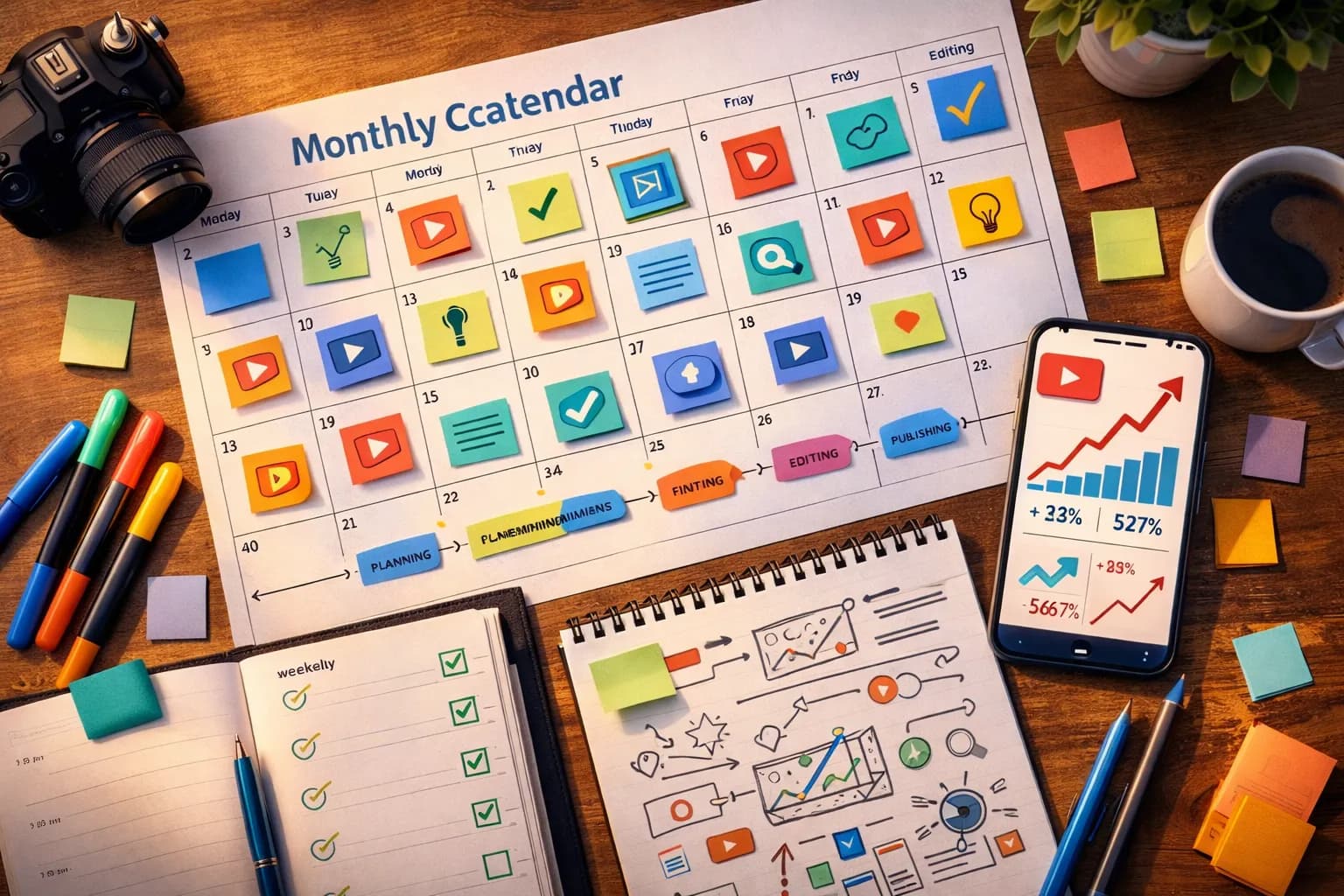
Since you might be wondering "okay, but what do you actually DO?"—here's my monthly routine:
Week 1: Brainstorming
* Mine your top 10 performing videos for remix / sequel ideas
* Review competitor videos uploaded in past 90 days
* Create list of 20 potential topics
Week 2: Validation
* Check search demand using YouTube Title Generator autocomplete
* Narrow to 10 ideas with proven interest
* Confirm you can create quality content on these topics
Week 3: Refinement
* Draft titles for all 10 ideas
* Sketch thumbnail concepts
* Verify topics align with your content pillars
* Finalize 4 - 8 ideas for next month
Week 4: Planning
* Combine all three lists
* Prioritize based on:
* Search potential
* Personal expertise
* Production difficulty
* Strategic fit with my channel
* Schedule next month's content using Content Calendar Generator
This system takes maybe 3 - 4 hours per month.In exchange, I never wonder what to film next.
The Pillar Content Strategy
One thing that changed the game for me: organizing ideas into content pillars.
Instead of random one - off videos, I group ideas into recurring themes.For a cooking channel, that might be:
- Quick weeknight meals
- Budget cooking
- Cooking techniques
- Kitchen equipment reviews
Every video I make fits into one of these buckets.This helps in two ways:
- Algorithm benefits:YouTube recognizes you as an authority on specific topics
2.Viewer retention:People who like one pillar will likely enjoy others in that category
When I'm stuck for ideas, I just look at my pillars and ask "what haven't I covered lately in this category ? "
Tools That Actually Help(Not Just Hype)
I'm not big on tools for the sake of tools, but three genuinely saved me time:
Video Ideas Generator - When I absolutely can't think of anything, I describe my niche and channel size. The AI suggestions aren't usually perfect, but they break creative blocks.I typically use 2 - 3 out of 20 suggestions, then modify them.
YouTube Title Generator - Once I have an idea, I need a compelling title.This helps me draft 10 options fast, then I pick the one that balances SEO with click - worthiness.
YouTube Tag Generator - Tags matter less than they used to, but I still use them.This generates relevant tags in 30 seconds instead of 10 minutes of manual research.
The key with all tools: they're starting points, not finished products. Use them to get unstuck or save time, then apply your own thinking.
Common Mistakes I Made(So You Don't Have To)
Mistake #1: Only making videos I'm personally excited about
Your passion matters, but viewer interest matters more.I've made videos I was "meh" about that became my most popular content. The audience doesn't care about my enthusiasm—they care about their problems being solved.
Mistake #2: Overthinking uniqueness
For years, I avoided topics because "someone already made that video." That's silly. People make cooking videos every day. The unique part is YOU—your voice, your perspective, your style.
Mistake #3: Chasing every trend
Being first on a trend can work.But if it doesn't align with your channel's core topics, you're just confusing the algorithm and your subscribers.
Mistake #4: Not tracking what works
I used to post videos and never look at the data.Now I review analytics monthly.Patterns emerge.Some topic categories perform 3x better than others.I simply make more of what works.
The Reality Check Nobody Wants to Hear
Even with the perfect system, not every idea will blow up.
I've had videos I was certain would go viral get 2,000 views. I've had throwaway topics I almost didn't film hit 200,000 views.
The algorithm is unpredictable.Your job is to increase your odds, not guarantee success.
The best idea strategy in the world can't compensate for:
- Poor titles and thumbnails
- Bad content quality
- Boring presentation
- Topics nobody cares about
Ideas are important.But they're just one piece of the puzzle.
Quick Reference: 30 - Day Content Planning Blueprint
If you want a simple framework you can start using today, here's my recommendation:
Week 1:
- Mine your top 10 performing videos for remix / sequel ideas
- Review competitor videos uploaded in past 90 days
- Create list of 20 potential topics
Week 2:
- Check search demand using YouTube Title Generator autocomplete
- Narrow to 10 ideas with proven interest
- Confirm you can create quality content on these topics
Week 3:
- Draft titles for all 10 ideas
- Sketch thumbnail concepts
- Verify topics align with your content pillars
- Finalize 4 - 8 ideas for next month
Week 4:
- Schedule filming dates
- Create detailed outlines for first 2 videos
- Build content calendar using Content Calendar Generator
- Set up tracking sheet for performance
Sources & Research
This approach is built on industry best practices and real data from successful channels:
-Think With Google - Video Trends
-Pew Research Center - YouTube Usage
Recommended Reading
- YouTube SEO in 2026: What Still Works(And What's Changed)
- How to Write YouTube Titles That Actually Get Clicked
- YouTube Thumbnails: What Actually Makes People Click
- Best YouTube Tools for Beginners in 2026
What I'd Tell Someone Starting Today
The secret to never running out of ideas isn't being more creative. It's being more systematic about capturing and evaluating ideas.
Start a simple spreadsheet today.Three columns:
- Ideas from my audience
- Ideas from competitors
- Ideas from my experience
Fill one cell per day.In 30 days, you'll have 90 potential video topics. That's nearly two years of weekly content.
The hard part isn't finding ideas. It's committing to the boring work of documenting them, evaluating them honestly, and executing consistently.
Do that, and you'll never stare at a blank content calendar again.
Now stop reading and go add three ideas to your spreadsheet.I'll wait.
Related guides on this topic: Video Ideas Generator · Content Batching · Script Formula for Retention · Intro Script Generator · Timestamp Generator.
Topics
❓Frequently Asked Questions
How do I come up with YouTube video ideas when starting from scratch?
Start with these 4 proven sources: (1) YouTube Search autocomplete - type your niche keyword and see what questions appear, (2) Comment mining - review top 20 videos in your niche and collect repeated questions from comments, (3) Competitor analysis - identify successful channels your size and note their most viewed videos from past 6 months, (4) Use Video Ideas Generator tools to brainstorm topics based on trending searches. Create a spreadsheet and aim for 20-30 ideas before filming. Focus on solving specific problems rather than broad topics (e.g., 'how to edit videos on iPhone for beginners' vs 'video editing tips').
How many video ideas should I have planned at once?
Maintain 8-12 video ideas planned minimum (approximately 1 month of content at weekly uploads), ideally 20-30 ideas covering 2-3 months. Benefits: (1) Prevents creative burnout and panic-uploading, (2) Allows batching filming sessions when motivated, (3) Enables strategic content sequencing and topic variety, (4) Provides flexibility to pivot based on trending topics while maintaining core schedule. Successful creators maintain 2-6 months of documented ideas. Use content calendar spreadsheet with columns: Title idea, Target keyword, Estimated search volume, Filming difficulty, Priority (1-5).
What if my video idea has already been done by other creators?
Existing content on your topic is actually GOOD - it proves demand. Strategy for standing out: (1) Add unique angle - 'As a teacher...' 'As someone who failed first...' 'Using only free tools', (2) Update outdated information - many top-ranking videos are 2-4 years old with obsolete advice, (3) Improve production quality - better editing, clearer explanation, better visuals, (4) Go deeper - expand on points the original video rushed through, (5) Combine multiple related videos into comprehensive guide. YouTube rewards 'best answer' not 'first answer'. Search 'how to boil eggs' - millions of results, all getting views because people want different perspectives.
How do I know if a video idea will get views before making it?
Pre-validation checklist before filming: (1) Search volume test - type topic in YouTube search, if autocomplete appears, there's search demand, (2) Competition analysis - search your exact title, if top 10 results have under 100k views each, easier to rank, (3) Recency check - if top results are 2+ years old, opportunity to create updated version, (4) Audience validation - if applicable, poll your existing audience or check comments asking for this topic, (5) Multiple signals - need 2-3 'yes' indicators minimum. Tools: TubeBuddy's keyword explorer (shows search volume + competition), VidIQ trends (identifies rising topics). If uncertain, film anyway - even 'failed' videos teach what audience wants.
What are content pillars and why do they matter?
Content pillars are 3-5 core topic categories your channel focuses on consistently. Example tech channel pillars: 'Phone Reviews', 'Productivity Apps', 'Tech News'. Why critical: (1) YouTube algorithm learns your expertise - recommends your content to viewers interested in those topics, (2) Audience retention - subscribers know what to expect and stay engaged, (3) Simplifies content planning - every video fits into one pillar, (4) SEO authority - multiple videos on related topics signal expertise to search algorithms. Implementation: Choose pillars covering 70-80% of content, allow 20-30% for experimental/trending topics. Avoid too many pillars (confuses audience) or too few (limits creativity).
Should I follow trending topics or focus on evergreen content?
Use 80/20 strategy: 80% evergreen content + 20% trending topics. Evergreen content (tutorials, how-tos, guides): Benefits - steady long-term views, ranks in search indefinitely, compounds over time. Create as core library. Trending content (challenges, reactions, news commentary): Benefits - quick view spikes, viral potential, algorithm boost. Use strategically. Execution: (1) Build foundation with 15-20 evergreen videos establishing expertise, (2) Layer in trending topics when opportunities arise in your niche, (3) Track metrics - if trending videos bring subscribers who don't watch evergreen content, adjust ratio. Sustainable channels combine both: evergreen content provides stability, trending content drives discovery.
Free tools for this topic
Apply what you just read with free creator tools — no signup required.