Quick Answer
Use a free YouTube title generator when you have a topic but no final line: enter the core keyword → generate several angles → pick one that is clear in under ~60 characters → match the thumbnail → paste into Studio. Pair it with tags and a tight description so search, click, and watch time line up.
I used to “finalize” titles five minutes before upload. Half the time I went with whatever sounded fine after staring at the draft for too long. Views were okay. Click-through rate? Not something I wanted to screenshot.
What changed things was treating the title like packaging, not a last chore. I still write the first draft myself. Then I run the topic through a youtube title generator, steal the angles I would never have typed, and cut everything that feels fake. That mix—human judgment plus fast options—is what this guide is about.
If you only need the tool, open it now: free YouTube Title Generator (no credit card theater). If you want titles that actually earn the click *and* keep people watching, keep reading.
---
What a YouTube title generator actually does
A title generator does not “rank your video.” It does something more practical: it gives you multiple phrasing pathsfor the same idea so you are not stuck with the first sentence you thought of in the shower.
Most free tools (including ours) take:
- Atopic or keyword(example: “meal prep for busy parents”)
- Optionaltone(listicle, how-to, curiosity, professional)
- Output: severaltitle candidatesyou can edit
You still own the decision. The generator’s job is speed and variety. Your job is honesty and fit with the video.
Pro Tip
Before you generate, write one boring but accurate sentence: “This video teaches X for people who struggle with Y.” If a fancy title cannot map back to that sentence, scrap it.
---
Why clickable titles matter more than perfect keywords
YouTube has two jobs for every video:
-Findpeople who might care (search, suggested, browse)
-Earnthe click when your package shows up next to ten others
Keywords help with the first job. Titles (with thumbnails) dominate the second. A title that “has the keyword” but reads like a database field loses to a slightly messier line that makes a real person curious.
In Studio, watchImpressions click-through rate. Channel averages vary, but if a new upload sits far under your usual CTR after a fair sample of impressions, the packaging—not only the algorithm “hating you”—is often the fix.
For a fuller packaging system (title + tags + description + chapters), use the YouTube SEO Checklist 2026. For how ranking signals stack, the YouTube Algorithm Guide 2026 is the long version without the hype.
---
Free workflow: generate clickable titles in under 10 minutes
Step 1 — Name the real promise
Not the category. The promise.
- Weak: “iPhone camera tips”
- Stronger promise: “iPhone camera settings that fix dark indoor videos”
Put that promise into the title generator.
Step 2 — Generate more options than you need
Ask for a batch. Ignore half on purpose. You want contrasts:
- One how-to / outcometitle
- Onenumber / listtitle
- Onemistake / mythtitle
- Onevs / comparison title if it fits
Step 3 — Score each line with three questions
- Would I click this if I did not know the creator?
- Does the video deliver the exact promise in the first few minutes?
- Can someone understand it when half the title is cut off on mobile?
Step 4 — Humanize the winner
Generators love clean patterns. Real channels win with one specific detail:
- A real time frame (“in 15 minutes,” “after 30 days”)
- A real constraint (“no equipment,” “under $50”)
- A real audience (“for beginners,” “for small channels”)
Step 5 — Align title, thumbnail, and first 15 seconds
If the title says “3 settings,” the thumbnail should not scream a totally different story. Viewers forgive simple design. They do not forgive bait-and-switch.
Research competitor packaging with the Thumbnail Downloader, then draft your own with the Thumbnail Generator or AI Thumbnail Prompt Generator. Test two title directions with the Title A/B Tester when you are torn.
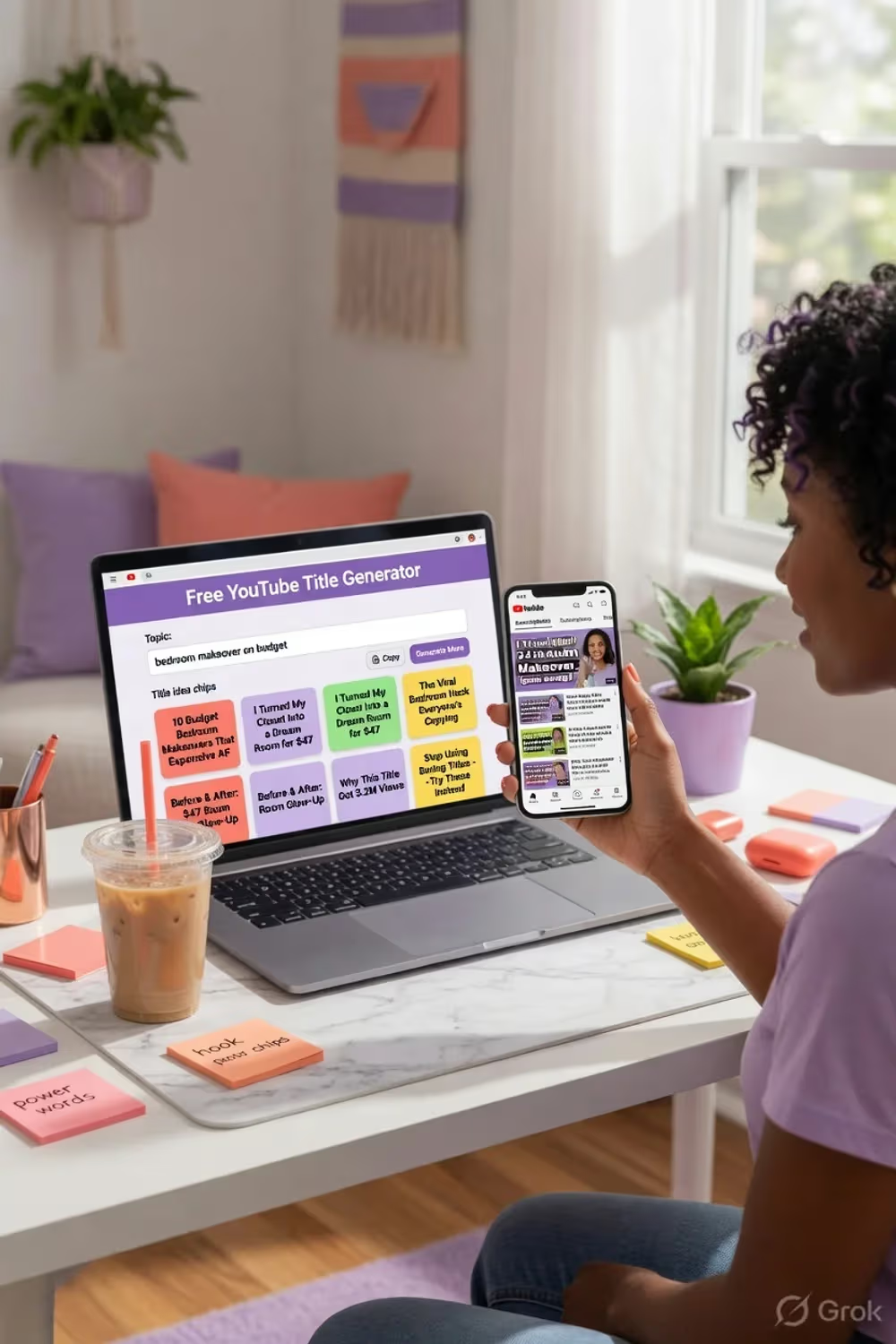
Creator using a free YouTube title generator on a laptop while comparing clickable title ideas on a phone in a bright home studio
---
Title formulas that still work in 2026 (with examples)
These are patterns, not scripts. Swap in your niche language.
1. Outcome + method
Pattern: How I [result] with [simple method]
Example: How I Cut Editing Time in Half With One CapCut Habit
2. Number + specific promise
Pattern: [Number] [things] that [result]
Example: 7 Thumbnail Rules That Raised My CTR Without Redesigning Everything
3. Mistake call-out
Pattern: Stop [common mistake] if you want [goal]
Example: Stop Writing Vague Titles If You Want Search Traffic
4. Before / after contrast
Pattern: From [bad state] to [better state]
Example: From 2% CTR to 6%: What I Changed in My Titles
5. Audience-first
Pattern: [Topic] for [specific person]
Example:YouTube SEO for Brand-New Channels Under 1,000 Subs
If you want deeper craft notes and CTR examples, read How to Write YouTube Titles That Get Clicked. This page is thetool + workflowcompanion to that craft guide—not a copy of it.
---
SEO vs curiosity: how to do both without sounding spammy
Search-led video: put the phrase people actually type near the front.
- Better for search: “YouTube Title Generator: Free Ways to Write Clickable Titles”
- Better for browse: “I Stopped Guessing My Titles—Here Is What Worked”
Many strong titles do a hybrid:keyword early + human hook after the colon.
Also support the title with:
- A description that restates the topic in plain language in the first lines (Description Generator or the description template guide)
- Tags that match the topic, not random viral words (Tag Generator)
- Chapters that mirror the promise (Timestamp Generator)
That stack is what “SEO friendly” actually means on YouTube—not stuffing the same keyword six times.
---
Title length, mobile truncation, and emoji (practical rules)
- Characters:~50–70 is a useful default so mobile does not hide the point.
-Front half:put the unique claim first; the trailing half is where soft context lives.
-Emojis:one carefully placed emoji can help some niches (gaming, entertainment). Finance and B2B often look cleaner without them. Test, do not assume.
-ALL CAPS:one stressed word is fine. Full-title caps reads like spam.
-Brackets: “(2026),” “[Free Template],” “(Full Walkthrough)” still work when true.
Creators uploading from the US, UK, Canada, Australia, India, and elsewhere all face the same mobile truncation problem. Write for the small screen first. Desktop will take care of itself.
---
Common title mistakes a generator will not fix for you
1. Generating and pasting without editing
The worst titles I see are “almost good” AI lines that nobody rewrote. Fix one concrete noun. Drop one hype adjective.
2. Competing with yourself
Three videos titled nearly the same cannibalize impressions. Differentiate the angle: beginner vs advanced, tool A vs tool B, myth vs checklist.
3. Ignoring the thumbnail
A title generator cannot save a muddy thumbnail. Pair packaging deliberately.
4. Chasing shock over fit
“You won’t believe…” rarely ages well. Specific beats theatrical when the video is educational.
5. Never revisiting old titles
If a solid video has impressions but low CTR, a new title (and sometimes a new thumb) can restart distribution. Use the generator to brainstorm *fresh* angles, not random noise.
---
Free title generator vs paid SEO suites
| Need | Free title generator | Paid suite (TubeBuddy / VidIQ, etc.) |
|---|---|---|
| Fast title brainstorms | Excellent | Good |
| Historical competitor data | Limited | Stronger |
| Browser A/B and alerts | No | Often yes |
| Zero budget / no signup | Yes (on YTTH) | Rarely |
Most creators under 50k subs get 80% of the value from free packaging tools plus Studio analytics. If you are comparing paid add-ons later, the TubeBuddy vs VidIQ 2026 breakdown is fair about where money actually helps.
For keyword research beyond titles, see YouTube keyword research tools. For the full free stack, start at SEO tools or the main tools hub.
---
GEO and multi-market titles (quick notes)
If your audience is mostly English-speaking Tier-1 countries, plain English with clear outcomes performs well. If you serve a bilingual market, consider:
- Local phrasing people actually search (not just translated jargon)
- Currency and units your viewers use ($ vs ₹ vs £) when the promise is financial
- Avoiding slang that only works in one country if your analytics show a mixed map
You do not need a separate channel for every country on day one. You do need titles that match how *your* viewers talk in comments and search terms inside Studio.
---
Citation block (for blogs, newsletters, and resource pages)
Editors and creators can quote this freely with a link:
A free YouTube title generator helps creators draft multiple clickable, search-aware title options from one topic. Best practice is to generate several angles, rewrite the winner in a human voice, keep the core promise honest, and align the title with the thumbnail and first 15 seconds of the video. Full guide and free tool: https://www.youtubetoolshub.com/blog/youtube-title-generator-clickable-titles-free — free generator: https://www.youtubetoolshub.com/tools/youtube-title-generator
Want a badge or embed style link? See Link to Us.
---
Backlinks and off-YouTube signals (what is worth your time)
Titles live on YouTube, but discovery often starts off-platform:
- Companion postson your site that embed the video and use the same primary keyword
2.Resource lists(“free YouTube SEO tools”) that link a real free generator, not a signup wall
3.Pinterest / visual pinsfor checklist-style packaging tips (use a vertical image; we include a pin-ready asset for this guide)
4.Helpful commentson forums only when you answer the question first and link second
Spam directories and paid PBNs are not a growth plan—they are a risk. Earn links by being the page people actually bookmark when they need title ideas at 11 p.m. before an upload.
---
5-minute pre-publish title checklist
- [ ] Primary topic is obvious without watching
- [ ] Promise matches the video’s actual content
- [ ] Important words appear before typical mobile cutoffs
- [ ] Thumbnail does not contradict the title
- [ ] No competitor brand stuffed as a fake tag-along
- [ ] Tags and description support the same topic (tag generator)
- [ ] You can say the title out loud without cringing
If three boxes fail, do not publish yet. Generate again. Ten minutes now beats a week of soft impressions.
---
Bottom line
Ayoutube title generator will not replace judgment. It will stop you from shipping the first bland line that pops into your head after a long edit.
Use the free YouTube Title Generator to get options fast. Rewrite like a person. Align the thumbnail. Support the topic with a clean description and smart tags. Then watch CTR and audience retention—not vanity view counts alone—to learn which packaging your channel actually earns.
When you want the full craft deep-dive on phrasing and CTR patterns, keep How to Write Catchy YouTube Titles open beside this page. Tool for speed. Craft for quality. Both beat guessing.
Related guides on this topic: YouTube Algorithm Guide · YouTube SEO Checklist 2026 · Algorithm Ranking Factors 2026 · Title Generator · Tag Generator.
Topics
❓Frequently Asked Questions
What is a YouTube title generator?
A YouTube title generator is a free tool that turns a topic or keyword into multiple title options you can edit. Good generators balance search intent (what people type) with human curiosity (why someone clicks). You still choose the final line—the tool is a fast brainstorming partner, not a magic publish button.
Is there a free YouTube title generator with no signup?
Yes. YouTube Tools Hub offers a free YouTube Title Generator that needs no account for basic use. Enter your topic, pick a tone if you want, generate options, then copy the best line into YouTube Studio and tweak for your brand voice.
How long should a YouTube title be?
Aim for roughly 50–70 characters so the important words show on mobile. Front-load the main idea and keyword in the first half. If a longer title is clearer, keep it—clarity beats arbitrary cuts—but check how it truncates on a phone.
Do YouTube titles still affect SEO in 2026?
Yes. Titles help YouTube match your video to search queries and related videos, and they heavily influence click-through rate. CTR and watch time then decide how widely the video is recommended. A title that ranks but never gets clicked will stall.
Is clickbait bad for YouTube titles?
Misleading clickbait (promise not delivered in the video) hurts retention and can limit recommendations. Strong packaging that is still honest—specific numbers, outcomes, or contrasts that the video actually covers—is what high-performing channels use.
Should I put the keyword first in my YouTube title?
Often yes for search-led videos: place the primary phrase near the start so it is not cut off on mobile and so intent is clear. For browse and suggested traffic, a human hook can lead if the keyword still appears naturally in the title or early description.
How do I use a title generator without sounding robotic?
Generate 8–12 options, pick 2–3 angles, then rewrite in your own voice. Remove filler, add one concrete detail only you would know (tool name, dollar amount, time frame), and read it out loud. If it sounds like an ad, cut one hype word.
Free tools for this topic
Apply what you just read with free creator tools — no signup required.