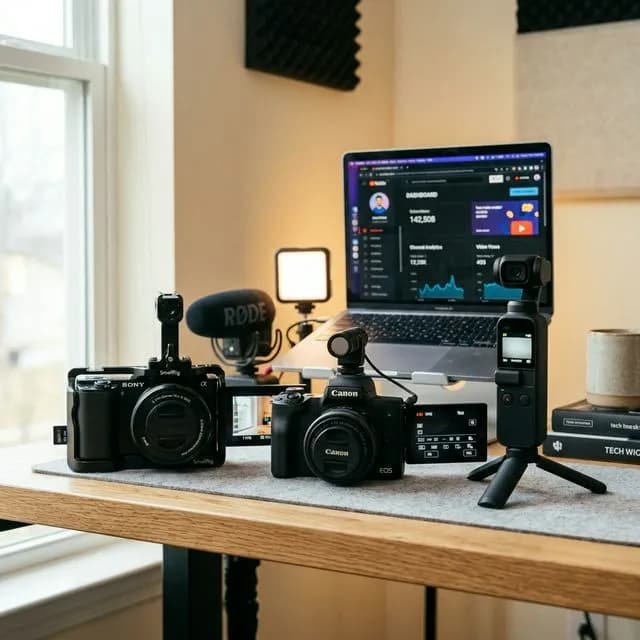
Here's the truth nobody says in YouTube camera reviews: your camera is responsible for maybe 20% of how your videos look. The lighting, the audio, and the story you're telling do the other 80%.
That said, walking around with the wrong camera — one that struggles in low light, chops off your face when you flip the screen, or records mediocre audio — makes everything harder. And when you're just starting out, the last thing you need is your gear working against you.
So I spent weeks testing the most recommended budget YouTube camerasunder $500 on real footage. Talking-head content, outdoor vlogs, B-roll, bad lighting scenarios. Not spec-sheet comparisons. Actual shooting conditions.
These are my honest findings.
Important
Who This Guide Is For:
This guide is targeted at creators who are serious about starting or improving their YouTube channel but don't have a four-figure camera budget. Every camera on this list is available new or refurbished under $500, produces quality that is genuinely competitive in 2026, and has an active community of YouTube creators publishing at a high level with it.
---
What Actually Matters in a Budget YouTube Camera
Before we get into specific models, let's establish the criteria. Because "best camera" means different things depending on how you create.
1. Flip Screen (Non-Negotiable for Solo Creators)
If you're filming yourself without a dedicated camera operator, a fully articulating or vari-angle screen is essential. You cannot reliably frame yourself or know if you're in focus without it. Full stop.
2. Autofocus Quality
Budget cameras used to be painful for autofocus. That's largely changed. Modern entry-level mirrorless cameras have face-detect and eye-track autofocus that's more than adequate for talking-head content. But there's still a significant variance between brands — and I'll tell you which matters, specifically for YouTube.
3. Internal Audio or Mic Input
If your camera doesn't have a 3.5mm microphone jack, you're limited to the built-in mic. Built-in mics on cameras are universally bad. A dedicated microphone input lets you plug in an external mic and capture clean audio without a separate recorder. For YouTube, this is table stakes.
4. 4K vs. 1080p in 2026
Here's my genuine take: if you're uploading to YouTube and you don't have great lighting, 1080p at 60fps often looks better than 4K at 30fps with heavy compression and noise. YouTube's compression engine handles clean 1080p beautifully. 4K gives you reframing flexibility in post, but it's not a requirement for a great-looking channel in 2026.
5. Battery Life and Storage
Entry-level cameras often have small batteries. Know how long your shoots run and plan accordingly. If you're doing multi-hour interviews or event coverage, battery life matters more than it does for 10-minute talking-head content.
---
The 5 Best Budget YouTube Cameras Under $500
1. Sony ZV-E10 — Best Overall for Beginners
Street Price: ~$399 (body only) | ~$499 (kit lens) | 👉 Check Price on Amazon
The Sony ZV-E10 is, without question, the most consistently recommended budget YouTube camera for good reason. It was designed from the ground up for content creators — not photographers who occasionally shoot video.
What It Does Exceptionally Well:
The real-time tracking autofocusis genuinely impressive. For a camera in this price range, the eye-tracking performance is closer to what you'd expect from a $1,500 body. For anyone doing talking-head content, interviews, or walk-and-talk vlogs, the ZV-E10 locks onto your face and stays there.
TheBackground Defocus buttonis a marketing gimmick, sure, but it works — one-press and the camera automatically opens the aperture to create that cinematic subject-background separation that makes YouTube videos look expensive.
The fully articulating touchscreen means you can see exactly what you're recording from any angle, and thebuilt-in ND filter on the kit lens prevents overexposure in bright outdoor conditions without changing lenses.
What to Know:
The ZV-E10 uses Sony's E-mount system, which means you have access to a massive Sony and third-party lens ecosystem. The 16-50mm kit lens it comes with is decent for starting out — not the sharpest glass on the market, but entirely adequate for YouTube content.
Battery life is the biggest complaint from real-world users. Expect roughly 45–60 minutes of continuous recording before you need a swap. Buy two or three spare NP-FW50 batteries before your first big shoot.
The APSC sensor size means you get a slight crop compared to full-frame, but this actually helps with sharpness in the standard video focal range.
Best For:Talking-head creators, solo vloggers, beauty and lifestyle channels, creators who need reliable face-track autofocus.
Pro Tip
Pairing Tip: If you're buying the ZV-E10, pair it immediately with a decent external microphone. The Rode VideoMicro II (around $80) sits in the hot shoe and dramatically improves audio quality over the built-in mic. Our guide to best microphones under $100 for YouTube covers this exactly.
---
2. Canon EOS M50 Mark II — Best for Canon Shooters
Street Price: ~$649 (kit) / Available Refurbished ~$420–$460 | 👉 Check Price on Amazon
*Note: Available new slightly above $500, but widely available refurbished or on sale under $500. Listed here because it regularly hits our target price point and is one of the strongest performing budget cameras for YouTube.*
What It Does Exceptionally Well:
Canon's Dual Pixel CMOS Autofocus is the best autofocus system in this price bracket, period. It's smoother, faster, and more confident than most competitors, particularly during subject transition — if you're shooting two people talking, panning between them, or moving around a space while filming, Canon's AF system handles it more gracefully than Sony's at this price point.
Canon Log(a flat, color-preserving picture profile) is available, which means more flexibility in color grading. If you're aiming for a consistent cinematic aesthetic across your channel, Canon Log gives you more to work with in DaVinci Resolve or Premiere before compressing and uploading.
The M50 Mark II also has adedicated vertical video mode for YouTube Shorts and social media — a minor thing, but a sign that Canon was paying attention to where content creation was heading.
What to Know:
The M50 Mark II is limited to 1080p for continuous recording without overheating. The 4K mode crops the sensor and doesn't use Dual Pixel AF, which makes the 4K footage look softer and less stable than the 1080p output. For YouTube in 2026, this is genuinely fine — shoot in 1080p 60fps and the footage looks excellent. But if 4K is a dealbreaker for you, this isn't your camera.
Best For: Talking-head educators, interview channels, creators who plan to color grade extensively, existing Canon ecosystem users.
---
3. DJI Osmo Pocket 3 — Best Compact and On-the-Go Camera
Street Price: ~$319–$479 depending on bundle | 👉 Check Price on Amazon
Technically a gimbal camera, the DJI Osmo Pocket 3 is in a different category from the mirrorless cameras above — but it deserves to be in this list because for a specific type of YouTube creator, it's the best tool under $500 by a wide margin.
What It Does Exceptionally Well:
The built-in three-axis mechanical gimbal means silky-smooth footage regardless of how shaky your hands are or how rough the terrain is. For travel vloggers, street photographers, and documentary-style creators, this eliminates an entire step in post-production (stabilization is already done in-camera).
The 1-inch sensor (larger than many compact cameras) performs genuinely well in low-light conditions — better than the ZV-E10 at f4. The 4K 120fps mode is outstanding for slow-motion B-roll, and the rotating screen design means selfie-mode is intuitive and easy.
What to Know:
You don't get interchangeable lenses. The focal length is fixed (equivalent to roughly 20mm wide angle), so if you want tighter shots, you either move closer physically or crop in post. It also lacks a traditional 3.5mm microphone input — you'd need DJI's proprietary mic connection or a wireless clip-on system.
For talking-head content in a stationary setup, the Osmo Pocket 3 is overkill for the stabilization and underwhelming for the ergonomics. This is the right tool for creators who are always moving.
Best For: Travel vloggers, outdoor creators, adventure content, documentary-style YouTube channels, run-and-gun filming scenarios.
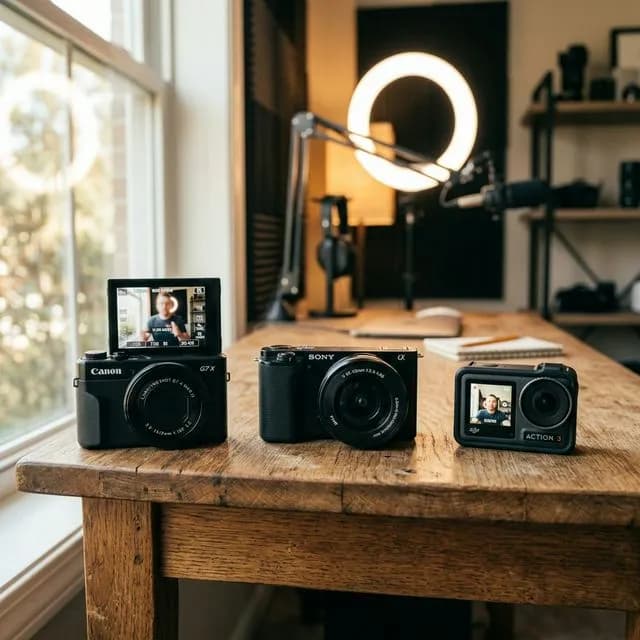
A close-up comparison of three budget YouTube cameras under $500 on a wooden desk with daylight streaming in — showing flip screens, compact form factors, and modern lens options
*Flip screens, compact bodies, and reliable autofocus are the three things every budget YouTube camera should deliver in 2026. These cameras check all three.*
---
4. GoPro Hero 13 Black — Best for Action and Extreme Sports Channels
Street Price: ~$399 | 👉 Check Price on Amazon
The GoPro Hero 13 Black is a purpose-built tool for a very specific type of YouTube creator. If you're making outdoor adventure, fitness, cycling, surfing, skateboarding, or extreme sports content, this is the best $399 you can spend on a camera.
What It Does Exceptionally Well:
The HyperSmooth 6.0 stabilizationis genuinely on par with a gimbal system — and unlike the Osmo Pocket, this is waterproof to 33 feet without a case. Shoot in rain, ocean spray, rivers, and pools without worrying about the hardware.
The 5.3K resolution and 4K 120fps capabilities are outstanding for an action camera at this price. The wide 177° field-of-view paired with HyperSmooth produces the adventurous, dynamic look that defines the action content genre.
The newModular Extension System allows you to attach an external microphone module, additional battery, and a flip screen adapter — making it surprisingly versatile for a traditionally niche product.
What to Know:
Battery life is a known limitation. In 4K 60fps mode, expect 80–100 minutes. The lens distortion (barrel and fisheye) can look unusual for talking-head content. And there's no traditional autofocus system — everything is in focus at once (hyperfocal distance), so you don't get the shallow depth-of-field background blur that makes talking-head videos look expensive.
Best For: Action sports, outdoor adventure, cycling, travel content with movement, fitness channels.
---
5. Panasonic Lumix G7 (with Kit Lens, Refurbished) — Best Value for Video Quality
Street Price Refurbished: ~$280–$350 with 14-42mm kit lens | 👉 Check Price on Amazon
The Panasonic Lumix G7 is older hardware at this point, but it's an absolute value monster for what it delivers in the budget YouTube camera space. It was ahead of its time when it launched and remains genuinely capable for YouTube content.
What It Does Exceptionally Well:
True 4K 30fps without crop or significant overheating. The 4K video from the G7 is sharp, clean, and has held up remarkably well. Given the refurbished pricing, you're getting 4K capability for less than what many creators spend on a single accessory.
It also has the Micro Four Thirds mount, which means access to one of the widest lens ecosystems in photography — fast prime lenses start at around $100 for MFT, which is unheard of in Sony or Canon's mirrorless systems.
What to Know:
The autofocus system is significantly behind the Sony and Canon options listed above. The G7 uses contrast-detection AF, which is slower and less accurate than the phase-detect systems in the ZV-E10 and M50 Mark II. For scripted, stationary talking-head content where you pre-focus, this is manageable. For dynamic vlogging where you're moving around, it's frustrating.
Best For:Creators who want 4K on the absolute minimized budget, static shooting scenarios (interview setups, desk setups), those willing to invest in a fast prime lens to compensate for the slower autofocus.
---
How to Choose: A Simple Framework
Here's the shortest version of which camera to buy, based on your content type:
| Content Type | Recommended Camera |
|---|---|
| Talking-head / tutorials / beauty | Sony ZV-E10 |
| Interview / two-person / color grade | Canon M50 Mark II (refurb) |
| Travel vlogging / outdoor movement | DJI Osmo Pocket 3 |
| Action / sports / adventure | GoPro Hero 13 Black |
| Tight budget / home studio / static | Panasonic G7 (refurb) |
---
Essential Accessories to Budget For Alongside Your Camera
A budget YouTube camera alone is the start, not the finish. Here's what you actually need to get to a complete shooting setup:
A Good Microphone (Priority #1)
The camera's internal mic will let you down. Every single time. Before you buy lenses or lights, buy a microphone. The Rode VideoMicro II (~$80) is the on-camera choice. The Rode Wireless GO II (~$299) is the clip-on wireless choice for vlogging. Our comprehensive best microphones under $100 for YouTube review covers every option at the budget tier in detail.
Lighting (Priority #2)
A $35 ring light or a $60 two-panel LED key light will transform the look of your footage more than a $1,000 camera upgrade. Budget your gear list accordingly. Good lighting makes a $300 camera look like $1,500. Bad lighting makes a $1,500 camera look like $300.
Extra Batteries and a Fast SD Card
Buy two or three extra batteries for whatever camera you choose — most budget cameras ship with a single battery that lasts 45–75 minutes. A UHS-I or UHS-II SD card with fast write speeds matters for 4K recording — skimping here causes dropped frames.
A Tripod or Gorilla Pod
Even a $25 Joby GorillaPod nano gives you a stable platform for static talking-head setups. Shaky footage is one of the biggest signals of "beginner quality" that a stable camera mount eliminates immediately.
---
What to Look For in Your First YouTube Setup Beyond the Camera
Getting the right camera is step one. Step two is understanding how the entire production workflow connects — from recording to editing to uploading and getting discovered.
For editing, I consistently recommend new creators start with Descript's text-based editing workflow, which is the fastest way to cut talking-head footage when you're getting started. For Shorts editing and social clips from your longer videos, the CapCut AI editing guide covers the mobile-first workflow top to bottom.
Once you're recording and editing, your metadata is what gets your videos found. Make sure you're using a YouTube Title Generator to test optimal titles before publishing, and run your tags through our YouTube Tag Generator to capture long-tail search traffic.
For thumbnail creation — which directly affects your click-through rate and how the algorithm spreads your video — the Canva AI Tools for YouTube guide shows you how to build scroll-stopping thumbnails without hiring a designer.
---
Backlinks and External References
These are the most authoritative external sources we referenced and recommend for further reading:
-Wirecutter: Best Cameras for Video— Wirecutter's professionally tested camera comparisons, regularly updated for current availability and pricing.
-DPReview: Sony ZV-E10 Full Review— The most technically detailed review of the ZV-E10 with side-by-side image comparisons against competing APS-C sensors.
-Backlinko: YouTube SEO Factors— Understanding how YouTube distributes videos helps you make smarter decisions about what to invest in (hint: it's often thumbnails and titles before equipment).
-YouTube Creator Academy— YouTube's own free education platform, with courses on equipment setup, video production, and channel growth directly from the platform.
-B&H Photo: Budget Video Camera Buying Guide— A vendor-neutral technical buying guide from one of the world's leading camera retailers.
---
The Honest Bottom Line
You can build a great YouTube channel on any of these cameras. I've seen creators with 500,000 subscribers filming on a Canon M50 and creators with 50,000 subscribers who own gear worth five times what's on this list — and the channel with the cheaper camera grew faster because they invested the rest of their budget into better lighting, better microphones, and more content.
TheSony ZV-E10is the safest, most versatile choice for the majority of YouTube creators starting out. The autofocus is reliable, the image quality is clean, and the creator-focused features (Background Defocus, Product Showcase mode, the vari-angle screen) prove that Sony actually talked to YouTubers before designing it.
But pick the camera that fits the content you're actually making — not the content you imagine making. If you're filming desk reviews, pick the M50 Mark II. If you're hiking and travel vlogging, pick the Osmo Pocket 3. Match the tool to the work.
Get the camera, build a consistent uploading schedule, and focus on improving your content rather than upgrading your gear. That's the formula that actually builds channels.
Use our YouTube Earnings Calculator to project where your channel can go once it's monetized — knowing your income potential is a great motivator to keep the camera rolling.
Topics
❓Frequently Asked Questions
What is the best budget YouTube camera under $500 in 2026?
The Sony ZV-E10 is the best overall budget YouTube camera under $500 in 2026 for most creators. It was specifically designed for content creators, offers reliable face-tracking autofocus, a fully articulating touchscreen, a 3.5mm mic input, and clean 4K footage. It's available for approximately $399 body-only or $499 with the kit lens. For action and sports creators, the GoPro Hero 13 Black ($399) is the better choice.
Do I need a 4K camera for YouTube in 2026?
No, 4K is not a requirement for a successful YouTube channel in 2026. YouTube's compression engine handles clean 1080p footage very well, and the quality difference at standard viewing sizes (most mobile and laptop screens) is minimal. Where 4K genuinely helps is in giving you reframing flexibility in post-production — you can zoom and reframe a 4K clip to create dynamic camera movement without losing quality. If you have good lighting and clean glass, 1080p 60fps is more than sufficient.
Is the Sony ZV-E10 good for YouTube beginners?
Yes, the Sony ZV-E10 is one of the best cameras for YouTube beginners. Its real-time tracking autofocus handles face and eye detection reliably, the fully articulating screen lets you see your framing when filming alone, and it has a dedicated microphone port for external audio. The built-in Background Defocus mode automatically creates the shallow depth-of-field look popular in YouTube content. It requires minimal camera knowledge to get great footage straight out of the box.
Can the DJI Osmo Pocket 3 replace a mirrorless camera for YouTube?
For some creators, yes. The DJI Osmo Pocket 3 excels at travel vlogging, outdoor content, and situations where stabilization is critical. Its built-in three-axis gimbal eliminates shaky footage completely, and the 1-inch sensor performs well in low light. However, it has a fixed lens (no interchangeable optics), no traditional 3.5mm mic jack, and the fixed wide-angle focal length isn't ideal for static talking-head setups. For desk-based creators, it's not a replacement for a mirrorless camera, but for on-the-go creators it can be their primary camera.
What accessories do I need to buy with a budget YouTube camera?
The three most important accessories alongside a budget YouTube camera are: (1) An external microphone — even a basic on-camera mic like the Rode VideoMicro II ($80) dramatically improves audio quality over built-in mics; (2) Additional batteries — most budget cameras ship with one battery lasting 45–75 minutes, which is rarely enough for a full shoot; (3) Lighting — a basic two-panel LED light setup ($40–$80) or ring light improves footage quality more than most camera upgrades. A tripod and a fast SD card round out a complete beginner setup.
Is the Canon M50 Mark II still worth buying in 2026?
Yes, the Canon M50 Mark II remains worth buying in 2026, particularly when purchased refurbished in the $420–$460 range. Its Dual Pixel CMOS autofocus is still among the best in the budget mirrorless category, Canon Log support gives you flexibility in color grading, and it produces excellent 1080p footage. The main limitation is 4K recording, which crops the sensor and disables Dual Pixel AF at that resolution — but for YouTube in 1080p, it's a genuinely capable camera.
Free tools for this topic
Apply what you just read with free creator tools — no signup required.