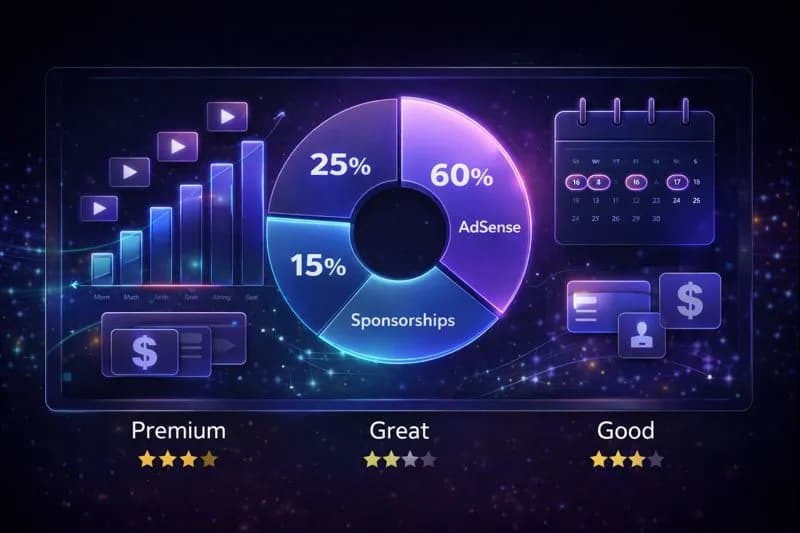
Let's answer the question that every aspiring creator asks:How do YouTubers actually get paid?
It's not magic, but it is specific.
YouTube Payment Threshold Explained
YouTubers get paid through Google AdSenseonce they reach thepayment threshold.
The Short Answer:
* Threshold: $100 USD (or equivalent currency).
* Split: Creators keep 55% of ad revenue; YouTube keeps 45%.
* Timing: Monthly, around the 21st.
* Method:Direct Deposit (EFT), Wire Transfer, or Check.
Important
Youmustreach the$100 youtube payment threshold to trigger a payout. If you earn $99 in January, you won't get paid until your *total* balance crosses $100 (e.g., in February).
The YouTube Payment System: How It Actually Works
YouTubers get paid through Google AdSense when they reach a $100 minimum threshold. Advertisers pay YouTube for ad placements, YouTube keeps 45%, and creators receive 55%. Payments are issued monthly around the 21st via direct deposit, wire transfer, or check, typically arriving 2-5 business days later.
Before we get into the specifics, let's understand the basic flow:
- Advertiserspay YouTube to show ads
2.YouTubetakes a 45% cut
3.Youreceive 55% of ad revenue
4.AdSenseprocesses your payment
5.Your bankreceives the money
That's it. Simple, right? But the devil is in the details.
Pro Tip
Use ourYouTube Earnings Calculatorto estimate how much you could earn based on your views and niche. It accounts for different CPM rates across industries.
Requirements to Get Paid (YouTube Partner Program 2026)
You can't just upload a video and expect a check. You need to qualify for theYouTube Partner Program (YPP)first.
Current YPP Requirements:
| Requirement | Standard Track | Shorts Track |
|---|---|---|
| Subscribers | 1,000 | 1,000 |
| Watch Hours | 4,000 (last 12 months) | N/A |
| Shorts Views | N/A | 10 million (last 90 days) |
| 2FA Enabled | ✅ Required | ✅ Required |
| No Active Strikes | ✅ Required | ✅ Required |
Once you hit these thresholds, YouTube reviews your channel (typically 1-2 weeks), and if approved, you can start earning.
Important
Many creators don't realize thatwatch hours must be from public, non-Shorts videos. A video set to unlisted or private won't count toward your 4,000 hours.
Payment Threshold: The $100 Rule
YouTube requires creators to earn a minimum of $100 before releasing payment. This threshold is fixed globally (€70 in Eurozone). Earnings accumulate across months until you reach $100, then payment is automatically processed. There is no way to lower this threshold or request early payout.
Here's where most new creators get confused.
YouTube does NOT pay you every month automatically.
You must reach a minimum payment threshold of $100 before YouTube releases your earnings.
* If you earn $45 in January → No payment
* If you earn $60 in February → Your balance is now $105 → Payment triggered
Your payment for that $105 will arrive around the 21st-26th of March (more on timing below).
Can I Change the Threshold?
No. The $100 threshold is fixed globally. Some countries with local currency payouts may have equivalent thresholds (e.g., €70 in the Eurozone).
How YouTubers Get Paid: All Payment Methods Explained
Once you hit the threshold, YouTube pays you through Google AdSense. You'll set up your payment method in your AdSense account (not YouTube Studio).
Payment Method 1: Direct Bank Deposit (EFT/Wire)
Availability: USA, UK, Canada, Australia, Germany, France, and most major countries
How it works:
- You enter your bank account details in AdSense
- Google sends money directly to your account
- Arrival time: 2-5 business days after payment is issued
Pros:
* Fastest method
* No fees (in most cases)
* Most secure
Cons:
* Some banks charge receiving fees for international wires
Pro Tip
For US Creators: Use a major bank like Chase, Bank of America, or Wells Fargo. They handle Google's ACH transfers smoothly with no delays.
Payment Method 2: Wire Transfer
Availability: Most countries
How it works:
* Google sends an international wire transfer to your bank
* You may need to provide SWIFT/BIC codes
Pros:
* Available in many countries without EFT
* Works with most bank types
Cons:
* Fees can be $15-$30 per transfer
* Takes 5-10 business days
Payment Method 3: Checks (Mailed)
Availability: Limited countries (being phased out)
How it works:
* Google mails a physical check to your address
* You deposit it at your bank
Pros:
* Works if you don't have a compatible bank
Cons:
* Takes 2-4 weeks to arrive
* Can get lost in mail
* Bank hold periods (up to 2 weeks for international checks)
Payment Method 4: Western Union
Availability: Select countries
How it works:
* Google sends payment to Western Union
* You pick up cash at a local agent
Pros:
* No bank account required
* Cash in hand
Cons:
* Must physically visit a location
* May have pickup limits
Payment Method 5: Rapida (Russia/CIS Countries)
Availability:Russia, Ukraine, Kazakhstan, etc.
A regional payment service for creators in CIS countries.

YouTube payment methods infographic showing wire transfer, bank deposit, and other options
The YouTube Payment Schedule: When Do You Get Paid?
YouTube follows apredictable monthly schedule:
| Event | Date |
|---|---|
| Month ends | Last day of the month |
| Earnings finalized | ~10th-12th of next month |
| Payment issued | 21st of next month |
| Payment arrives | 21st-26th (depends on method) |
Example Timeline:
* January 1-31: You earn $150 from ads
* February 10: YouTube finalizes January earnings
* February 21: Payment is issued
* February 23-26: Money arrives in your bank
Pro tip: If the 21st falls on a weekend or holiday, payment may shift to the next business day.
Understanding Your Revenue: RPM vs CPM
Two terms you MUST understand:
CPM (Cost Per Mille)
What advertisers pay YouTube per 1,000 ad impressions.
* Finance ads: $30-$60 CPM
* Gaming ads: $2-$8 CPM
* Tech/Software: $15-$40 CPM
RPM (Revenue Per Mille)
What YOU actually earn per 1,000 views (after YouTube's 45% cut and accounting for non-monetized views).
* RPM is always lower than CPM
* Typical RPM range: $1-$10 for most creators
* High-value niches: $15-$40 RPM
Note
A video with 100,000 views at $5 RPM = $500in revenue. The same views in a finance niche at $25 RPM =$2,500. Niche selection matters enormously.
Tax Implications: What You Need to Know
Here's what most YouTube "gurus" skip: taxes.
For US Creators:
* YouTube income is self-employment income
* You'll receive a 1099-MISC from Google if you earn $600+
* Estimated quarterly taxes apply (15.3% self-employment + income tax)
* Deductions: Equipment, software, home office, internet
For Non-US Creators:
* You must submit a W-8BEN tax form in AdSense
* Without it, Google withholds 24-30% of US-sourced revenue
* Your home country may have a tax treaty reducing withholding (UK: 0%, Canada: 0%, Australia: 15%)
Tax Form Checklist:
| Your Location | Required Form | Purpose |
|---|---|---|
| USA | W-9 | Report as US taxpayer |
| UK, Canada, EU | W-8BEN | Claim treaty benefits |
| Other Countries | W-8BEN | Certify non-US status |
Caution
Don't skip your tax forms! If Google can't verify your tax status, they may hold 30% of your earnings indefinitely. Complete the tax interview in AdSense as soon as you're monetized.
Alternative Income Streams (Beyond AdSense)
Smart YouTubers don't rely solely on ad revenue. Here's where the real money is:
1. Sponsorships & Brand Deals
Brands pay you directly to feature products. Rates vary from $500 to $50,000+ per video depending on your audience.
* Use our Engagement Rate Calculator to show brands your audience quality
2. Affiliate Marketing
Earn commissions by recommending products:
* Amazon Associates: 1-10% commission
* Software affiliates: $20-$200 per sale
* Course affiliates: 30-50% commission
3. Channel Memberships
Viewers pay $4.99/month for exclusive perks. You keep 70%.
4. Super Chats & Super Stickers
Live stream donations processed through YouTube. You keep 70%.
5. YouTube Premium Revenue
When Premium subscribers watch your content, you get a share of their subscription fee.
Pro Tip
For a deeper dive into building multiple income streams, check out our YouTube Monetization (2026),YouTube Partner Program Requirements (2026), andSponsorship Guidelines.
Common Payment Problems & Solutions
Problem 1: "My earnings are stuck at $99"
Solution: Keep creating content. Every view adds revenue. You'll cross $100 soon.
Problem 2: "Payment not received on the 21st"
Solution: Check your AdSense "Payments" page. Confirm your bank details. Allow 5 business days. Contact AdSense support if nothing after 10 days.
Problem 3: "My bank rejected the payment"
Solution: Verify account name matches your AdSense exactly. Some banks require your full legal name, not nicknames.
Problem 4: "AdSense showing 'Action required'"
Solution:Complete address verification (they mail a PIN), submit tax forms, or verify your identity.
How to Track Your Earnings
You have two dashboards:
1.YouTube Studio → Analytics → Revenue
* Shows estimated daily/monthly revenue
* Updates in real-time (24-48 hour delay)
* Great for trends and video-level breakdown
- Google AdSense → Payments
* Shows finalized earnings
* Payment history and upcoming payments
* This is the "source of truth" for actual payouts
Pro tip: Use our Channel Audit Toolto understand your monetization performance across all videos.
Maximizing Your YouTube Earnings
Now that you know HOW you get paid, here's how to get paid MORE:
1.Target high-CPM niches:Finance, software, B2B, legal
2.Create longer videos:More ad slots = more revenue
3.Post consistently:Algorithm rewards regular uploaders
4.Optimize for Tier 1 countries:US/UK/Canada/Australia viewers pay more
5.Enable mid-roll ads:On videos 8+ minutes, add mid-roll ad breaks
Use ourYouTube Title GeneratorandYouTube Tag Generator to optimize your videos for maximum discoverability and ad impressions.
The Bottom Line
Getting paid on YouTube isn't mysterious once you understand the system:
- Join the Partner Program (1,000 subs + 4,000 hours)
- Set up AdSense with your bank details
- Accumulate $100 in earnings
- Get paid around the 21st of each month
- Pay your taxes
The real question isn't "how do you get paid"—it's "how do you earn enough to make this your career?"
That answer lies in strategy, consistency, and smart content choices.
Now go make some content.
Related Resources
* YouTube Monetization (2026) – Requirements + CPM/RPM by country
* YouTube Partner Program Requirements (2026) – Eligibility checklist and approval timeline
* YouTube Sponsorship Guidelines – Get brand deals
* YouTube Earnings Calculator – Estimate your income
* YouTube Automation Guide– Scale your channel with AI
Topics
❓Frequently Asked Questions
How do YouTubers get paid?
YouTubers get paid through Google AdSense, which is connected to their YouTube channel. Once you join the YouTube Partner Program and accumulate at least $100 in earnings, YouTube processes your payment around the 21st of each month. Payment methods include direct bank deposit (EFT), wire transfer, checks, or Western Union, depending on your country.
What is the YouTube payment threshold?
The YouTube payment threshold is $100 USD. You must earn at least $100 in your AdSense account before YouTube will issue a payment. If you earn less than $100 in a month, your earnings roll over to the next month until you reach the threshold.
When do YouTubers get paid each month?
YouTube pays creators around the 21st of each month for the previous month's earnings. For example, earnings from January are finalized by February 10th and paid out around February 21st. The actual arrival in your bank account depends on your payment method (2-10 business days).
Why didn't I get paid on the 21st?
The most common reasons are: you haven't reached the $100 threshold, earnings are still being finalized, your AdSense account needs verification (identity/address), tax info is missing, or your payment method/bank details are incorrect. Check AdSense → Payments for any 'Action required' notices.
Do YouTubers get paid for Shorts?
Yes, but Shorts earnings work differently than long-form ads. Shorts can earn through Shorts ad revenue sharing (if eligible) and also through other monetization features like memberships and Super Thanks. Many creators still see higher RPM from long-form videos because they allow multiple ad placements and higher advertiser intent.
How much does YouTube pay per 1,000 views?
YouTube pays creators based on RPM (Revenue Per Mille), which typically ranges from $1-$5 for general content and $15-$40+ for high-value niches like finance, software, and legal. The exact amount depends on your audience location (Tier 1 countries pay more), video topic, ad engagement, and time of year (Q4 pays highest).
Do YouTubers pay taxes on their earnings?
Yes, YouTube income is taxable. US creators receive a 1099-MISC form if they earn $600+ and must pay self-employment tax (15.3%) plus income tax. Non-US creators must submit a W-8BEN form to avoid 30% US tax withholding. Many countries have tax treaties with the US that reduce or eliminate this withholding.
Free tools for this topic
Apply what you just read with free creator tools — no signup required.